TEMPO
TEMPO
 SUNCLAX
Your AI Reads Text Files. Is Your Notion Workspace One?
The first thing my AI reads is a text file
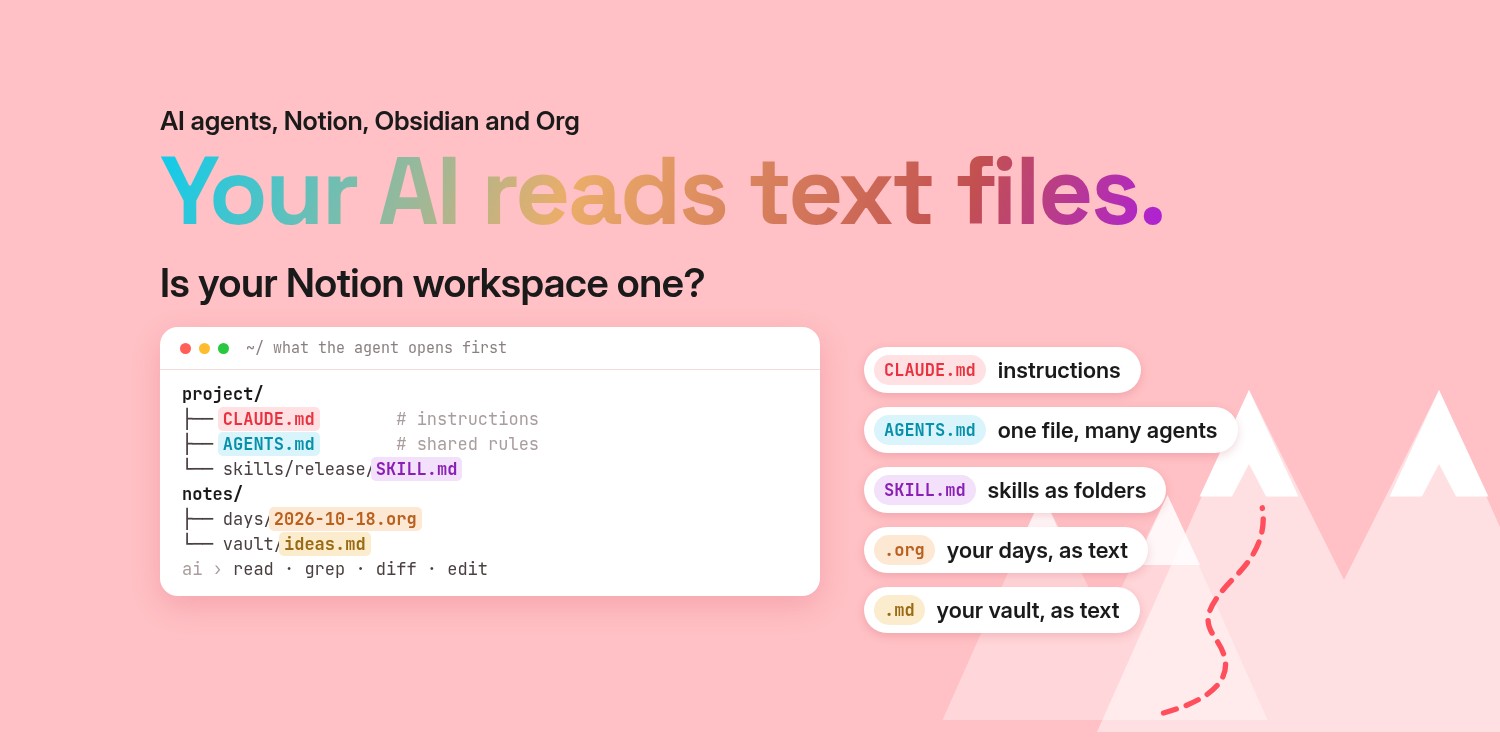
Every morning, before a coding agent touches a single line of my code, it reads a text file.
Not a database. Not a settings panel. Not a sync service with a login. A Markdown file called CLAUDE.md sitting at the root of the project, next to the code. It tells the agent how to build the thing, what not to touch, which mistakes it made last week. When I correct it, I don't file a ticket with a vendor. I open the file and add a line.
The first few times this felt like a small implementation detail. Then I started noticing it everywhere. The instructions are a text file. The agent's reusable skills are text files. Its memory, the notes it writes to itself between sessions, is a folder of text files. The newest, most expensive, most talked-about software of this decade keeps its brain in the oldest format computers have.
I have spent years moving in the same direction for my own life: nine years in OmniFocus, a long stretch in Notion, Obsidian, and finally Emacs with Org files, where my tasks, notes and journal are all plain text I own. For most of that time, plain text felt like a personal preference, maybe a slightly stubborn one.
It doesn't feel stubborn anymore. It feels early.
The AI toolchain keeps landing on plain files
Look at what the tools themselves chose. None of this is a prediction. It is in their documentation today.
- Claude Code reads
CLAUDE.md. Anthropic describes these as Markdown files you write in plain text, loaded at the start of every session. Its auto memory, the notes Claude writes for itself, lives in a local folder with aMEMORY.mdindex and one Markdown file per memory. The docs literally say you can read, edit or delete them. - AGENTS.md is becoming a shared convention. AGENTS.md calls itself "a README for agents": a simple, open format, just standard Markdown, no required fields. OpenAI's Codex reads
AGENTS.mdbefore doing any work, Cursor supports it, and Claude Code can now read it too. - Cursor keeps project rules in the repo. Its project rules live in
.cursor/rulesas.mdcfiles, which are Markdown with a few lines of front matter, version-controlled with the code. For simple projects, Cursor's docs suggest a plainAGENTS.mdinstead. - Skills are folders with a
SKILL.mdinside. Anthropic developed the format and released it as an open standard, Agent Skills. Codex builds its skills on the same standard. A skill is a directory, a Markdown file with a name and a description at the top, and whatever scripts or references it needs. - Even websites are adding a text file for AI. The llms.txt proposal, first published by Jeremy Howard in 2024, suggests a Markdown file at a site's root that points agents to clean Markdown versions of its pages. Anthropic and OpenAI publish one for their developer docs.
Nobody coordinated this into a single standard. Different teams, different companies, and they keep arriving at the same place: a file, in a folder, in a format a human can read.
Why text wins when the reader is a model
There is no mystery here once you think about what a language model actually is. It reads text and writes text. Everything else is plumbing.
Give an AI a plain text file and it can do four things without any help:
- Read it. No API key, no export, no schema to understand first. The file is the interface.
- Search it. An agent can run
grepacross ten years of notes in less time than it takes a web app to show a loading spinner. - Diff it. When the AI changes something, I see exactly which lines changed. Git remembers every version. If it gets something wrong, I undo it the same way I undo my own mistakes.
- Edit it. A model editing a text file is doing the one thing it is best at. A model editing a database has to go through someone's API, someone's permission model, someone's rate limit.
Now compare that with the apps I used to live in. My OmniFocus years lived in a database I mostly reached through OmniFocus itself. An AI inside an app like that is a guest in the vendor's house. It sees what the vendor lets it see, in the shape the vendor chose.
With plain text, the relationship flips. The files are the house. Any AI I trust, today's or next year's, walks in the front door.
Where Notion fits
Notion is built differently, on purpose. Everything in a Notion workspace is a block, whether it is a paragraph, a page or a database row, and the blocks live on Notion's servers (Notion's own write-up of its data model). That design is what makes its databases and live collaboration so good. Since August 2025 you can also mark pages for offline use in the desktop and mobile apps (Use Notion pages offline), and you can export pages as Markdown and databases as CSV (Export your Notion content).
Notion has also opened its workspace to AI tools. Its official MCP server lets Claude Code, Cursor or Codex search and edit your pages once you sign in (Notion MCP). Notice what it hands them, though: page content comes back as Markdown, and new pages go in as Markdown. Even when the data lives in a database, the AI works with text. A folder of plain files simply skips the connector, the sign-in and the network: any tool can read it, today, offline, without asking anyone.
Why Obsidian got this right
I still think Obsidian was the right first step for most people, and this is the reason.
Obsidian's own help page says it plainly: it stores your notes as Markdown-formatted plain text files in a vault, and a vault is just a folder on your local file system. Other editors can open and change those files, and Obsidian refreshes when they do.
That one decision is aging beautifully. When the AI wave arrived, Obsidian users didn't need to wait for an official integration. Their notes were already a folder of Markdown. You can point a coding agent at the vault and ask it questions. You can run a local model over it so nothing leaves your machine. Or you can go through a community plugin like Local REST API, which now ships a built-in MCP server so AI clients can search and edit your vault through the running app.
None of those options needed Obsidian's permission. That is the whole point. The vault was never locked, so there was nothing to unlock.
Why Emacs and Org go one step further
Obsidian gave my notes back to me. Emacs and Org gave me back everything else.
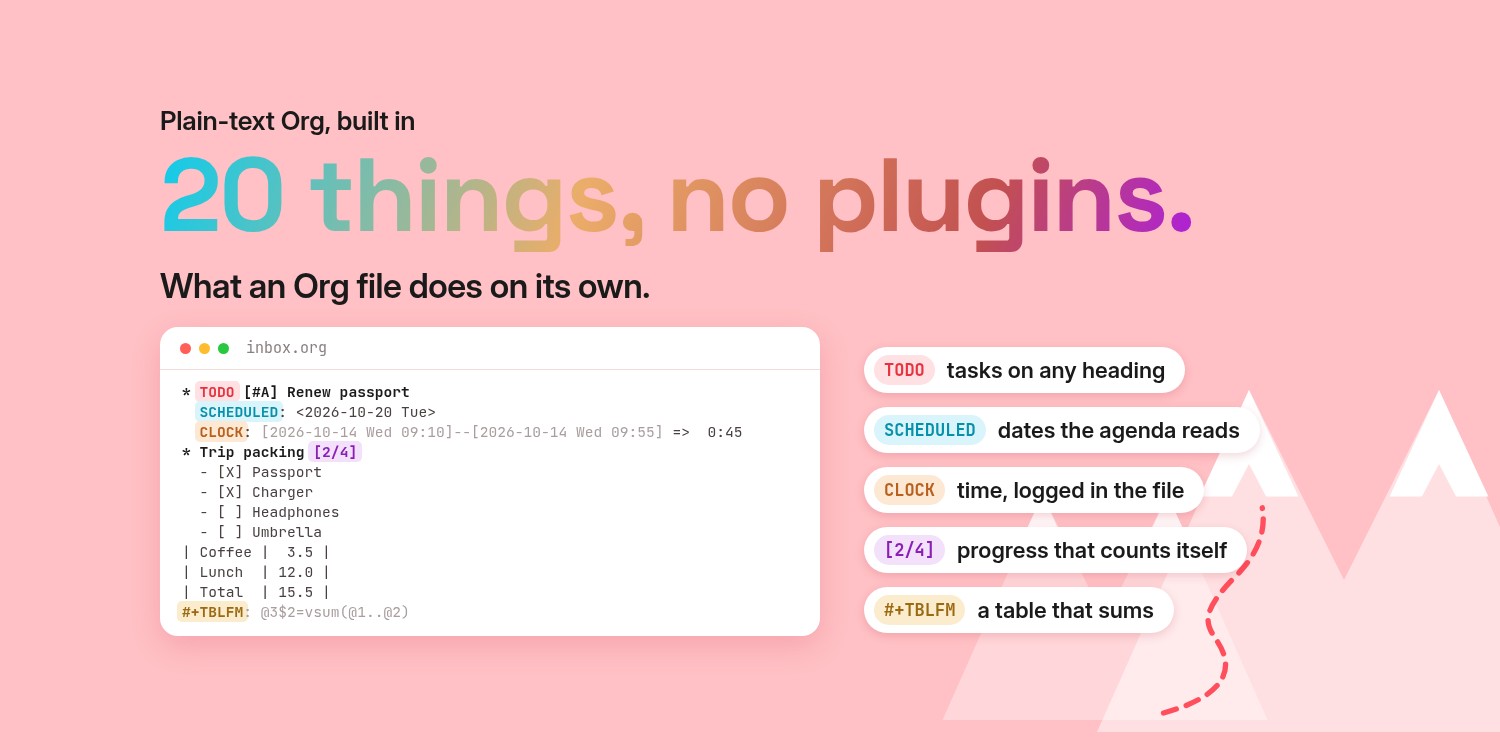
Org describes itself as "your life in plain text", and it means it. In an Org file, a task is a line that starts with TODO. A deadline is a timestamp written right there in the text. A finished task becomes DONE, with the time it was closed. Tags, priorities, properties and even the time I spent on something are all plain lines in the same file.
Here is an Inbox file opened as plain text in Tempo, with tasks, priorities and dates as ordinary lines:
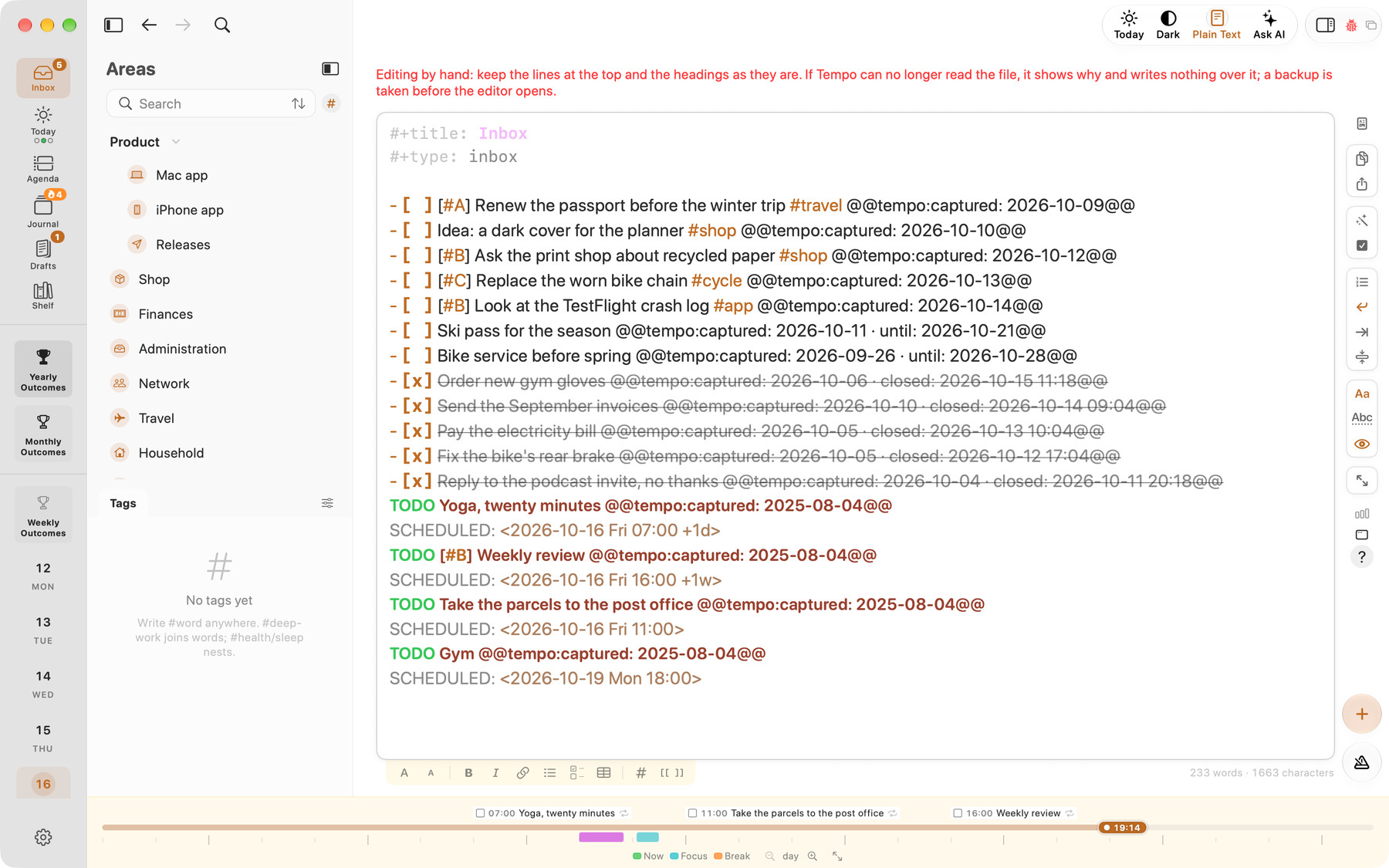
For a human, that is a planner. For an AI, it is a dataset that happens to be readable.
This is the part I didn't expect when I switched. I didn't move to Org for AI. I moved because I was tired of apps holding my life in formats I couldn't open. But when I started pointing agents at my files, Org turned out to be almost unfairly good for it. There is structure the model can rely on: headings, states, dates. And there is no wall between the structure and the words. A task and the paragraph I wrote about why it matters sit in the same place.
A database would split those into columns and rows, and hand the AI a query language. Org hands it a page.
What my week looks like to an AI
Tempo is an Org app for Mac, iPhone and iPad, built around one idea: each day gets three things. Not a list of forty. Three outcomes that the day is actually about, with a journal underneath. It puts that idea in a calm window without giving up what Emacs already has: Tempo keeps everything as plain Org files in a folder I own.
That second decision turned out to matter more than I thought.
Here is Today in Tempo, the day's three outcomes:
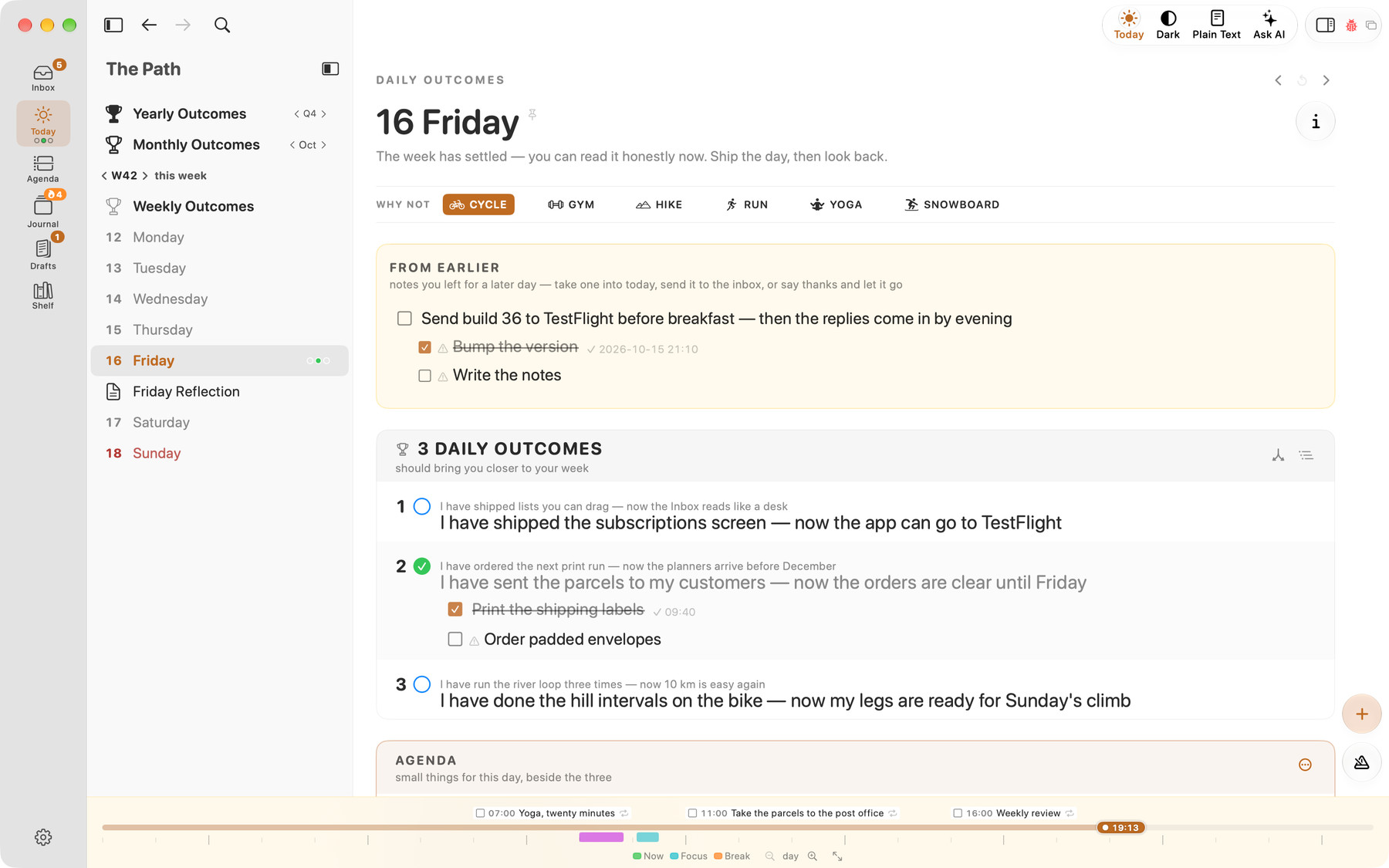
This is what I see. Three things. Nothing else competes for the screen.
Here is the same day as plain text, one click later:
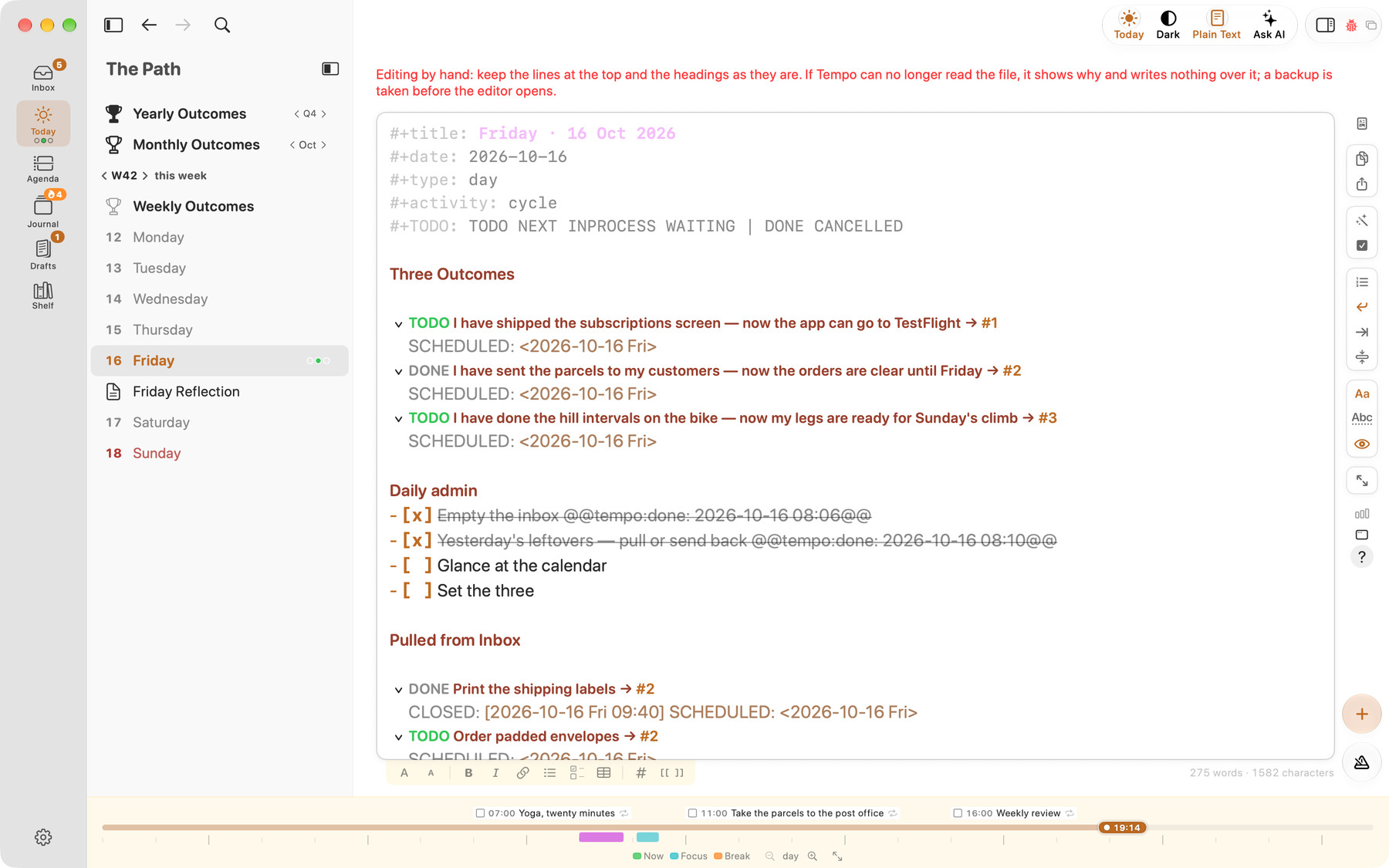
And this is the same day, one click later. Tempo calls it Show Page as Plain Text, and it doesn't convert anything. It shows the day's file exactly as it sits in the folder. Back to the Page, and the calm window returns.
Same data, two faces. The app is for me, when I want three things and nothing else. The text is for both of us: I can read it, any AI I point at the folder can read it, either of us can grep it, and git can diff it. Nothing is lost in the switch, because nothing is translated. The file is where Tempo keeps the day, and the window is just a gentler way to look at it. The same file opens in Emacs or any other editor, and Tempo picks up the change while it is open.
Tempo also has an AI chat of its own, called Ask AI. It opens in a pane beside the page and runs on a model I choose: Claude or OpenAI with my own key, Apple's model on the Mac itself, or a local model through Ollama or LM Studio. On Friday I open it next to the week and ask plain questions:
- Which of my three outcomes kept moving from day to day?
- What did I actually finish, and what did I just write down?
- Is there a pattern in the days that went well?
- What should I carry into next week, and what should I let go?
Here is the second half of Ask AI's answer about an earlier week in September, with the files it read:
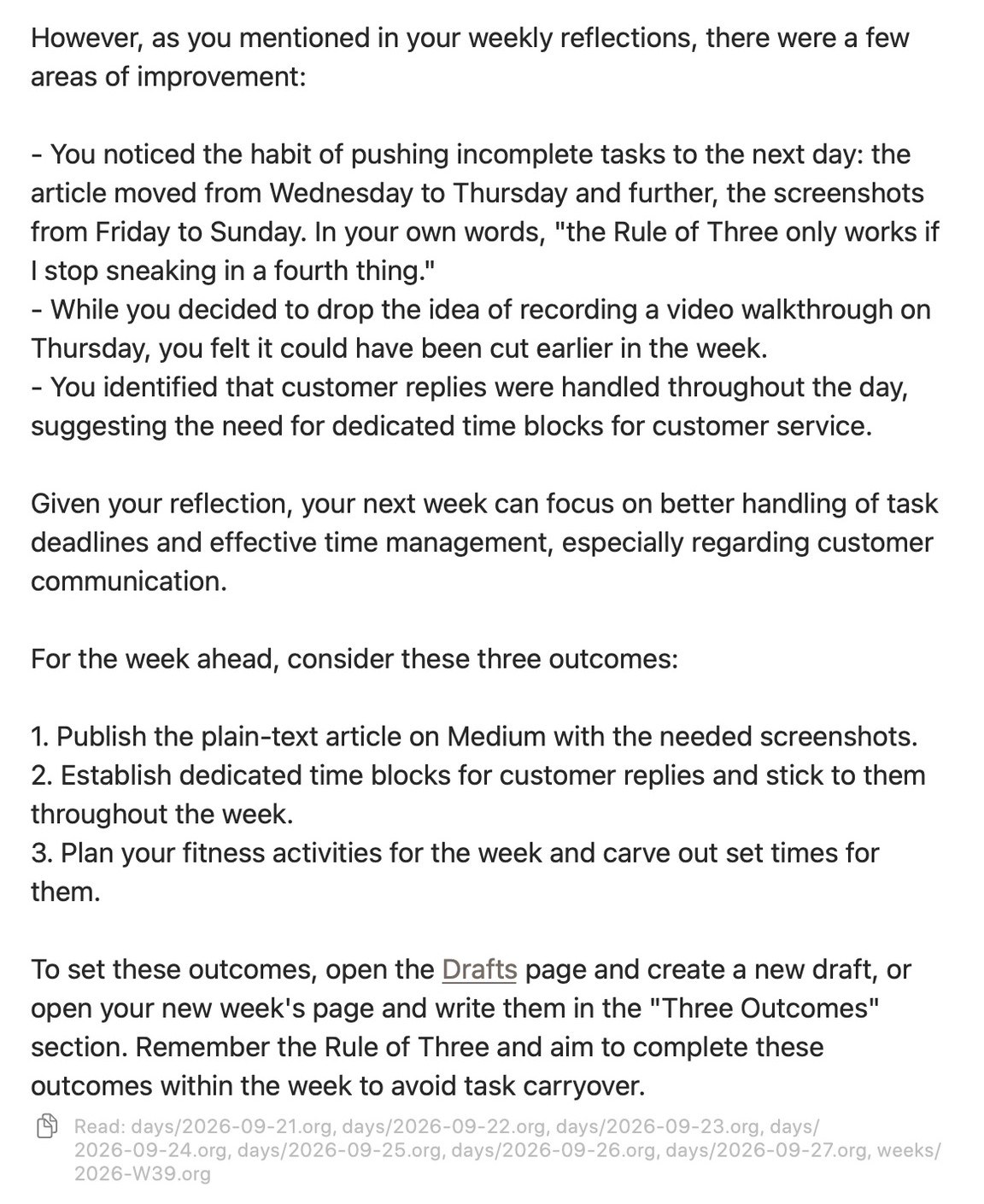
It opened eight files, all seven days from 21 to 27 September and the week, and answered in order. It noticed that the article edit slipped from Wednesday to Thursday and the screenshots from Friday to Sunday, and it quoted my own Friday note back at me: "the Rule of Three only works if I stop sneaking in a fourth thing." Then it suggested three outcomes for next week: publish this article, block fixed time for customer replies, and plan the week's fitness activities.
The answer is not magic. It is a model reading the text I wrote, the same way I would if I had the patience. But it is honest in a way a dashboard is not, because it reads my words, not a completion percentage.
Now look at the small grey line under the answer: Read: days/2026-09-21.org, days/2026-09-22.org, on through Sunday, and then weeks/2026-W39.org. That line is the whole argument of this article in one row of text. The chat didn't query a hidden database or some private index of my week. It opened the plain .org files in the folder, one per day plus one for the week, and it tells me exactly which ones.
It reads with three tools: list, read, search. When it suggests a change, the change waits under the answer until I click Apply, and Undo takes it back. If an answer is worth keeping as it is, I click to send it to Today or to the Inbox myself.
Earlier I called an AI inside an app a guest in the vendor's house. This one lives in a house that is still just a folder of text files, and the folder is mine. The files stay mine, and any other tool, Claude Code in a terminal, Codex, or plain grep, can read the same folder the same way. When a better model ships next year, I change one setting, and it reads them too.
What databases are still good at
I want to be fair here, because "plain text for everything" is its own kind of dogma.
Databases are still the right tool when many people edit the same data at the same time, when you need strict guarantees about every write, or when the data is millions of rows that no one will ever read as prose. Your bank should not run on Org files. Notion is genuinely good for a team wiki that twenty people touch every day.
But a personal system is not a bank. It is one person's notes, tasks and days. For that, the question has changed. It used to be "which app has the best features?" Now it is also "can the tools I will use next year read what I write today?"
More and more AI tools are answering that question the same way. With a file.
Start with one file
You don't have to move your life into Emacs to test this. Most people shouldn't, at least not first.
Start with one file. Write down this week's three priorities in a plain Markdown or Org file. At the end of the week, open that folder with an AI you trust and ask it what happened. Notice how little setup it needed. Notice that you can open the same file in any editor, today or in ten years. If you live in Notion, export one page as Markdown and try the same test.
If your notes already live in an Obsidian vault, you are closer than you think. If they live in Org files, you were there before the AI arrived.
The tools spent a decade teaching us that our work belongs inside apps. Now the smartest new tools are quietly reading text files. Maybe the plain-text people weren't nostalgic. Maybe they were just early.
The screenshots show Tempo, an Org app for Mac, iPhone and iPad: maxclax.com/tempo.
Thanks for reading. Follow on X: https://x.com/maxclaxOS
Dotfiles: https://github.com/maxclax/dotfiles
Related: