Tempo
Triada Tempo
The Mac app for the Triada method: three outcomes a day, a week, a month, a quarter. About the book →
Three outcomes. One tempo. The Rule of Three, on your Mac. A calm clock that counts the work. Plain Markdown files you own — no account, no cloud.
No account. No cloud. Your files stay on your Mac. · macOS 26, Apple silicon and Intel.
Tell me when it's ready
One mail when Tempo ships. Nothing else — no newsletter, no account.
Detected language: English — the mail comes in this language.
The ritual
Why three
Three is the number a head can hold while it lives the day. Written as results, in the past tense. Tasks and journal lines serve them.
01
Write three, in the past tense
Not “write the report” but “the report went out”. Three for today, three for the week, three for the month. The grammar does the work.
02
Let the day serve them
Capture anything into the inbox, from anywhere. Pull it under an outcome when it belongs. Journal lines, pictures and notes sit where the work happened.
03
Close the week on Friday
Three went well, three to improve, what mattered. The month closes the same way. No streaks, no guilt — a missed day stays blank.
Focus
A clock that serves the work
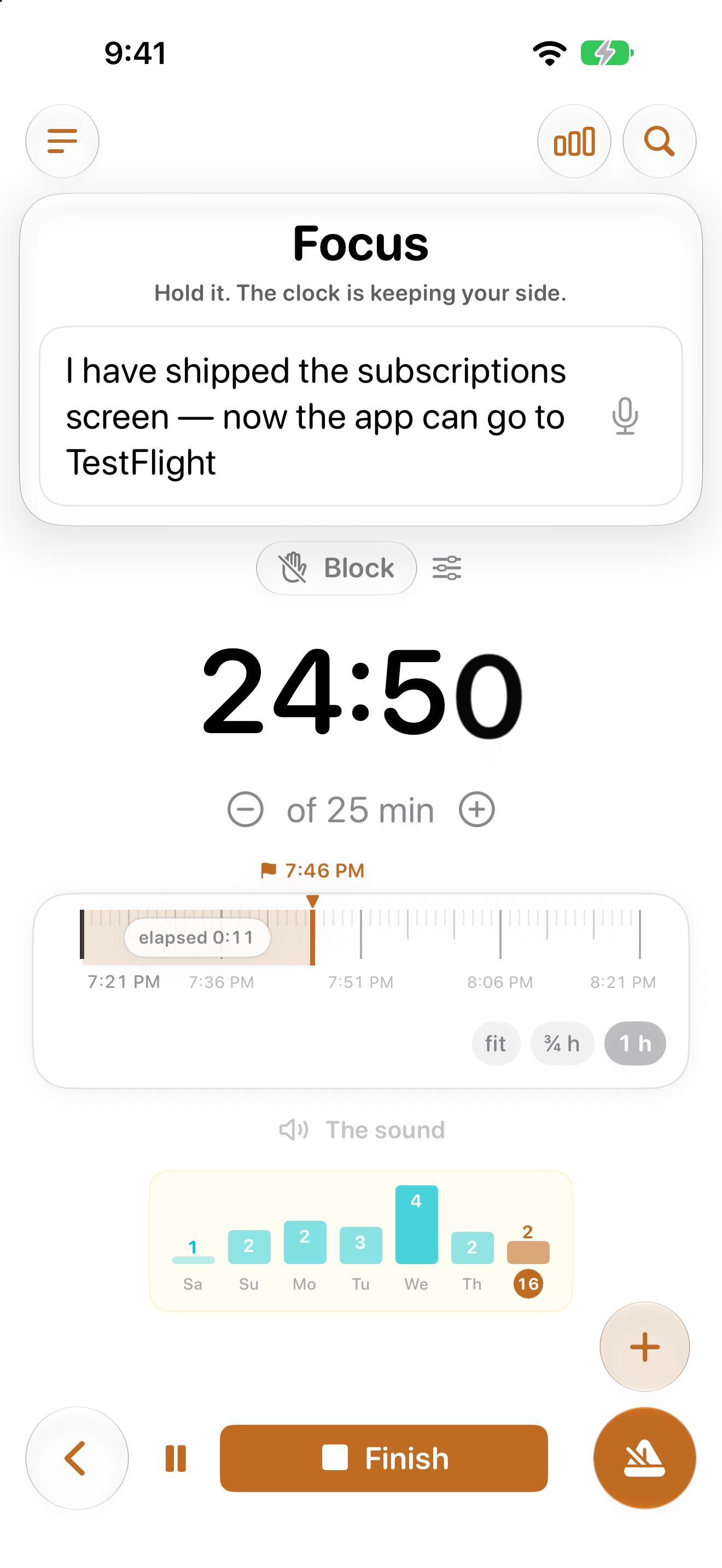
Free sessions or Pomodoro. Focus goes on a task or a journal line, never on an outcome, and the minutes land in the day file.
- A soft break: the last 30 seconds put a card on your screen; hands off for five seconds and the slice wraps itself up.
- Breaks can darken every display, with a quote of your own.
- Listed apps close and listed sites shut while a session counts.
- The menu bar shows the subject and the countdown, or today's next meeting when nothing counts.
Your files, your Mac, nothing else
A face on your files, not a database
One plain Markdown file per day, week, month and year, in a folder you choose — on your Mac or in iCloud Drive. Open them in any editor. Put them in git if you like. Tempo never has an account, a sign-up or a cloud database.
- Edit a file in another editor and the app follows, live.
- Daily backups, three kept; git versioning if you want it.
- Several vaults, each in its own window — work and private apart.
- Org format for the same ritual is next on the roadmap.
Nothing leaves the Mac unless you turn it on. What the app can send, and what it never does.
Every scale
The week and the month
A week belongs to the month its Monday is in. Each outcome can serve one above it, and progress is computed, never typed. The quarter can stand in for the year.
The week
Seven days at a glance, three outcomes on top, the hot spots ticked — mind, body, career, relationships, fun.
The month
One big question and seven prompts, with the month's weeks beside them to write from. A nudge on the last day if the page is still blank.
Tempo is for you if
- you would rather write three results than manage forty tasks
- you want your notes as files you can open in ten years
- you like a clock that counts, then gets out of the way
- you keep a paper planner and want the same ritual on the Mac
Probably not, if
- you need a shared team board, assignments and due dates
- you want streaks, badges and a graph that scolds you
- you need your notes in a web app on every device today — the iPhone comes later
2026
People who believe in Tempo focused for – hours this year.
– sessions – people
Counted only from people who chose to share — the real number is higher.
Pricing
Everything, two weeks, no card
The trial is the whole app. After 14 days a licence keeps the ritual going; without one the app still opens your pages and takes notes. The files are yours before, during and after.
29 €
a year
The one to pick. About the price of a paper planner.
Tell me when it's readyPrices include VAT in the EU. One person, up to three Macs. Refunds within 14 days, no questions asked. Licensing · Owners of a Triada planner get 20 % off, both ways.
Shipped
- The day, week, month, quarter and year ritual
- Inbox → today
- Journal with pictures and notes
- Reflections with side panes
- Focus: soft break, blocking, blackout breaks, Pomodoro
- Stats and the menu bar
- Links and hooks for scripts
- iCloud vault, backups, git
- Several vaults and windows
- Emacs and Vim keys
- English and Ukrainian
Next
- Update available, inside the app
- Monthly, yearly and lifetime plans
- Support page
- Crash reports and strictly opt-in usage counts
- Apple Focus modes following a session
- Org format
Later
- iPhone: capture and the ritual on the go
- Handoff of a session between Mac and iPhone
- German, Spanish, Russian — once the words are written by hand
- Universal links
- A public name
Wishes go through Get in Touch. The roadmap moves with what people actually ask for.
Press kit
For writing about it
Tempo runs the Rule of Three ritual on the Mac: three outcomes a day, a week, a month, a calm focus clock, plain Markdown files you own. It is the app for the Triada method — the planner and the book are by the same author.
Six screenshots from the demo vault follow. The full product name is “Triada Tempo”; the planner and the book are on the Triada page.
Support
A person reads it
In the app: Help → Support → Send feedback. What happened, what you expected; your email only if you want a reply. Never your files, never your words.
From here, the same door as the rest of the site.
Refunds, seats and lost keys: the licensing page. What leaves the Mac: the privacy page.
Three outcomes. Then the day.
Everything free for 14 days. No card. · No account. No cloud. Your files stay on your Mac.
FAQ
Questions
Where are my files?
In a folder you chose at the first launch — on your Mac or in iCloud Drive. One plain Markdown file per day, week, month, quarter and year. Open them in any editor, put them in git, back them up with whatever you already use.
Tempo is a face on those files, not a database. Delete the app and the files stay.
Does anything leave my Mac?
Not unless you turn it on. There is no account, no sign-up and no cloud database; your files and your words stay in your folder.
Three things are opt-in, all off by default: crash reports, a daily summary of counts (never text), and feedback you write yourself. The privacy page says exactly what each one carries.
Do I need an account?
No. Not for the trial, not after it. The app starts working the moment you pick a folder.
When you buy a licence, the email you bought with is the receipt: the key arrives there, and the app can send it again to the same address. Nothing to log into, no password to keep.
Can I use Org files instead of Markdown?
Next. Today the vault is Markdown; an Org format for the same ritual — headings, checkboxes, timestamps the way org-agenda reads them — is on the roadmap under next, for the Emacs people among us.
Either way the files stay plain text in your folder.
How do I update?
The app checks quietly a few times a day. When a newer build exists, a row appears at the top of the sidebar and in the About window; a click opens the download. Open the DMG, drag Tempo over the old one in Applications, launch it — the new copy closes the old one itself.
Your folder is untouched by an update. What changed is on the what's new page.
How do I get a refund?
Within 14 days of a purchase, no questions asked. Use Get in Touch at the foot of this page, from the email you bought with, and the money goes back the way it came.
The trial exists so you rarely need this: everything is free for two weeks before any payment.
Where are the keyboard shortcuts?
In the app: Help → Keyboard Shortcuts, or the ? mark in the corner of any page. Three keymaps live in Settings → Keys: Normal, Emacs and Vim.
Capture from anywhere with the global hotkey, and start a session from a script with the tempo:// links listed on the same page.
How do I report a bug?
In the app: Help → Support → Send feedback. Write what happened and what you expected; add your email only if you want a reply. A checkbox can attach the last 50 lines of the app's own log — you see them before they go. Never your files, never your words.
Prefer the site? Get in Touch at the foot of this page lands with Max, the person who writes the app.