TEMPO
TEMPO
 SUNCLAX
Give Your Obsidian Vault a Private AI
Every note app wants to run AI over your notes
Open any note app in 2026 and it’s selling you the same thing: an assistant that reads your notes back to you, for a monthly fee on top of the monthly fee. Notion, Obsidian plugins, the whole category. And the pitch always skips the quiet part — to answer questions about words you wrote, your notes get sent to someone else’s server and read by someone else’s model.
I wanted the opposite of that. My notes are my second brain: my projects, the things I’m responsible for, a decade of reference, an archive I actually go back to. The last place I want that living is in a vendor’s training pipeline. So I run AI over all of it — and none of it leaves my laptop. The model is local, the notes are local, and the whole thing costs nothing per month.
Here’s the part that makes it possible, and it’s probably already true for you.
Obsidian already did the hard part
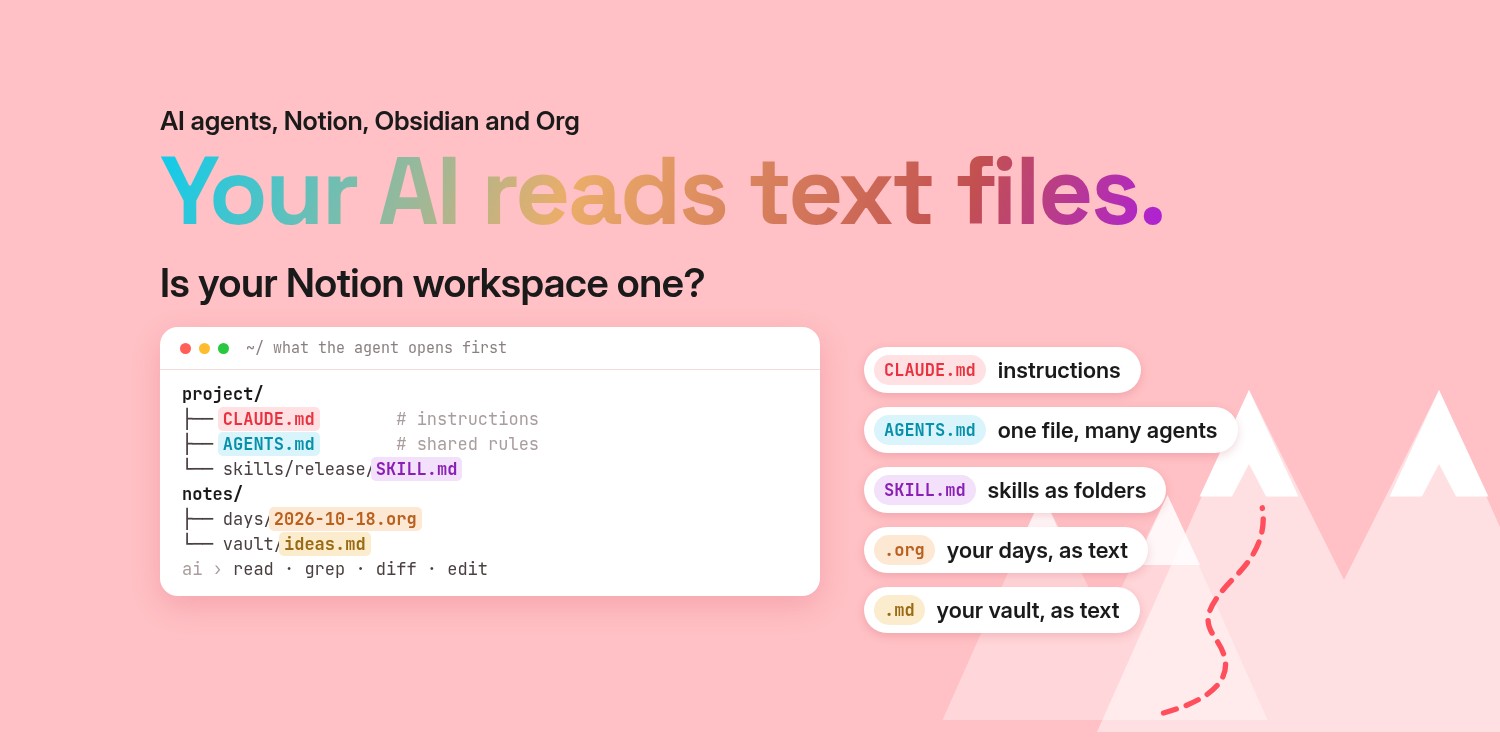
The reason this works is the same reason Obsidian was a good decision in the first place: your notes are plain Markdown files, in a folder, on your disk. Not rows in a database. Not a proprietary blob. Files.
That one property is the whole game. Because your vault is just files, any intelligence can read it — a cloud model, a local model running with the network off, or plain grep when you only want to find a word. Obsidian people already removed the hostage: nothing about your notes is locked to one company’s AI. Most of them just haven’t taken the last step and pointed a model they own at the vault they already own.
(If you keep your notes in org files in Emacs like I do, everything here applies the same way — I’ll show both. But Obsidian is where most people already are, so let’s start there.)
First you need a local model — and it’s cheaper than you think
The one prerequisite is a model running on your own machine. The reason most people never try is the myth that it needs a hugely expensive laptop. It doesn’t.
→ Before You Spend a Fortune on a Laptop for Local AI, See What 24GB Can Do - 16 Works Too.
I set that up in the previous article — a 24GB laptop, llama.cpp, and one config file, with 16GB working too. The short version: a local inference engine serves a model on an ordinary OpenAI-style endpoint at 127.0.0.1. Once that’s running, anything that speaks the OpenAI API can use it as a brain — including your notes.
One choice matters for this job: use a general model, not a coder-tuned one. My setup keeps both — a coder model for code, and a general model for everything that’s prose. Notes are prose. Point the notes work at the general model and it reads and writes like it’s supposed to.
Pointing it at your Obsidian vault
There are two honest ways in, depending on how hands-on you want to be.
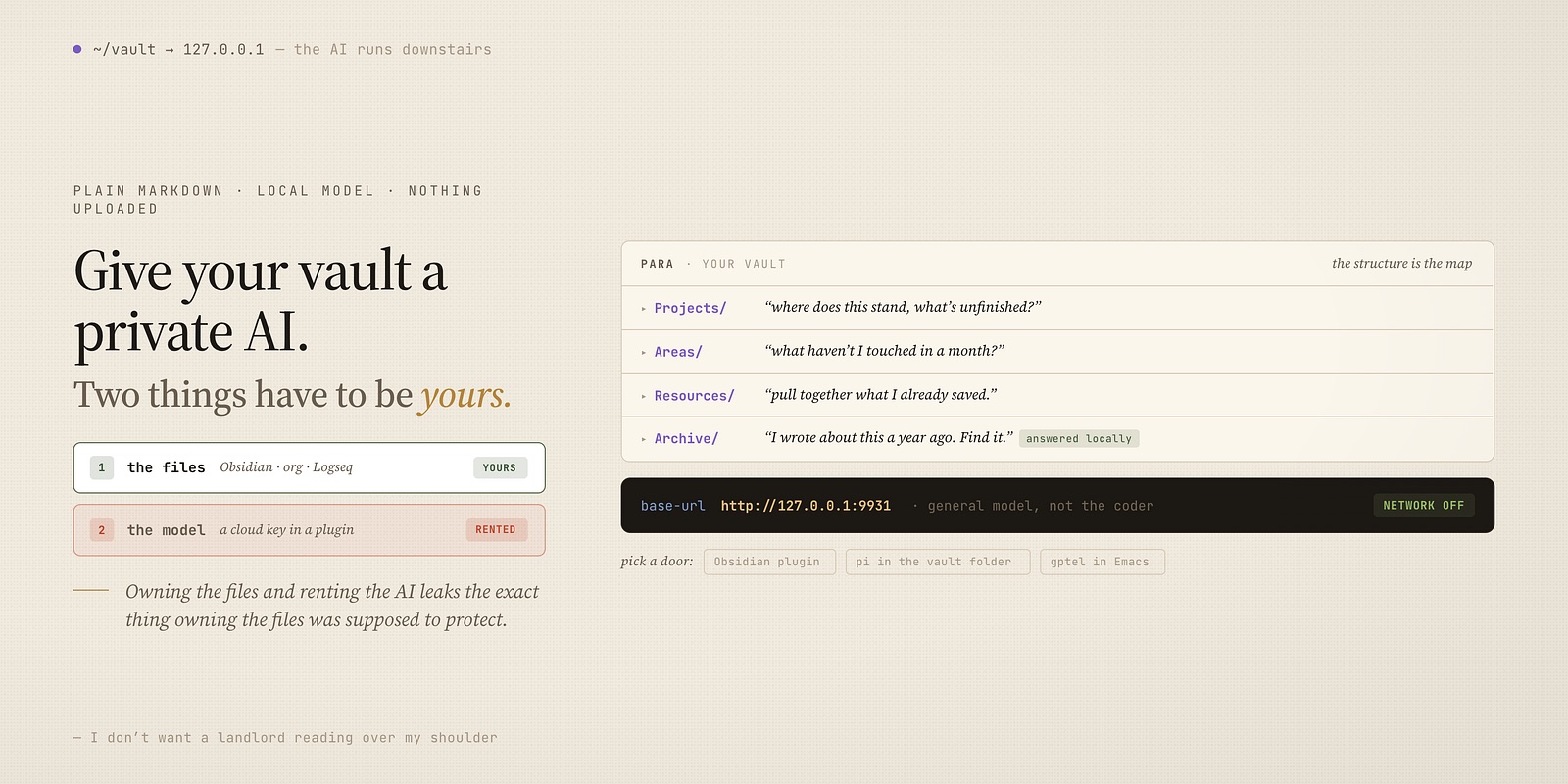
The plugin way. Several Obsidian AI plugins let you set a custom OpenAI-compatible base URL instead of a cloud key. You put your local endpoint (http://127.0.0.1:9931) in that field, pick the model name, and every “chat with your notes” feature now runs against the model on your own machine. Same buttons, same in-app experience — the difference is that nothing is uploaded.
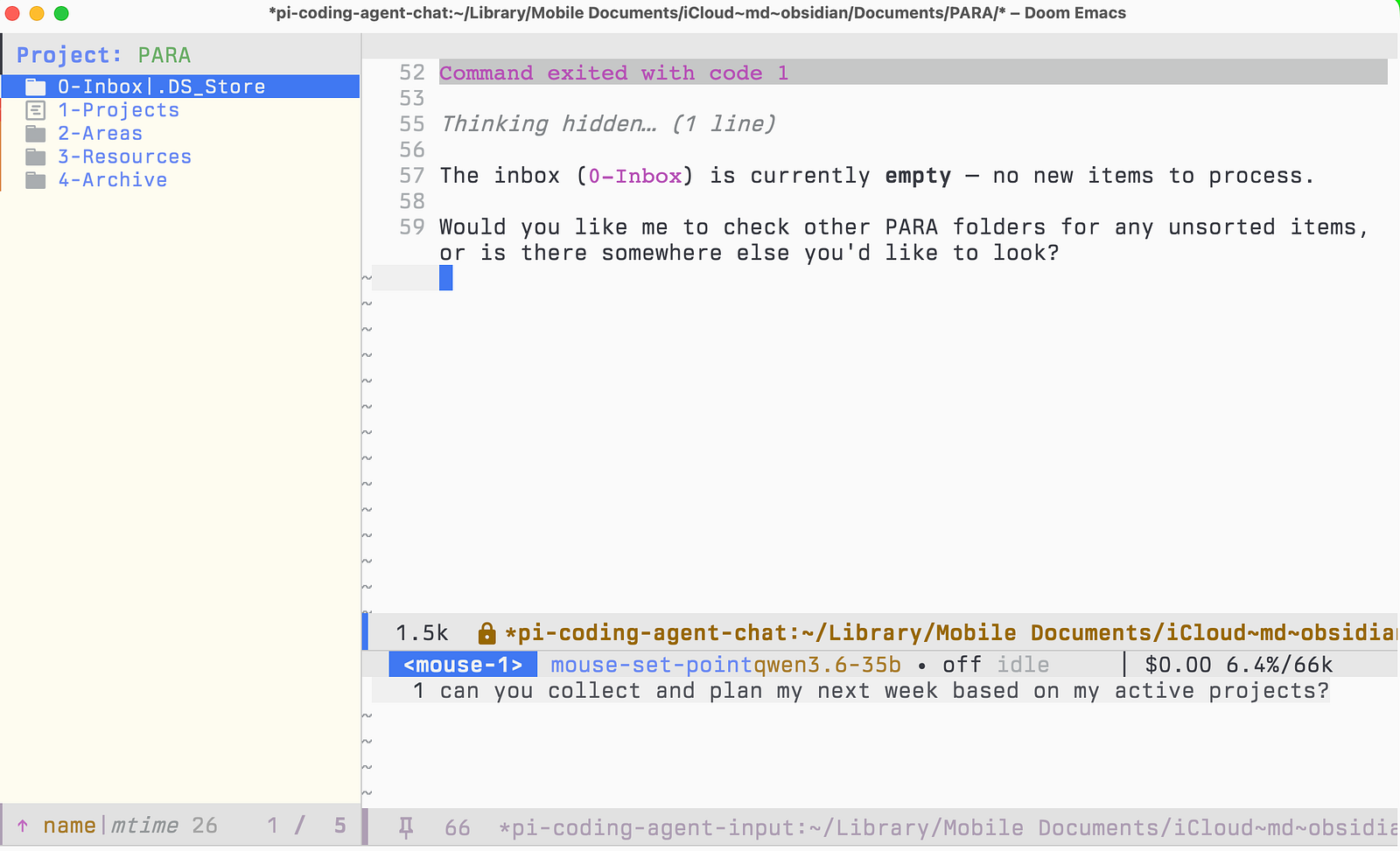
The agent way (my way). The more powerful option is to run a coding agent in the vault folder — a vault is just a directory of Markdown, so an agent that reads and edits files treats it exactly like a project. I use pi for this. It doesn’t just answer questions about your notes; it can act on them — and that’s the section below.
What PARA gives the model
If your vault is organized with PARA — Projects, Areas, Resources, Archive — you’ve already handed the model a map. Those four folders aren’t just tidy; they’re semantic. The model can navigate them the way you do:
- Projects — “summarize where this project stands and what’s unfinished.”
- Areas — “which of my ongoing responsibilities haven’t I touched in a month?”
- Resources — “what have I already saved about this topic — pull it together before I research it again.”
- Archive — “I know I wrote about this a year ago. Find it.” The one question paper and memory can never answer, answered locally.
PARA turns “search my notes” into “reason over my notes by role,” and it costs nothing extra — the structure you already keep for yourself is the structure the model reads.
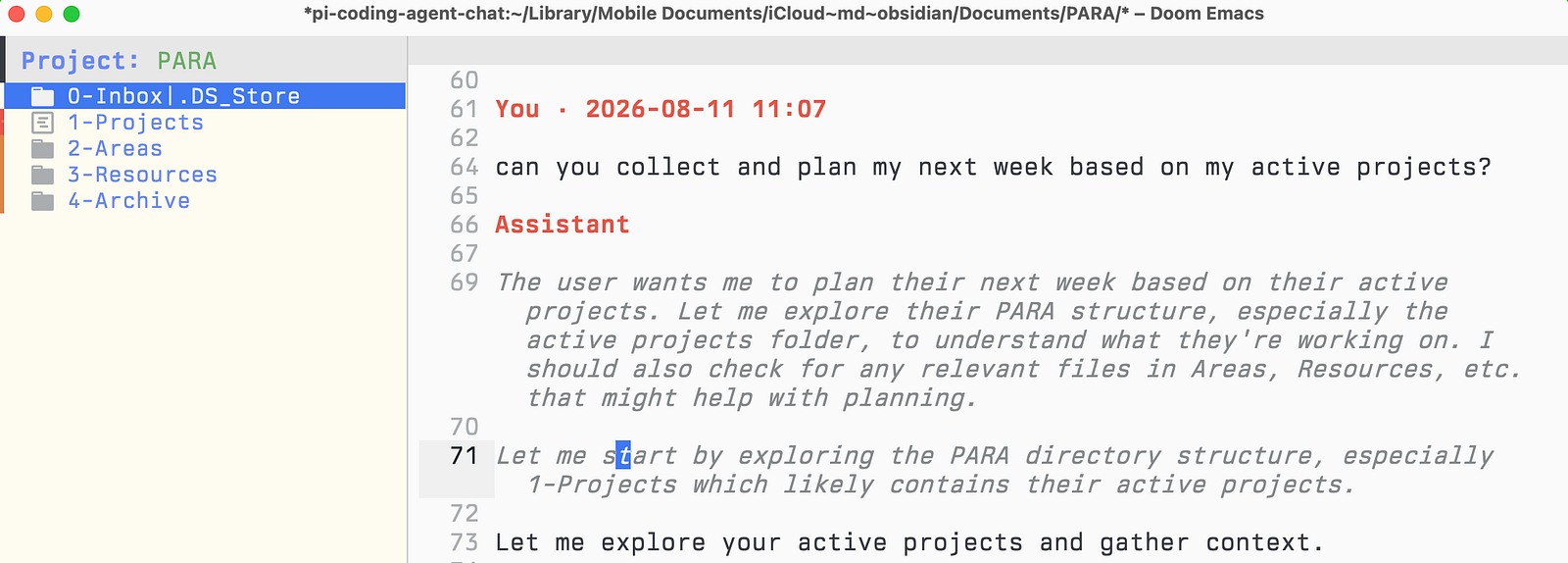
In Emacs, the local model is already the default
This is where my own setup lives, and it’s the strongest version of the idea. In Emacs I use gptel for chat, and its default backend isn’t a cloud provider — it’s the local llama.cpp router. The config comment says it plainly: a stray send “costs nothing and leaks nothing.” The safe, private, free option is the one that happens by default; reaching for the cloud is the deliberate act, not the other way around.
;; llama.cpp router — the DEFAULT backend, so a stray `gptel-send' costs
;; nothing and leaks nothing.
Because my notes are md/org files in a PARA tree, and gptel defaults to org/md-mode, asking a question about a note and writing the answer back into a note are the same motion, in the same buffer, with a model that never phones home.
pi: an agent that reorganizes, not just answers
Chat is the small half. The bigger one is an agent that can maintain the vault, and here the plain-files property pays off again.
pi is a coding agent pointed at my local model, and because notes are just files it works on a vault or an org tree the same way it works on code. It reads across folders, edits in place, and runs commands — so it can do the janitorial work a second brain always needs and nobody ever does:
- Move a finished note from Projects to Archive, and fix the links that pointed at it.
- Read a sprawling Resources folder and draft a map-of-content that ties it together.
- Retag inconsistently-tagged notes to match the rest of the vault.
- Find the stale, the orphaned, and the duplicated — and propose the cleanup.
All of it happens on the machine, driven by the local model, with a global instruction file (AGENTS.md) that tells the agent my house rules so it behaves like the rest of my tooling. For Obsidian users the entry point is the same: open a terminal in the vault folder and run the agent there.
Two things have to be yours: the files and the model
This is the real accent of the whole piece. Privacy over your notes isn’t one decision — it’s two — and most tools only let you win one.
The first layer is the notes themselves. Are they plain-text files on your disk, or rows in someone’s database? Notion is the clean example of the second kind: your notes were never files you hold — they live on a server, in a shape only Notion opens, and “AI over your notes” means their model reading their copy of your data. Roam, Mem, Reflect — same shape. You cannot run a private model over notes you don’t physically have; the first layer is lost before AI even enters the picture.
Obsidian and Emacs/org win that layer by design — files, in a folder, on your machine. And credit where it’s due: Logseq keeps your notes as local files too, so it clears the same bar. The plain-text camp is bigger than just Obsidian, and that’s a good thing. Plain text is the foundation the whole argument stands on: an open format nothing can lock, that outlives every app that ever opened it, and that a model on your own disk can read directly.
The second layer is the model. This is the one even the plain-text crowd usually gives away. You did the hard part — your notes are genuinely yours — and then you paste a cloud API key into a plugin, and every question ships your notes back out to a server anyway. Owning the files and renting the AI leaks the exact thing that owning the files was supposed to protect. The editor was never the risk. What you point at the notes is.
Winning both layers is the entire move: plain-text files you hold, and a model that runs on your own disk with the network off. Free after the one-time setup, retained nowhere but your own folder, working on a plane or in a dead-zone or the day a vendor rewrites its terms. For most software the cloud tradeoff is fine. For the single file of everything you think, I don’t want a landlord reading over my shoulder — and I don’t have to rent one to get the AI, because the AI runs downstairs.
Obsidian or org, the principle is one line
Keep your notes as files. Point a local model at the folder. That’s it — the rest is which door you like: an Obsidian plugin, a terminal agent, or gptel in Emacs.
If you’re already in Obsidian, you’re 90% there without knowing it — the vault is ready, you just haven’t aimed a model you own at it yet. Set up the local model once (it’s cheaper than the internet told you), point your plugin at 127.0.0.1, and the assistant every note app wants to rent you is suddenly something you own outright.
Thanks for reading. Follow on X: https://x.com/maxclaxOS
Dotfiles: https://github.com/maxclax/dotfiles
Related: