 TEMPO
 SUNCLAX
I Was Wrong: Stop Color-Coding Your Kindle Highlights
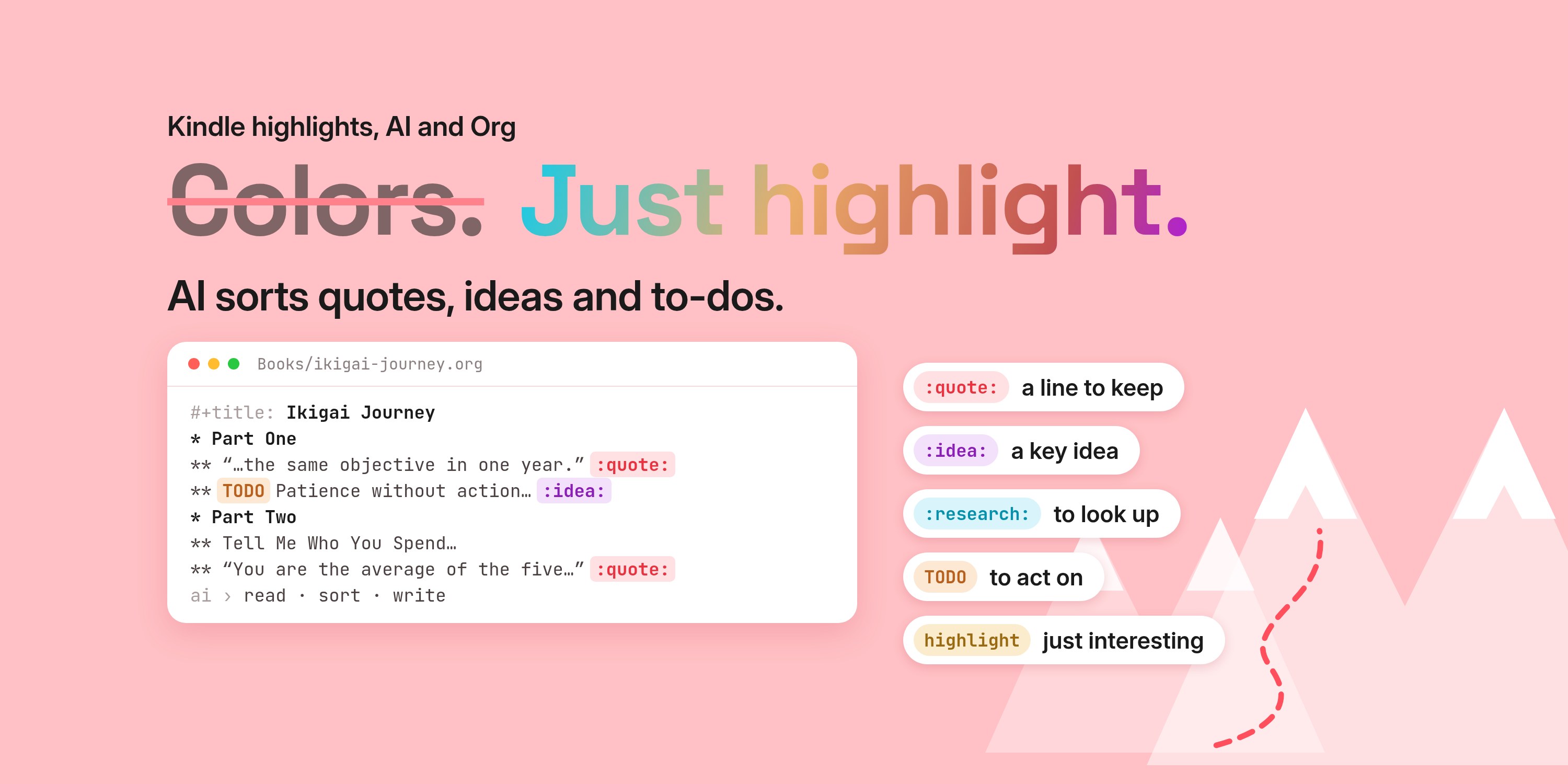
Capture is enough. The AI does the sorting — and my brain gets to just read.
You finish a book with 30 or 40 highlights. But how often do you go back and reread them all? And why collect them at all, file them into some folder, if they never turn into a to-do list and you never get anything out of them?
That question is why, a few months ago, I wrote about how my Kindle highlights get a second life in plain text. The trick was a color code. Every color meant something, and an AI turned each color into the right kind of note.
I was wrong about the colors.
Not about the pipeline. About the part where I had to do the sorting myself, with a highlighter, in the middle of a sentence.
The problem: a color is a decision
Here is the legend I used. Five colors, five meanings:
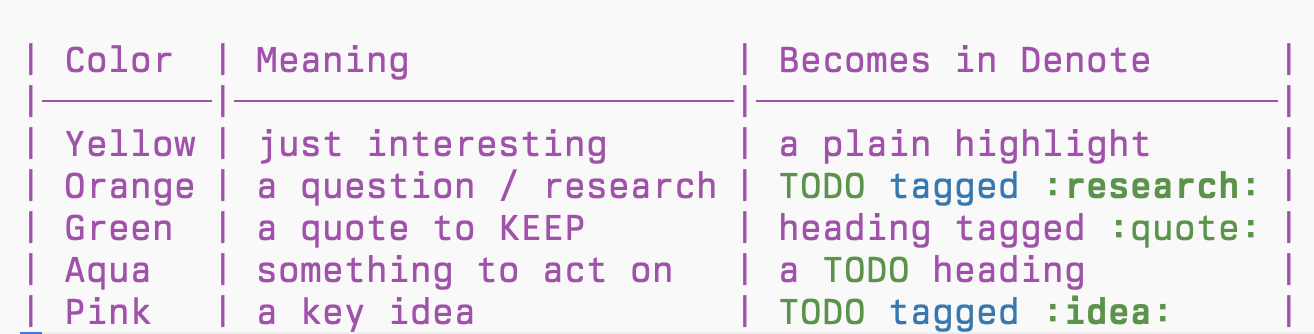
It looks tidy on paper. In practice it didn't work for me.
I had to remember what each color meant. Was orange research or an idea? Aqua or pink? I kept glancing back at the legend.
And every color is a decision. At read time. A good line hits me, and instead of staying with it, I stop and classify it. Quote or action? Idea or question? The reading turns into filing.
The whole point was to stop doing admin while reading. The colors brought the admin right back — just with a nicer highlighter.
The new flow: highlight, export, let AI sort
So I dropped the legend. I don't even pick a color anymore. I highlight with whatever color is still selected from last time, and I never switch.
I don't think about meaning in the moment. I just capture the moment.
Then it's three steps:
- Highlight. Any line that hits me. No decision.
- Export. When I finish the book, I export the highlights as a PDF.
- AI sorts. The AI reads the PDF and decides what each highlight is.
Two ways to export
I read on two Kindles, and they don't export the same way.
Kindle Scribe. Export Notebook → Google Drive. On my Mac, Hazel watches that folder and runs the AI skill on the new PDF. That's the trigger from the earlier article, and it still works.
Kindle Colorsoft. It can't export to Google Drive — only the Scribe can. So I export the highlights as a PDF by email, and drop that PDF into the AI myself. Same skill, same note at the end.
Before, that AI step only ran on my computer: Claude from Anthropic, in the terminal. Now it's much simpler, and I can do it on the road, from my phone. I just share the Kindle PDF to Grok Bot from the iOS share sheet. For this kind of task, Grok Bot is ideal.
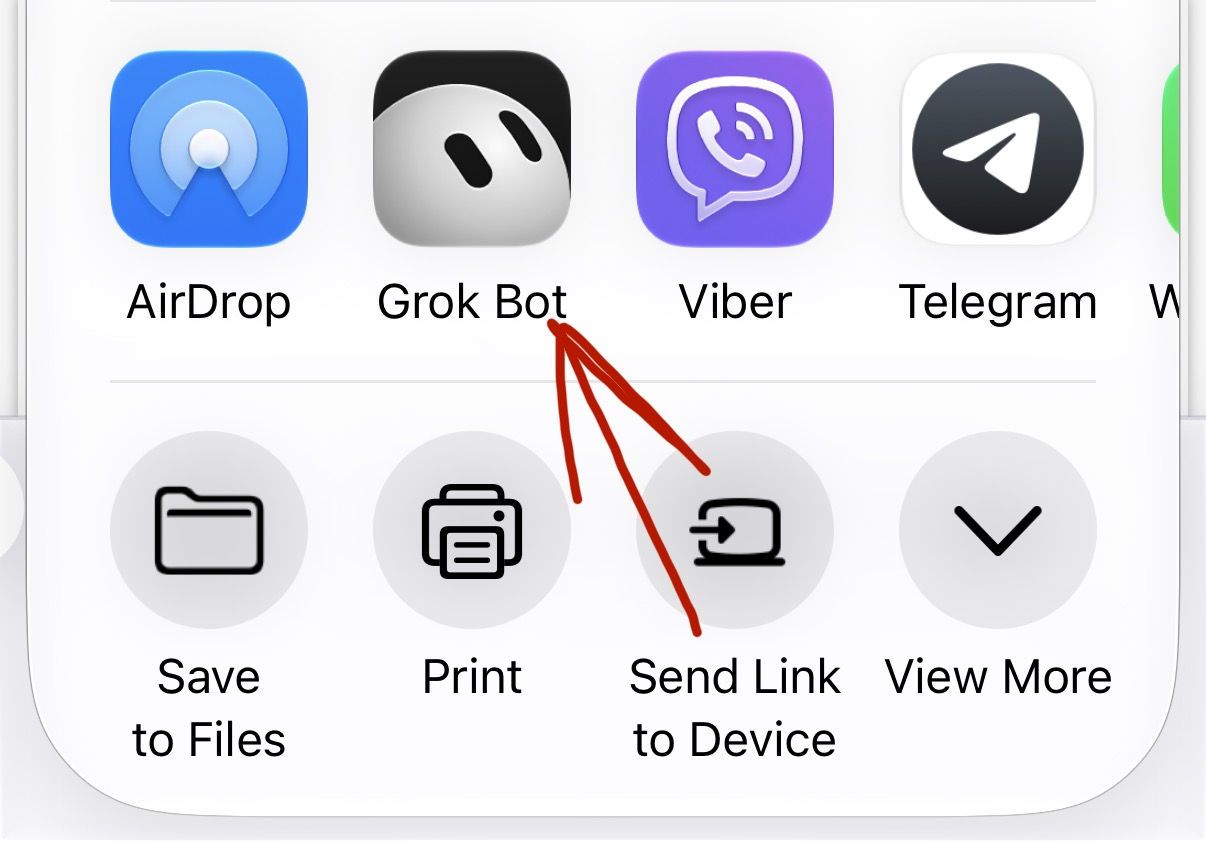
Either way, the note now lands in the same place: my Tempo shelf. More on that below.
I tested it first
Before I changed the prompt, I ran several tests. Some with my color code, some without.
The results were the same. Color-coded or not, the AI sorted the highlights the same way.
So the colors weren't adding anything. Dropping them removes one thing to remember — and gives the same output.
What the AI decides
I changed the skill: it no longer looks at the color at all. It reads the text and the context around it, and decides:
- A quote to keep — a line that works on its own and is worth seeing again.
- A key idea — something to think about and develop.
- A research question — a name, a book, a term to look up.
- An action — something I could actually do.
- Just interesting — it stays in the book note, nothing more. When in doubt, that's the default.
The sorting is the same as before: quotes tagged :quote:, ideas and research as TODO with :idea: / :research:, actions as plain TODO. Only the person doing the sorting changed.
To me, that's the right split. The AI sees the whole sentence. I was making the call in half a second, in the middle of reading.
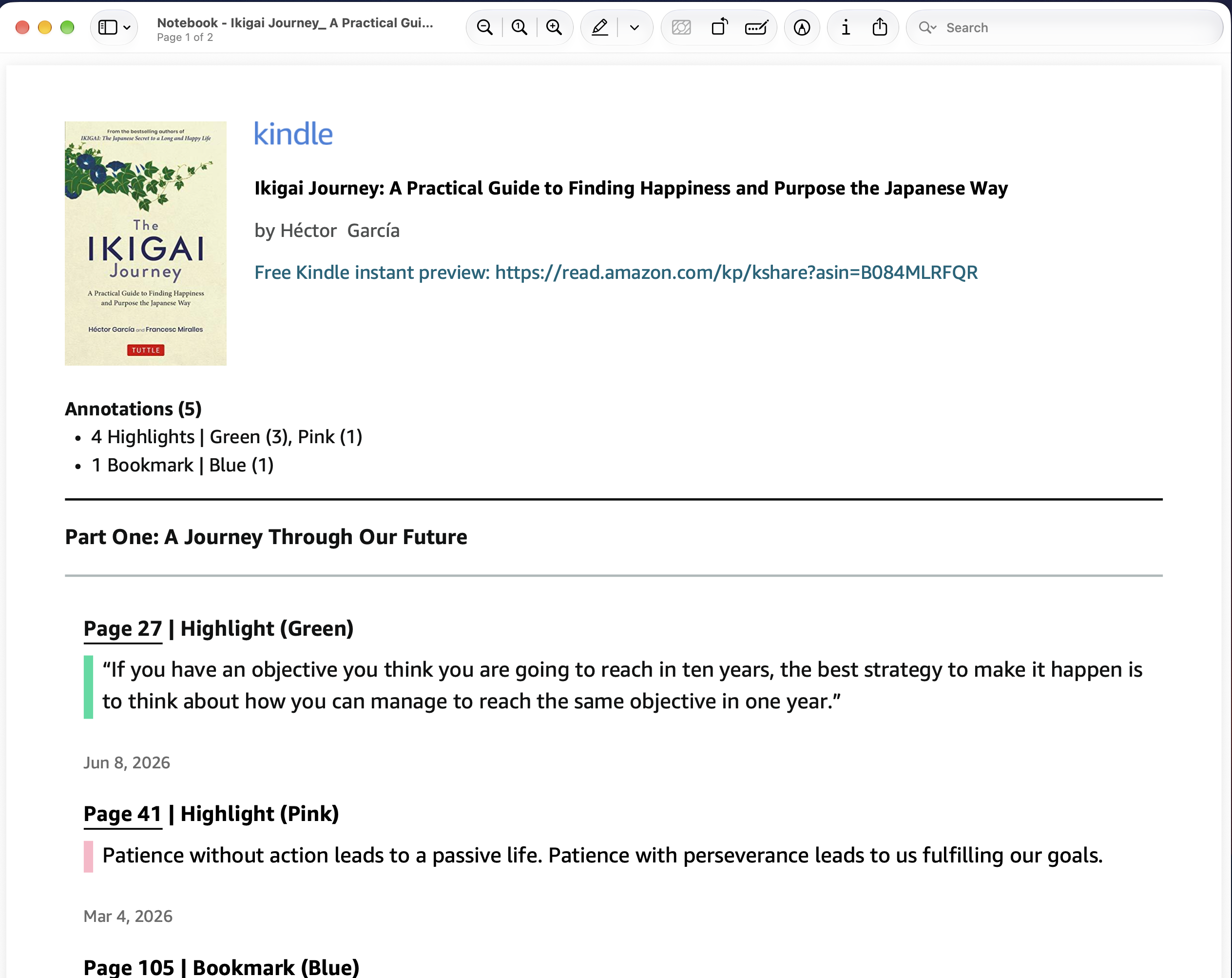
Here's what that looks like. In: plain highlights, no colors, no labels. (The first two are real lines from my Ikigai note; the last three are made-up examples to show the other kinds.)
“If you have an objective you think you are going to reach in ten years, the best strategy to make it happen is to think about how you can manage to reach the same objective in one year.”
Patience without action leads to a passive life. Patience with perseverance leads to us fulfilling our goals.
Look up <a study the author cites>.
Try <a small daily practice from the book> for a week.
<A nice line that's interesting, but not a keeper.>
Out: a sorted Org note.
#+title:      Ikigai Journey
#+filetags:   :book:highlights:
#+author:     Héctor García

* “If you have an objective you think you are going to reach in ten years, the best strategy to make it happen is to think about how you can manage to reach the same objective in one year.”   :quote:

* TODO Patience without action leads to a passive life. Patience with perseverance leads to us fulfilling our goals.   :idea:

* TODO Look up <a study the author cites>.   :research:

* TODO Try <a small daily practice from the book> for a week.

* <A nice line that's interesting, but not a keeper.>
Why capture-only frees my attention
Reading is for reading. The moment I have to classify, I'm not reading anymore — I'm managing.
Capture is cheap: one tap, one color. Sorting is where the thinking costs go. So I gave the sorting to the thing that doesn't get tired and doesn't need a legend.
My brain does what only it can do — notice that a line matters. The AI does the rest.
I thought the system needed my discipline. It needed less of me.
Where the notes land: Tempo
The last change: the AI no longer drops the note in a folder for something else to move. It writes it straight into my PARA shelf in Tempo — 3-Resources, a 📚 Books folder. It writes in the vault's own format: Org in my case, Markdown if that's what your vault uses.
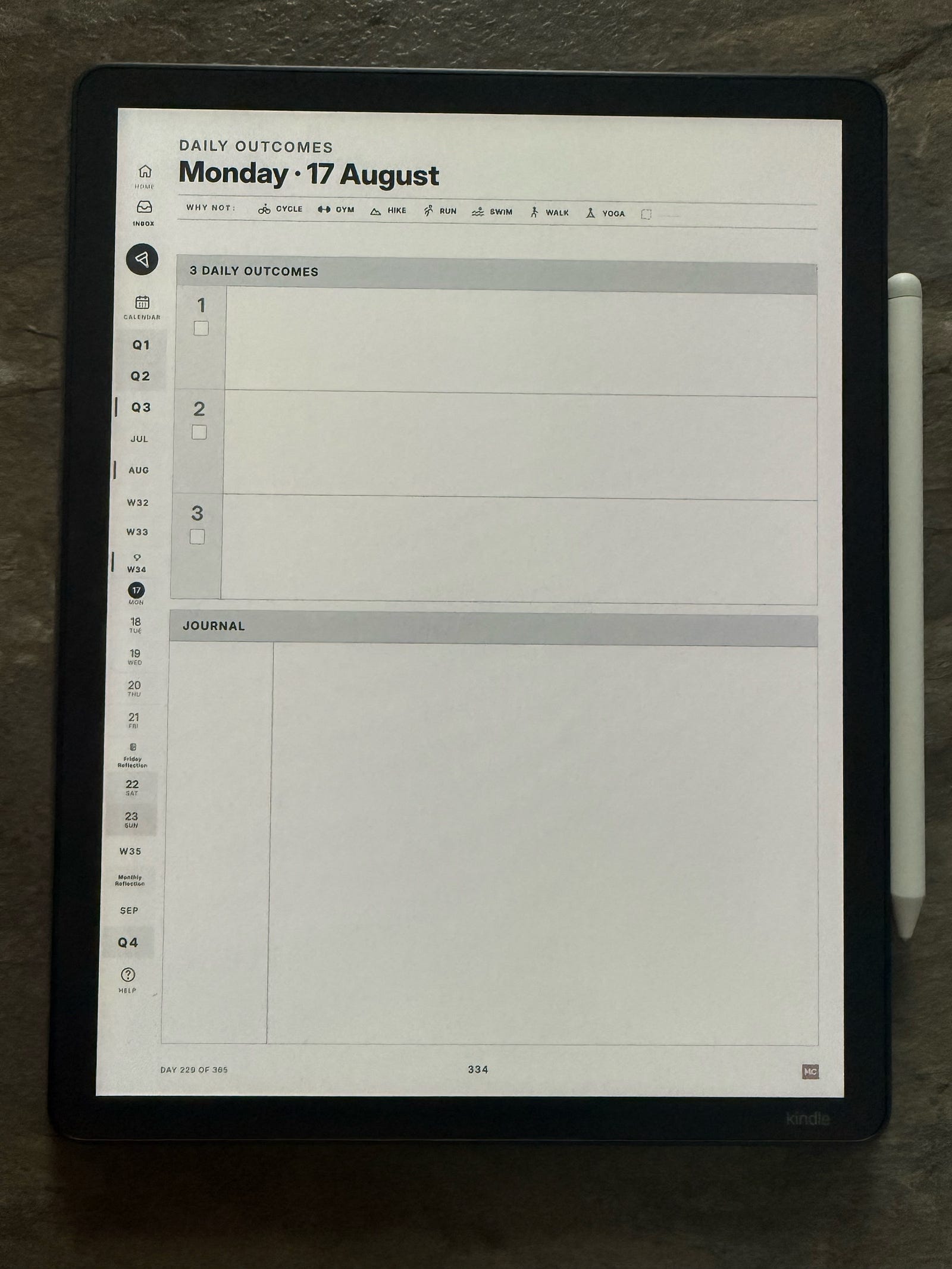
Tempo is the app I plan my outcomes in — three a day, the Rule of Three. It also keeps my PARA shelf natively, no Obsidian, no plugins. So the book note isn't in a separate reading app. It's next to my projects and areas.
I open it there and read it once. Quotes, ideas, research, actions — already sorted.
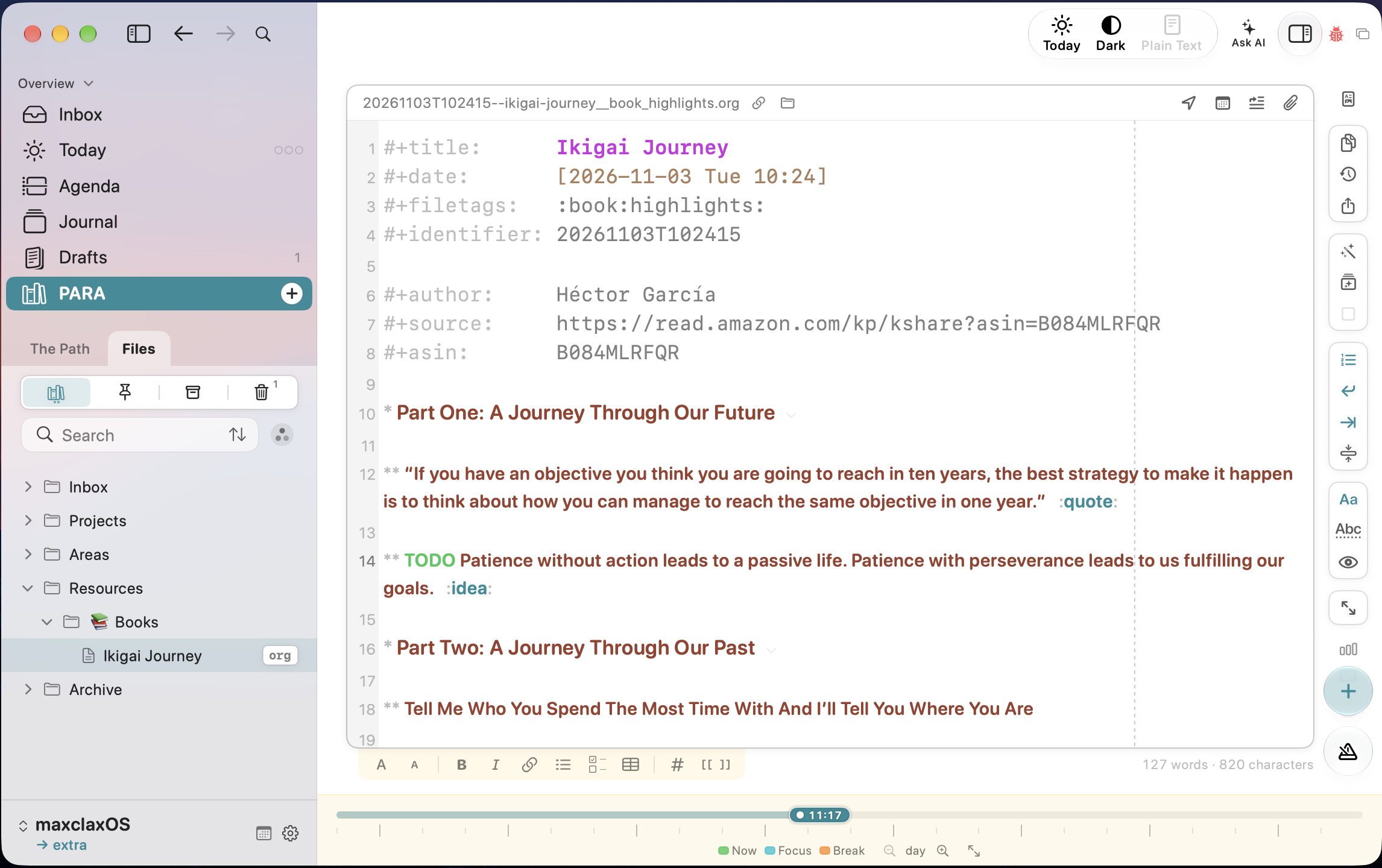
And the to-dos don't hide inside the note. Tempo's Inbox has a Located list that gathers the undated to-dos from my shelf notes. For Ikigai Journey that's the one idea to-do, "Patience without action…", with the book title above it, next to everything else I've captured. I tick it off there, or open the note right where it's written.
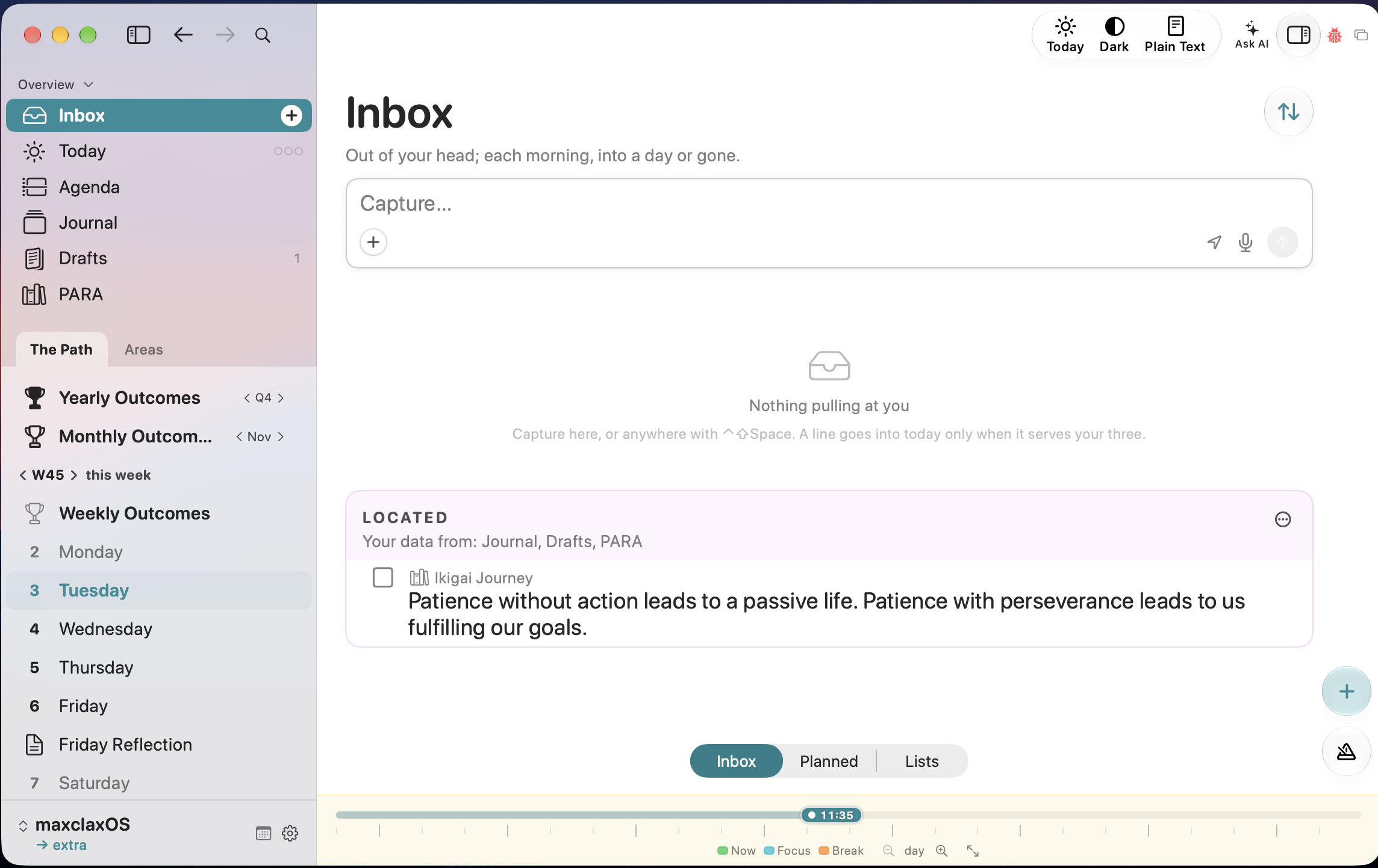
When I plan the day, that's one of the places I look. If something from a book earns a spot among the three outcomes, I give it one. If not, it waits.
So: forget the colors
If you color-code your highlights, try one book without it. Highlight everything in one color — whichever is selected. Export. Let AI decide.
Capture is enough. The AI does the rest.
The earlier article, with the full pipeline: A Second Life for My Quotes, in Plain Text.
Thanks for reading. I write about plain-text living, Emacs, and owning your own tools — if that’s your thing, follow me on X so the next one finds you: https://maxclax.com/go/x/
The setup behind these posts (dotfiles): https://maxclax.com/go/dotfiles/
Related: