TEMPO
TEMPO
 SUNCLAX
A Second Life for My Quotes, in Plain Text
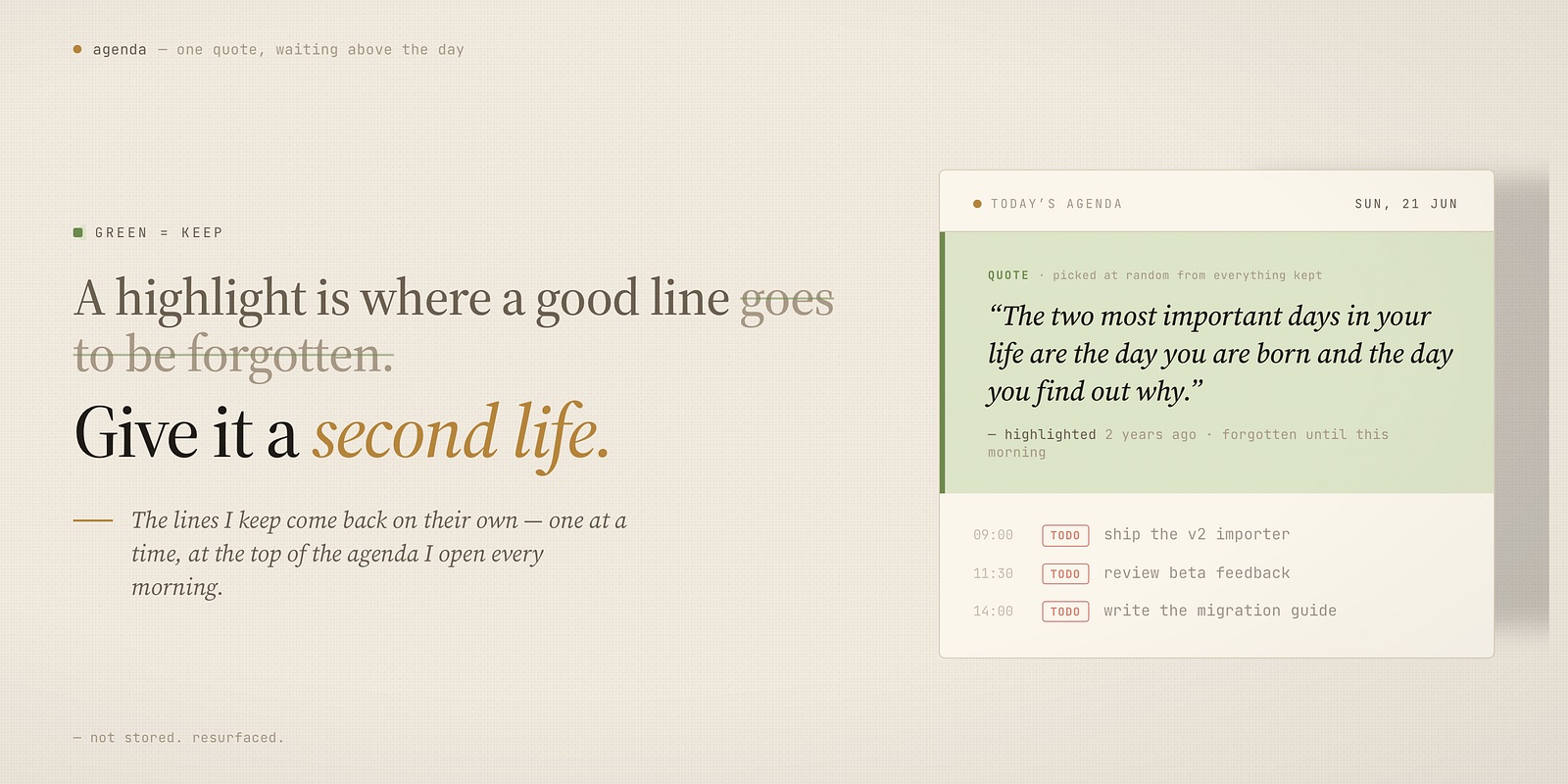
That’s the part that always bothered me. A highlight feels like saving, but it’s closer to burying. The quote that hit you on a train two years ago is sitting in some highlights list you will never open. You marked it precisely so you wouldn’t forget it — and marking it is exactly how you forgot it.
So I stopped treating quotes as something to store. I gave them a second life instead: the lines I care about come back to me, one at a time, in the middle of my ordinary day — at the top of the agenda I open every morning. Not in a folder I have to remember to visit. In the flow, where they can actually change something.
And the only reason any of this is possible is the same reason the rest of my system works: the quotes are plain text, in Org-mode, in files I own. Not entries in a reading app, not rows in someone’s database. That’s what lets a highlight from two years ago and a thought from this morning sit in the same place — and lets me decide where they show up next. The app you saved a quote in will be gone in ten years. The text file won’t. The second life is built entirely on plain text that outlives the tools.
The problem with “mark and forget”
A saved quote does nothing. It’s a museum piece behind glass. Once it’s filed, the entire system depends on you choosing, on some future day, to go and look — and you never do. The act of saving quietly closes the case.
What I wanted was the opposite of a folder: something that brings the quote to me without my asking, on a normal Tuesday, when I’m not in a “let me reflect on wisdom” mood. Because that’s when a line actually lands — when it ambushes you mid-task, not when you go looking for inspiration.
Where my quotes come from
Mostly: reading on Kindle
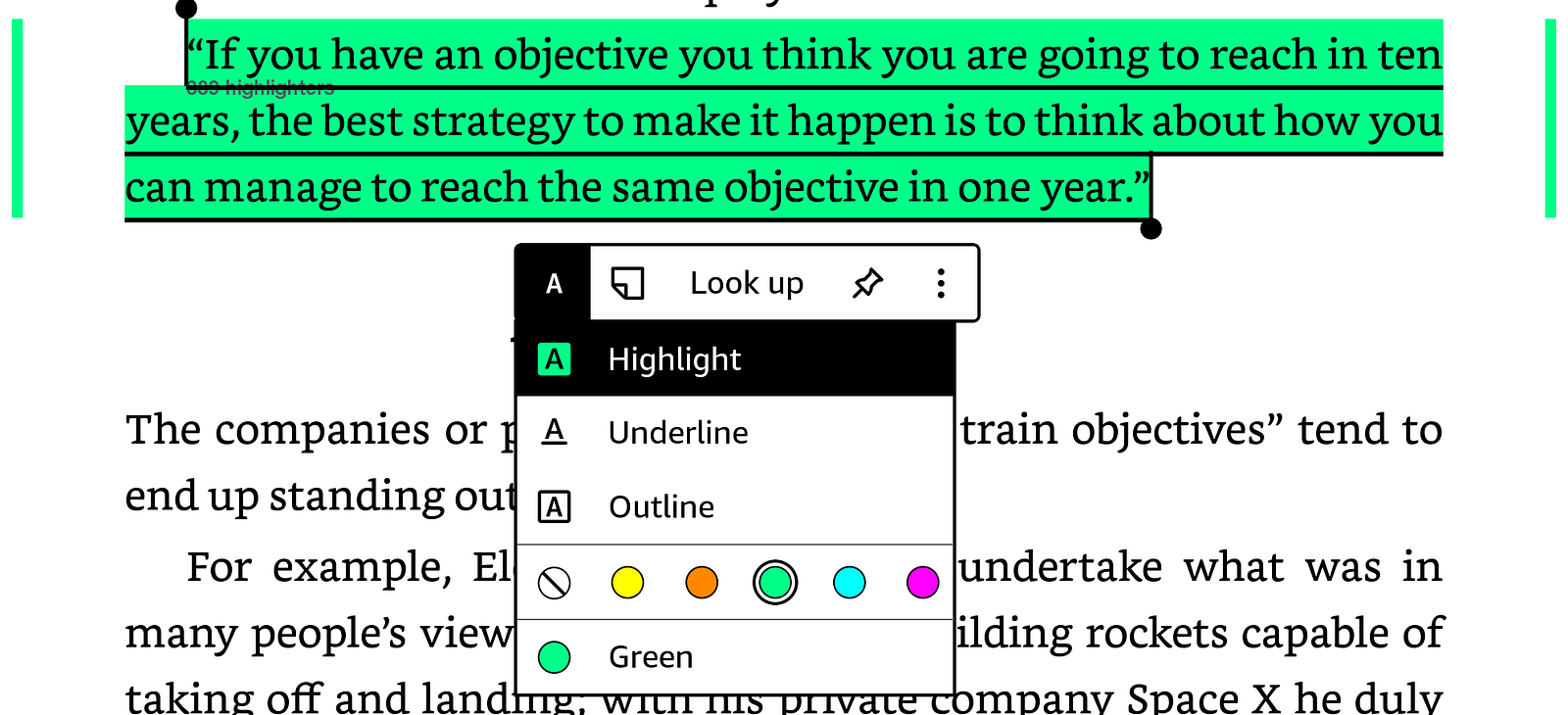
The real source is reading. Most of my quotes are caught the moment they hit me, on the Kindle, with a highlight.
I use the highlight colors as a code. Each color isn’t decoration — it tells my system what the passage should become:

The one I never break is green: green means “this is a quote — keep it.” Green is the line I don’t want to lose.
I don’t do anything else in the moment. I just read, and I paint each line its color.
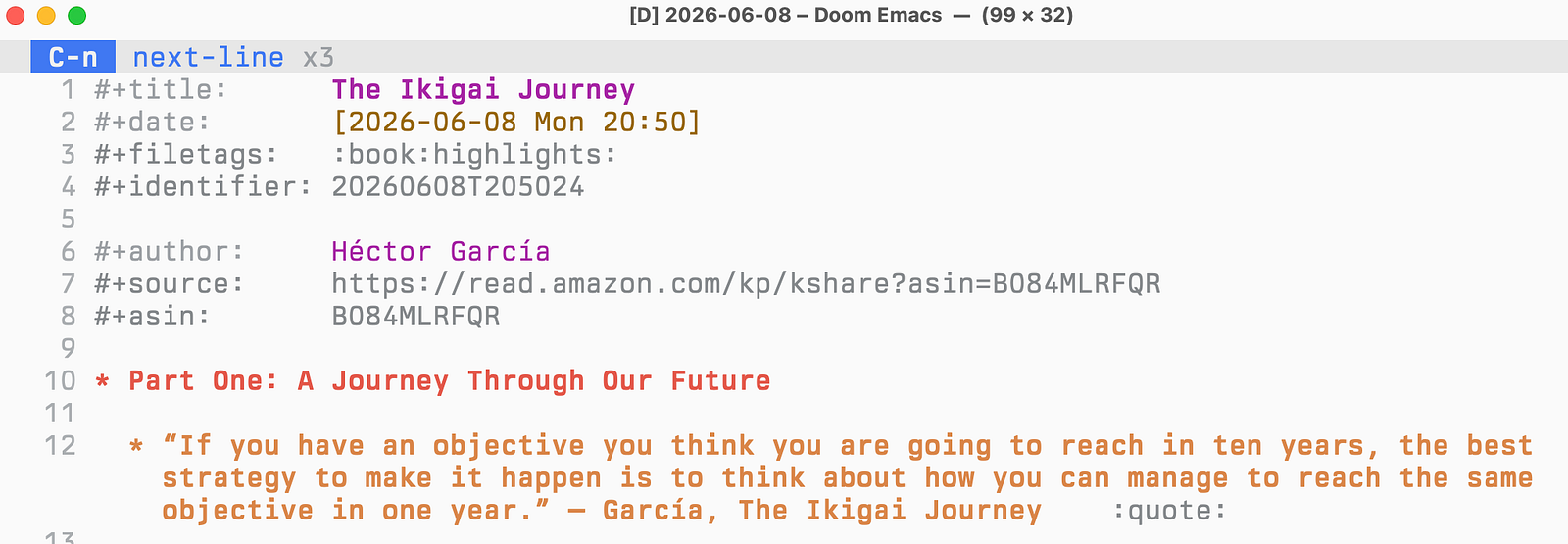
When I finish a book, a small pipeline takes over and does the rest while I do nothing. I share my highlights as a PDF straight into Google Drive (you could email it — Drive is just simpler). On my Mac, that folder is watched by Hazel: a rule notices the new PDF and runs a command. That command hands the file to an AI agent running a small skill I wrote, which reads the messy export, applies my color rules, and writes the result back as clean Denote notes — plain Org, in my own system. Every passage I marked green comes out tagged as a quote, filed on its own.
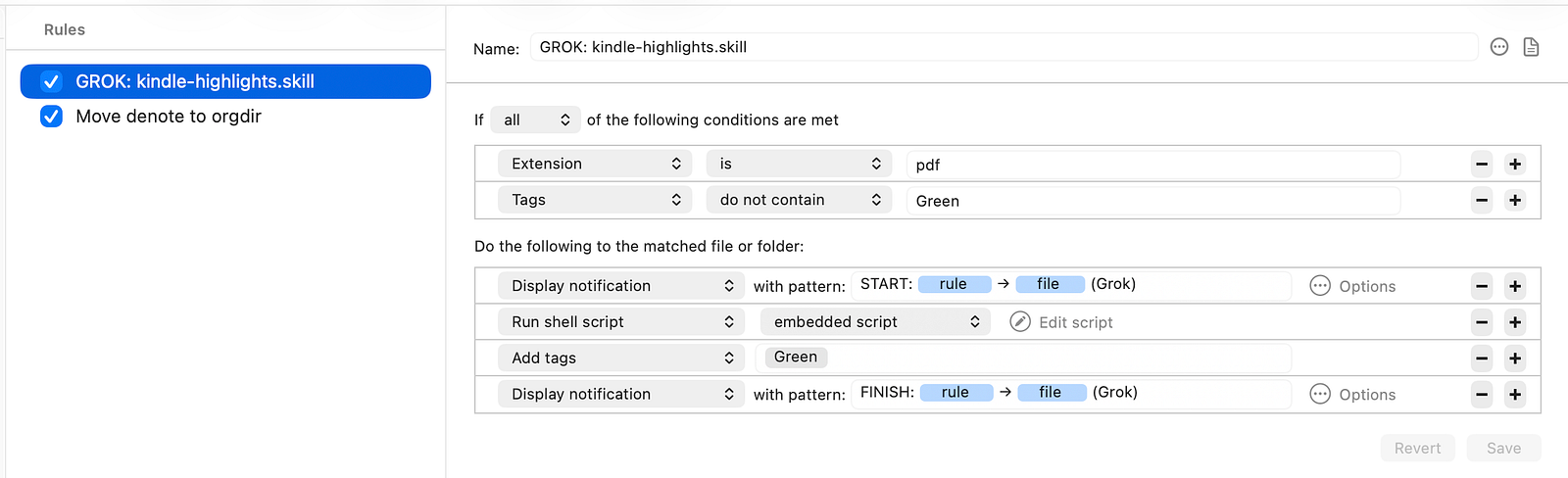
~/.local/bin/grok -p "Use /kindle-highlights on $1" --cwd ./ --allow "Read,Write,Bash" --output-format plain --no-memory --no-plan
Every passage I marked green comes out tagged as a quote, filed on its own.
So the whole flow looks like this:
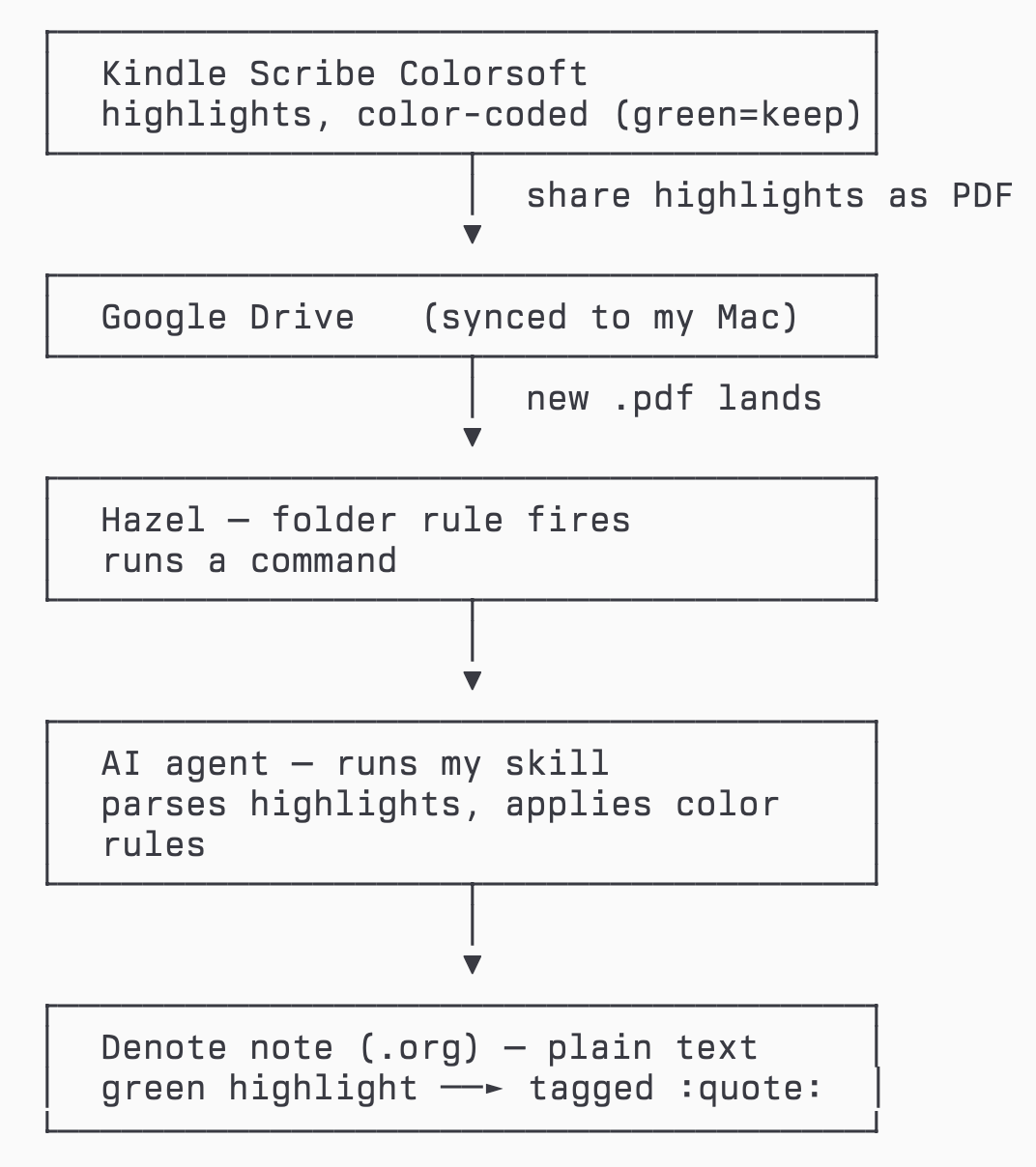
I don’t copy anything by hand. I read, I paint the keepers green, I finish the book — and my quotes are simply there, as plain Org text, ready to resurface.
A fair question: why build this at all? You can pay for a service like Readwise that resurfaces your highlights for you, and it’s good at it. But the boring middle — turning a messy export into clean, structured, tagged notes — used to be the whole product. Now it’s a small skill an AI runs over files I own, for free, with the result landing as plain text I control instead of inside another company’s app. The AI does the grunt work; Org-mode and my agenda do the part that actually matters. I’d rather wire it up once than rent it forever.
On the fly: Journelly
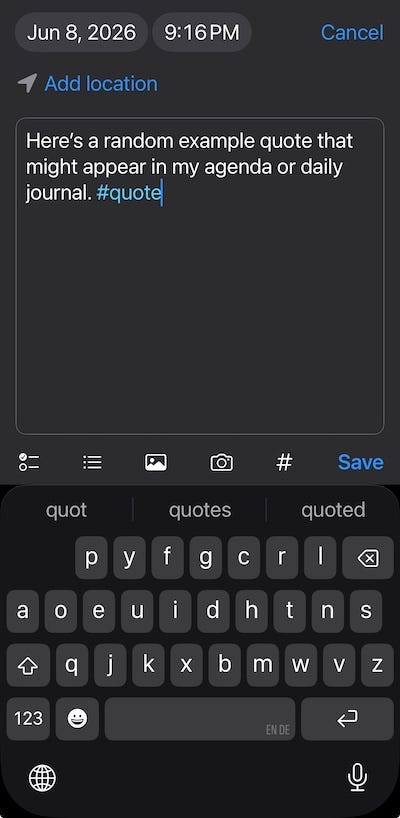
The other source is life off the page. When a line comes to me — something said, something thought, something read outside a book — I capture it on my phone in Journelly and tag it #quote. One file, one tag, done.
The first home: my agenda
Here’s where it stops being storage and starts being a habit — the first place a kept line comes back to me.
Every time I open my Org agenda — which is every morning, and many times a day — a single quote is waiting at the top of it. Picked at random from everything I’ve ever kept: the green Kindle highlights, the Journelly captures, all of it pooled together. One line, quietly, above my day.
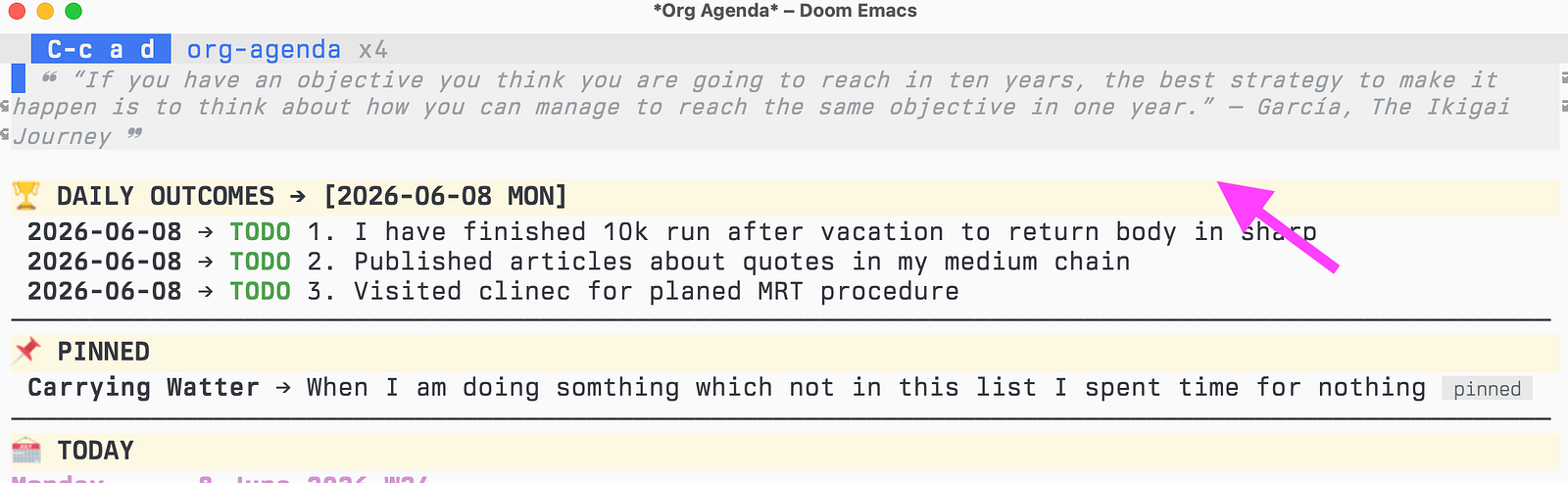
I didn’t expect how much that would matter. It’s never the same line two days running. Some mornings it’s something I highlighted years ago and had completely forgotten marking. Some mornings it’s exactly the thing I needed before a hard day. I’m not trying to remember any of it — it just arrives, on its own, in the place I already look. That’s the difference between a quote that’s saved and a quote that’s alive.
A highlight in an app is a line you once agreed with. A quote at the top of your agenda is a line that gets a fresh chance to change your day, over and over.
A second home: the daily journal
The agenda isn’t the only place they come back. Every new day’s journal entry opens the same way — a random quote floated quietly at the top, before I’ve written a word. So a line tends to meet me twice: once when I plan the day in the agenda, and again when I sit down to write it.
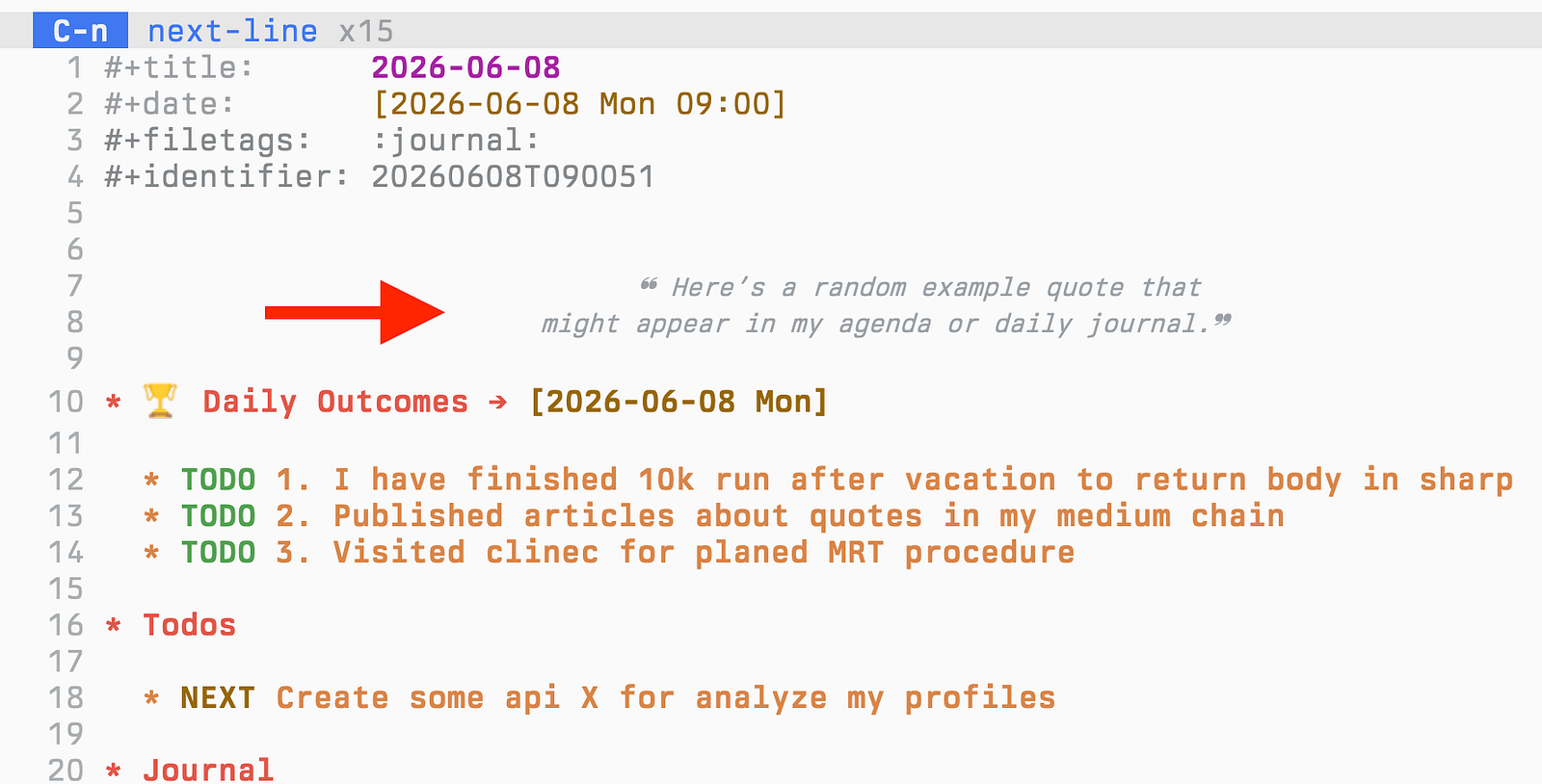
It’s the same pool, just a second door into it, and the same trick underneath: the quote is dropped in as plain text when the entry is created — no tag, so it never gets collected back, it simply sits there as that day’s epigraph. Often the planning quote and the journal quote are different lines, and the day gets two small nudges instead of one.
Why plain text makes it possible
None of this works if the quotes are trapped. The reason I can pool a Kindle highlight from two years ago with a thought I tagged on my phone this morning is that they’re both just text in files I own — Denote notes and one Journelly file, plain Org, nothing locked in an app. An AI can help me fill that pool, but it’s the plain text that lets the pool exist at all, and outlast every app I’ll use to read it.
That’s the whole trick. The quotes live as plain text, so a few lines of Org config can reach across all of them, pick one, and put it where I’ll see it — at the top of my agenda, and the top of each day’s journal. No service decided this was a feature. I decided my quotes should have a second life, and because the format is mine, I could give them one.
If you want to see how the agenda pulls and shows them, the configuration is in my dotfiles.
Thanks for reading. I write about plain-text living, Emacs, and owning your own tools — if that’s your thing, follow me on X so the next one finds you: https://maxclax.com/go/x/
The setup behind these posts (dotfiles): https://maxclax.com/go/dotfiles/
Related: