 TEMPO
 SUNCLAX
Kindle Quotes That Come Back, One a Day
A to-do gets done. A quote just needs to come back, now and then.
You finish a book with 30 or 40 highlights. A few of them become to-dos. And the rest? The quotes, the lines that made you stop for a second. Be honest: do you ever open them again, or are they gone for good?
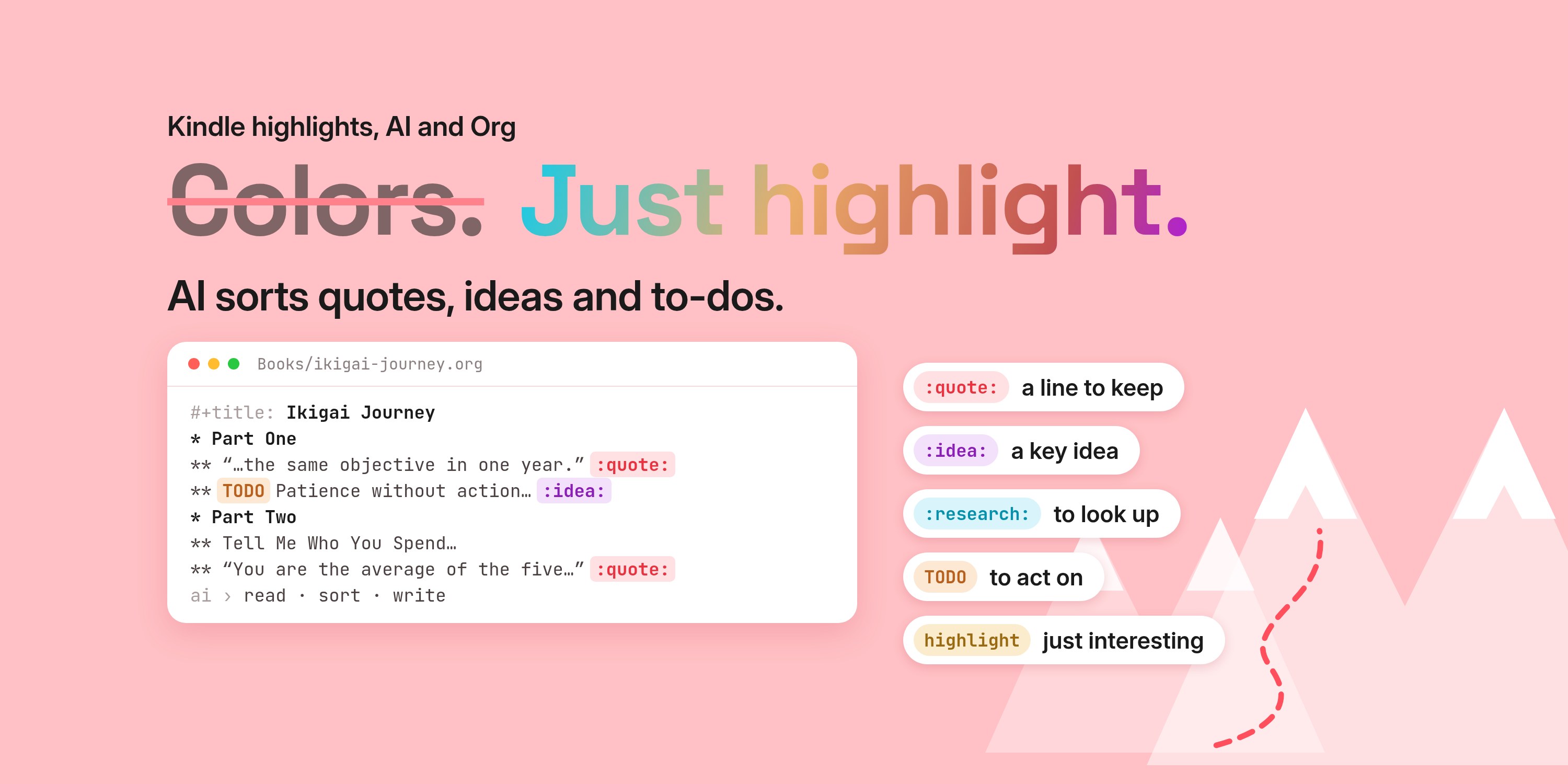
In I Was Wrong: Stop Color-Coding Your Kindle Highlights I stopped color-coding. I just highlight, and AI sorts each line into a quote, an idea, research, an action or plain. The actions find their way to my to-do list. That part works.
But a to-do list only helps with things you can do. A good quote isn't something you do. It's something you need to hear again, on a random Tuesday, when you'd forgotten it.
Where the quotes land
After an export, the AI writes one note per book into my PARA shelf in Tempo: Resources → Books. Quotes get their own headings with a :quote: tag:
* Ikigai Journey
** If you have an objective you think you are going to reach in ten years… :quote:
** Patience without action leads to a passive life… :quote:
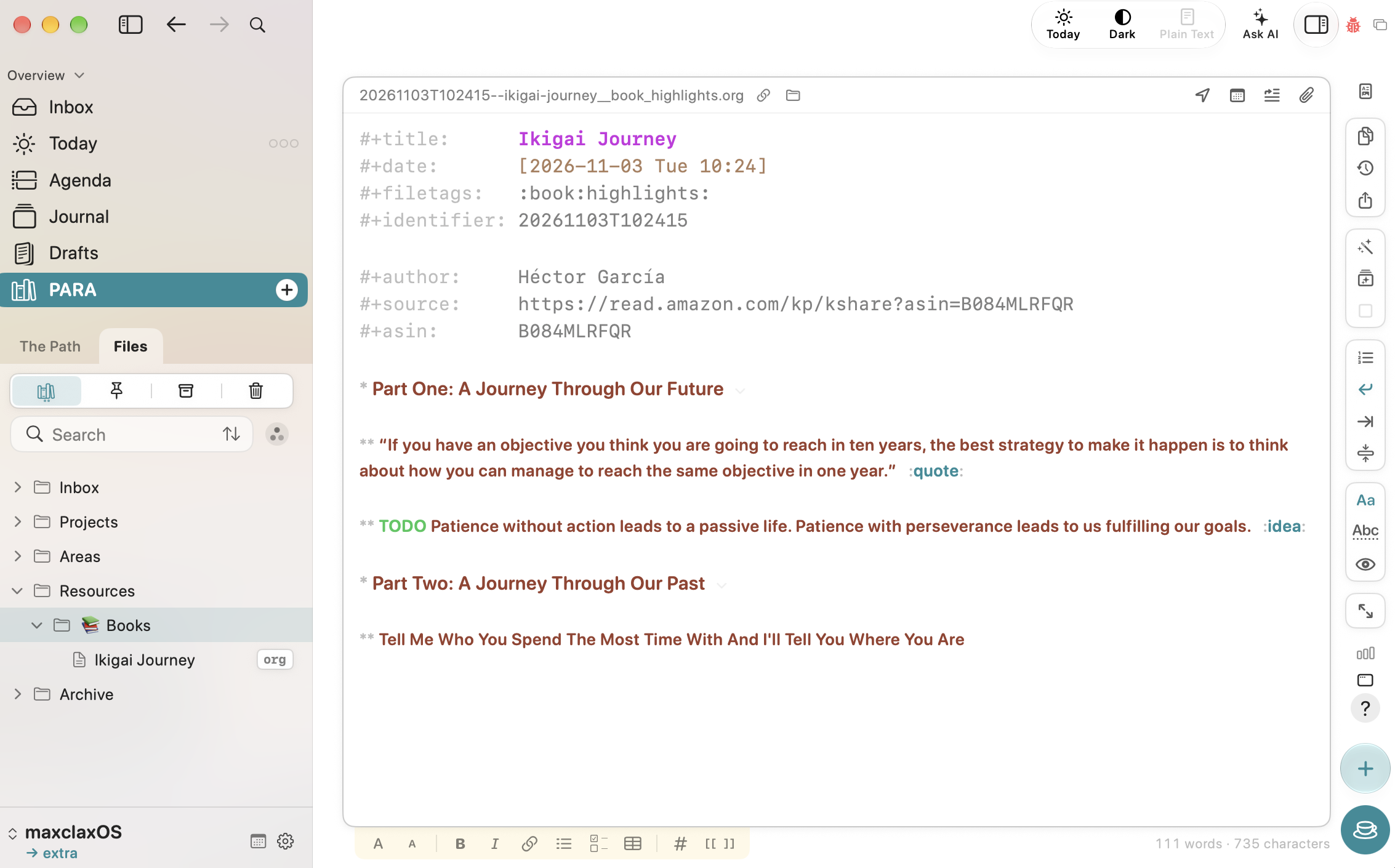
That's a good home for them. It's plain text, searchable, mine. But a note on a shelf is still a note on a shelf. I won't open it on purpose.
Tempo brings one back each day
Tempo is the app I plan my day in: three outcomes for the day, three for the week, and so on, the Rule of Three. It also has a small, quiet feature I ignored for a long time: quotes.
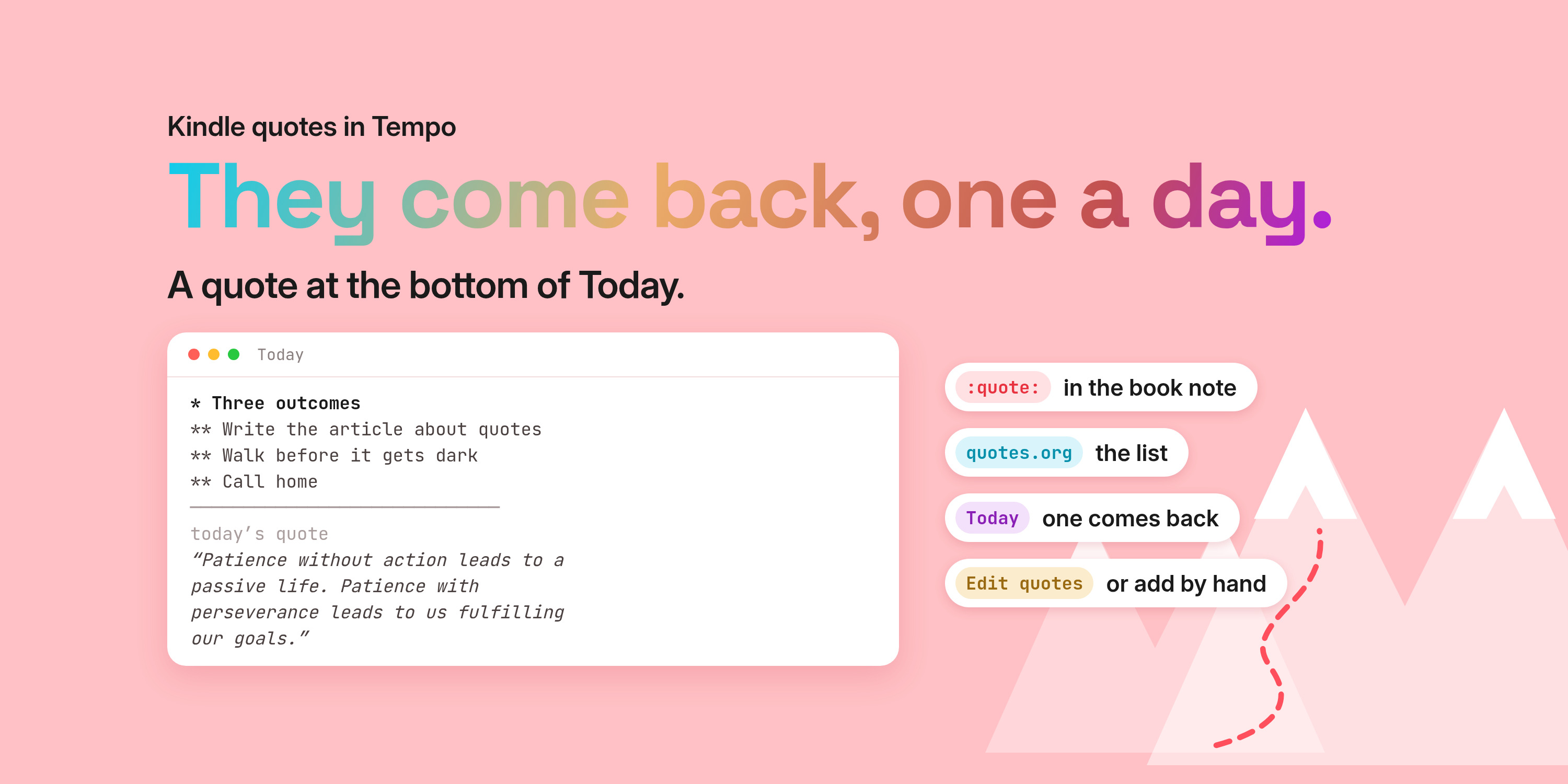
In Settings you choose how often one shows up on Today: every day, or every few days. You can also show one on breaks. The setting that matters for this is "Also from the Shelf." You turn it on and name the tags — mine are quote and quotes. Tempo then reads the quotes directly from the files: any heading on the shelf with those tags, from any file. It doesn't copy them into a separate list.
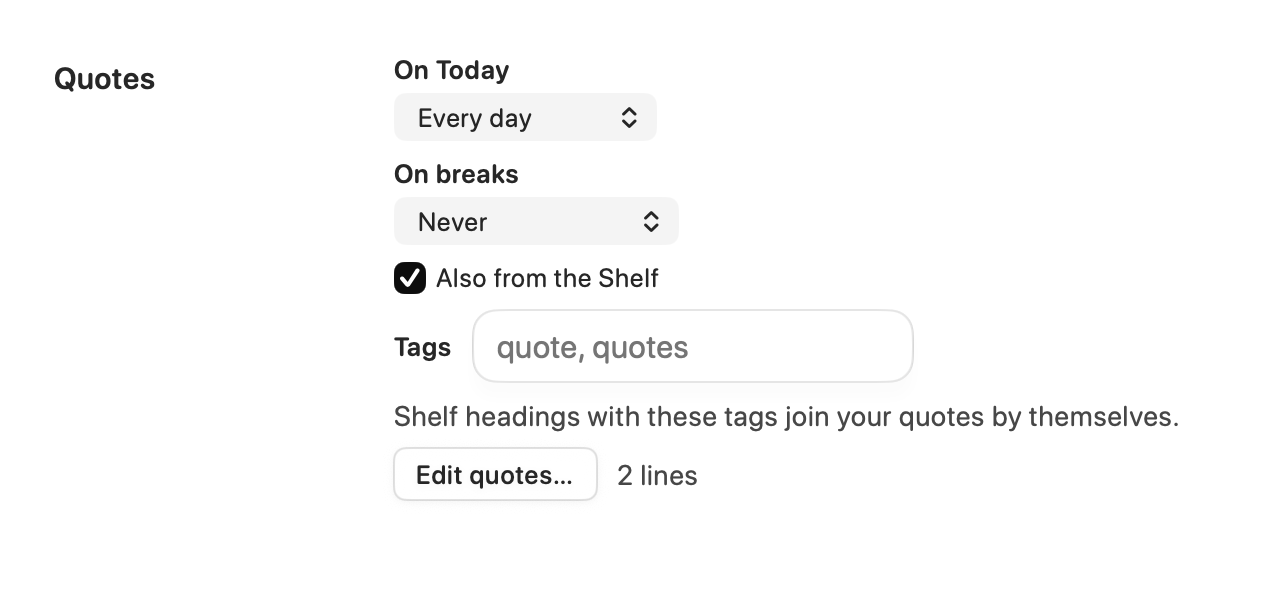
That's why the :quote: tag in the book note is enough. When the AI writes the note and tags each quote, that's it. Tempo reads them from that file, and from the others. After that I can forget about them. They come back on their own.
If a line isn't from a book, there are two ways to add it. One is Settings → Quotes → "Edit quotes…", which opens a plain list at the top of the vault, quotes.org (or quotes.md if your vault is Markdown). Each quote is one line you can change, delete or add to.
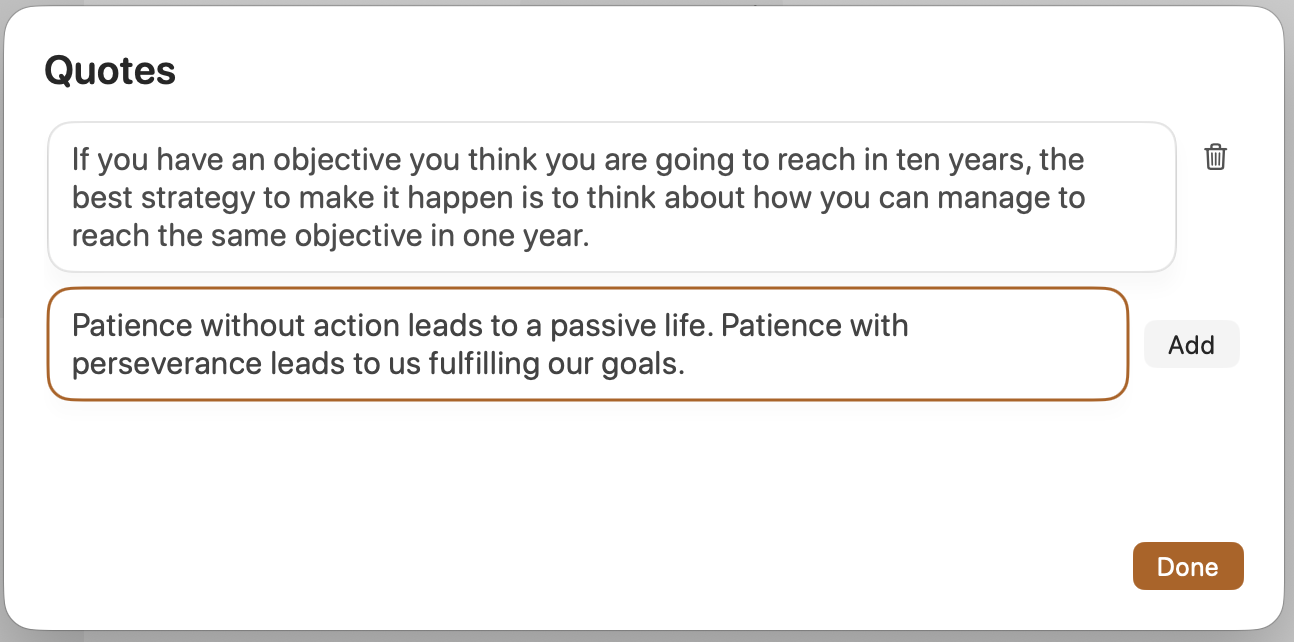
The other is to write it yourself in a file on the shelf and put the same tag on the heading. Tempo reads that file the same way — still no copy into a list.
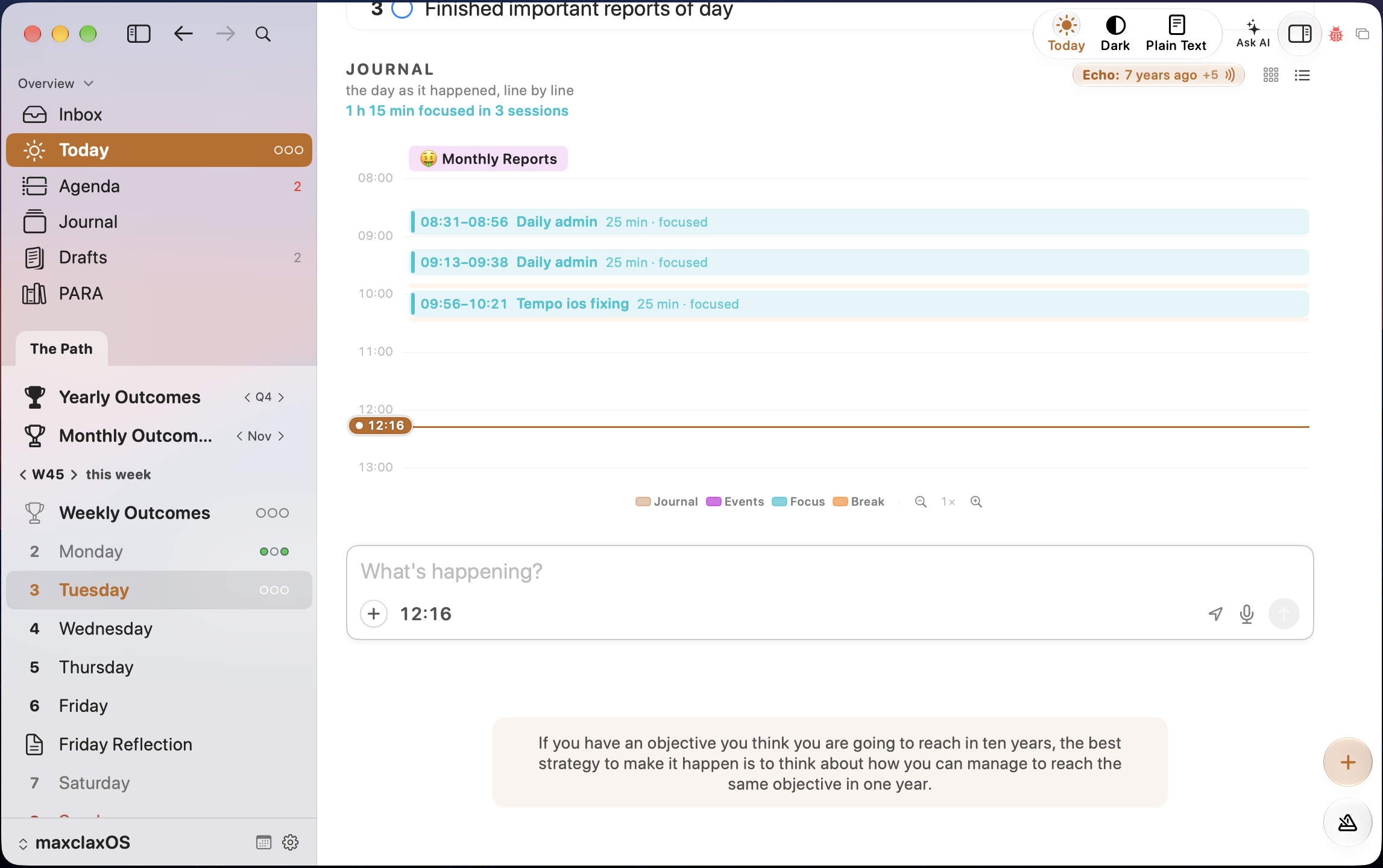
Then, at the bottom of the Today page, after the three outcomes and everything else, there's one quote. A different one each day, the same one on my Mac and my phone. If I've read it, I close it, and it stays away until tomorrow.
Why this is enough
I don't need to reread 40 highlights. I need one, at the right moment, without asking for it. A quote at the bottom of the day is easy to read, and it's easy to close.
Some days it's just a nice line. Some days it changes what I pick as my three outcomes. Either way, the highlights don't die in a folder anymore.
So: let them come back
Highlight. Export. Let AI sort and tag. The actions become to-dos. The quotes I can forget — they come back on their own, one a day, at the bottom of Today in Tempo.
Thanks for reading. I write about plain-text living, Emacs, and owning your own tools — if that’s your thing, follow me on X so the next one finds you: https://maxclax.com/go/x/
The setup behind these posts (dotfiles): https://maxclax.com/go/dotfiles/
Related: