TEMPO
TEMPO
 SUNCLAX
I Taught My AI Two Skills: Recap What Happened, Then Audit the Backlog Against Reality
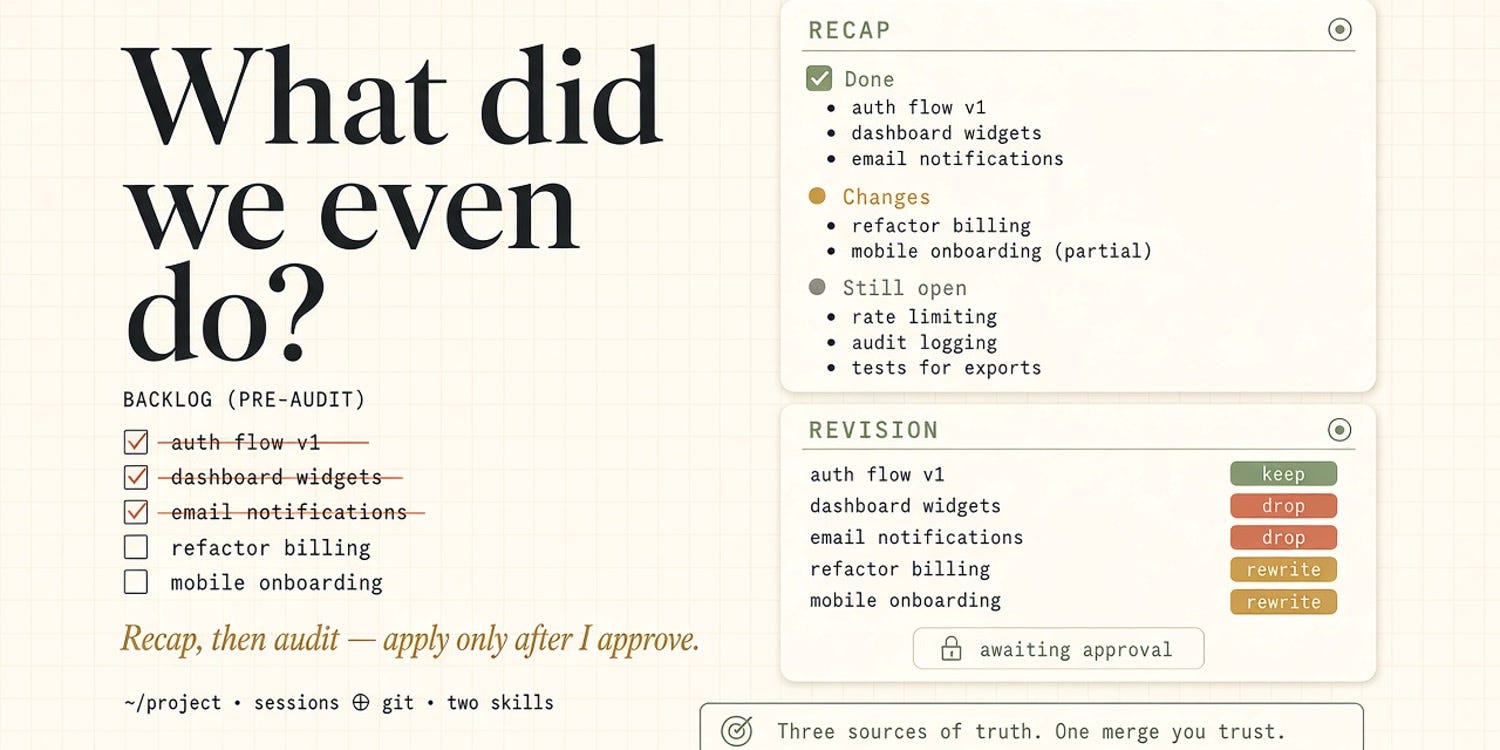
After every AI coding session the backlog lied. Two skills fix it: recap what happened, then audit — apply only after I approve.
The backlog was lying to me
I can spend a morning with a coding agent and ship real work — a patch here, a refactor there, a side brief half-finished in another window — and still open the project TODO list and feel like I’ve been gaslit.
Items that are done still sit as NEXT. Things I abandoned three sessions ago still look urgent. A checkbox I never touched somehow got marked finished. And the question that keeps coming back, usually around lunch, is dumb and honest at once: what did we even do?
Not “what did this chat do.” Modern coding agents don’t live in one conversation. They leave traces across sessions for the same project. Git has its own story — commits, dirty worktrees, branches I forgot I opened. The backlog file has a third story. Three sources of truth, none of them talking to each other, and my brain trying to be the merge algorithm.
Parallel agents are a throughput problem — more hands on the same machine. This piece is about the loop after the hands leave: how you remember what happened, and how you stop the backlog from drifting away from reality. Two reusable skills. Not a framework. Not a dashboard. Just two instruction files I can hand any capable coding AI — Grok, Claude Code, The Bot whatever reads a skill or a project rule — when the fog rolls in.
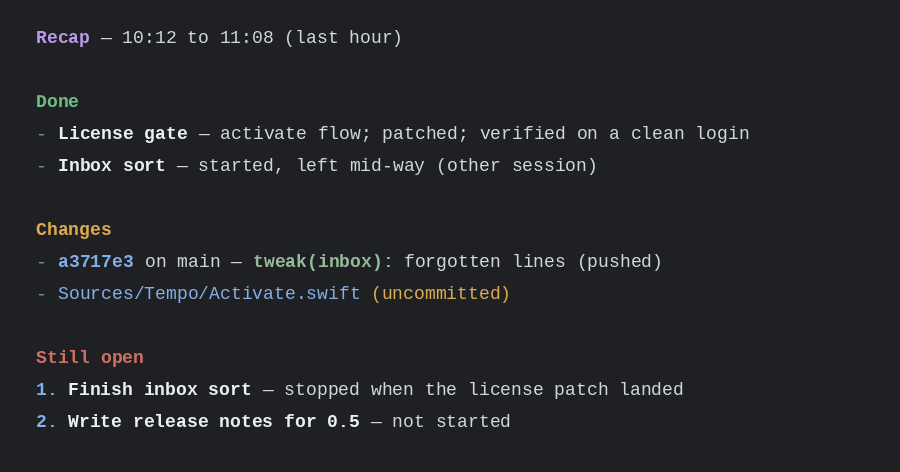
Here is the shape of a real recap:
Skill 1: recap — what happened, not what I remember
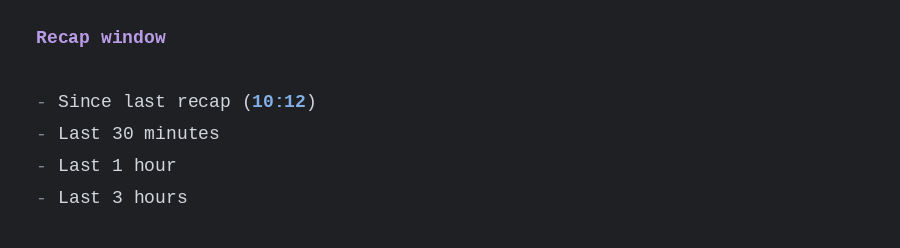
The first skill is named recap. I say something like “what did we do in the last hour” or just “recap,” and the agent doesn’t invent a diary from the current chat. It asks for a window — since the last recap, last 30 minutes, last hour, last three hours — then it goes looking.
Looking where? Everywhere that actually recorded the work:
- every agent session for the current project (transcripts on disk, not just this conversation)
- git: log in the window, worktrees, branch tracking, status in each worktree
Then it reports in a shape I can skim:
- Done — grouped by topic, with an outcome (verified, failed, left open)
- Changes — commits, uncommitted files, anything outside the repo that still changed
- Still open — numbered, so I can pick the next thing without re-deriving it
After it speaks, it stores the end of the window under a small state file for that project. Next time I say “since last recap,” the window starts where the last one ended. Memory stops being a vibe and becomes a cursor.
The important constraints are boring and non-negotiable. Recap never leaks secrets — no keys, tokens, passwords, even if they showed up in a transcript. Failed or abandoned work stays in the report as failed or abandoned. Work from other sessions counts; it just gets marked as other-session. The point isn’t a flattering summary. It’s a true one.
Why sessions and git? Because either one alone lies. Sessions know the intent and the dead ends that never became commits. Git knows what landed, what was pushed, and what is still dirty in a worktree I opened for a side quest. Together they answer the lunch question without me reconstructing the morning from muscle memory.
The window prompt is just as plain — four choices, no UI chrome:
Skill 2: revision — the backlog vs reality
Recap closes memory. It does not fix the list. That is what revision is for.
When I ask for a revision — “actualize the todo,” “what’s done vs next,” or just the skill name — the agent doesn’t start rewriting headlines. It locates the backlog first, in a fixed order: a path named in the project instructions file, then a matching note in my org system, then a search for the repo path, then in-repo lists like TODO.org or a roadmap with checkboxes. If several candidates fight, it asks. If none, it asks. No guessing which file is sacred.
It also maps side-project briefs — the work orders one repo writes for another (a marketing site that sells the app, a docs repo that trails the product). Outgoing briefs become side projects to revise; incoming briefs fold into this project’s work; name-drops that aren’t real briefs get dropped. Before any research, I see a map: this project, this backlog, these sides, these brief files.
Then it researches. For every open item — and for DONE items closed recently — it looks for evidence in git, in the code itself, in recent agent sessions, and in the item’s own notes. Each item gets a verdict:
- done — shipped; evidence found
- in progress — partial commits, open branch/worktree, or started in a session
- next — not started, unblocked, highest priority
- blocked — waits on a person, decision, or another item — named
- stale — superseded or no longer relevant — say by what
- not really done — marked DONE but evidence missing or broken
- unclear — cannot tell — say what would settle it
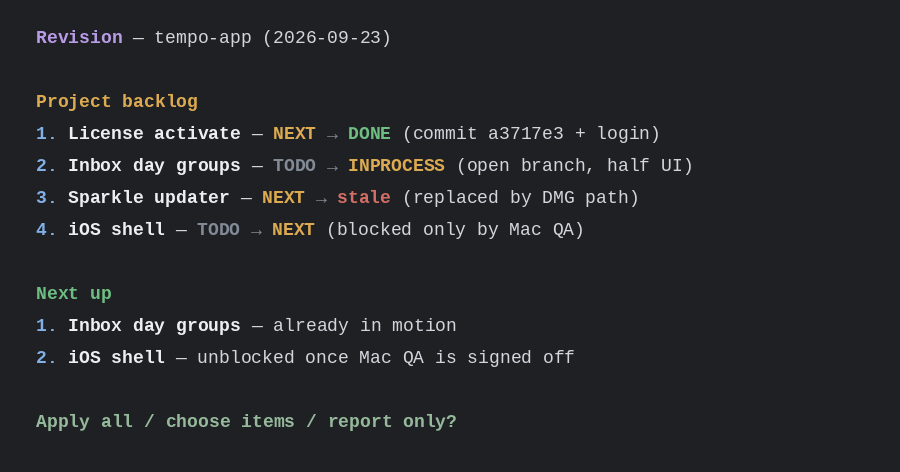
Then — and this is the whole product — it proposes a list. Project backlog, incoming briefs, side projects, drift notes, a numbered “next up.” Nothing is written yet.
I choose: apply all, pick items, or report only.
Only after that confirmation does it touch files. It respects editor lock files (if the backlog is mid-edit, it stops and asks me to save). It writes task states the way my system expects — TODO, NEXT, INPROCESS, DONE, WAITING, HOLD, CANCELLED — with a closed stamp and an agent tag where it makes sense. It never rewrites task text. It never deletes an item to “clean up.” It never auto-commits. The backlog lives outside the repo; the repo stays mine to stage.
The propose step looks like this before anything is written:
Why the pair
Recap without revision is a good standup that never updates the board. Revision without recap is an audit that has to rediscover the morning from scratch. Together they close two different loops:
- Recap closes memory — what happened across sessions and git, in a window I chose, saved so the next window doesn’t overlap by guesswork.
- Revision closes the list — the backlog (and the side briefs) get pulled toward reality, but only through a propose-then-apply gate I control.
That is the difference from “just ask the AI to clean up my todos.” Cleaning up without a gate is how you get confident wrongness. Parallel agents make the problem louder; these two skills make the aftermath quieter. Throughput is useless if the board is fiction.
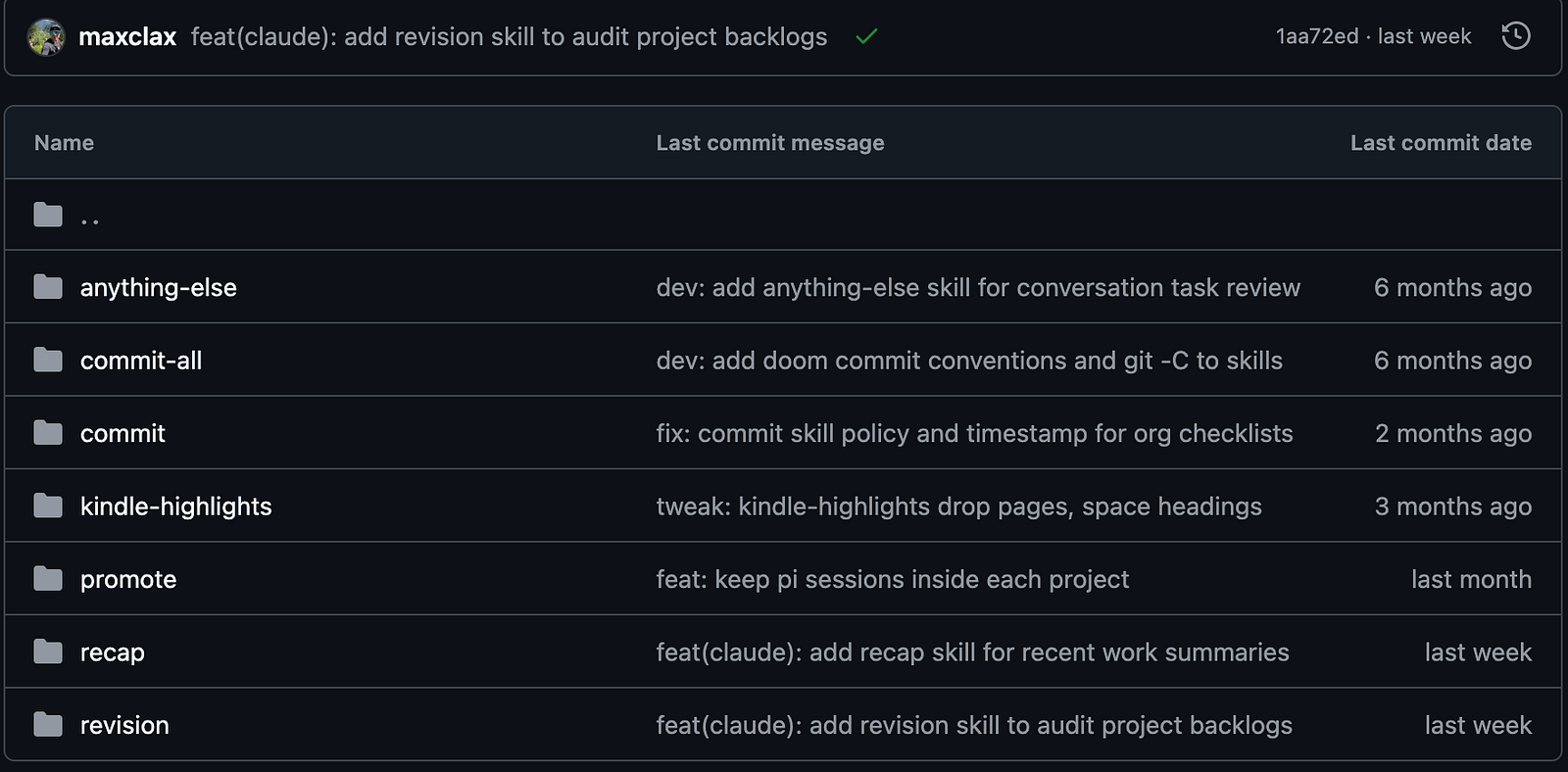
I keep both skills as plain instruction files next to the rest of my machine config — versioned, portable, tool-agnostic. On my machine they currently live under Claude Code’s skill paths (dot_claude/skills/recap, dot_claude/skills/revision in chezmoi), but the loop is the same wherever a coding agent can load a skill or a project rule. Cursor, Codex, Claude Code — same verbs. They are not a SaaS feature. They are instructions with teeth: where to look, what to report, what never to do.
What I refuse
A few lines I will not cross, even when the model is eager:
- No auto-write without approve. Revision proposes. I confirm. Full stop.
- No rewriting my task wording. States and stamps move; the sentence I wrote stays.
- No leaking secrets in a recap that might get pasted into a chat, a PR, or a status update.
- No ignoring editor locks. If I’m mid-edit in the backlog, the skill waits.
- No commits on my behalf. The audit can mark DONE; git stays a separate, deliberate act.
Those refusals are part of the skill definitions, not a vibe I hope the model remembers. If a tool is going to touch the system of record for my week, it earns that trust by asking first and leaving my words alone.
Soft close
I didn’t need another productivity app. I needed two verbs that match how I already work: recap when the morning blurs, revision when the list drifts. Sessions plus git for memory. Backlog plus briefs for the board. Propose, then apply.
If you live with any coding agent and a plain-text backlog the way I do, the pattern is portable even if my filenames aren’t yours. Teach the model where truth lives. Make it show its work. Keep your finger on the apply button.
The skills live with the rest of my public-ish workflow — the same place the machine config lives — so a fresh laptop gets them the same way it gets everything else. Not because the world needs my exact files. Because the loop is the product: remember honestly, revise carefully, and stop letting the backlog lie.
Thanks for reading. Follow on X: https://x.com/maxclaxOS
Dotfiles: https://github.com/maxclax/dotfiles
Related: