TEMPO
TEMPO
 SUNCLAX
A Second Brain Without Obsidian: PARA in Five Folders
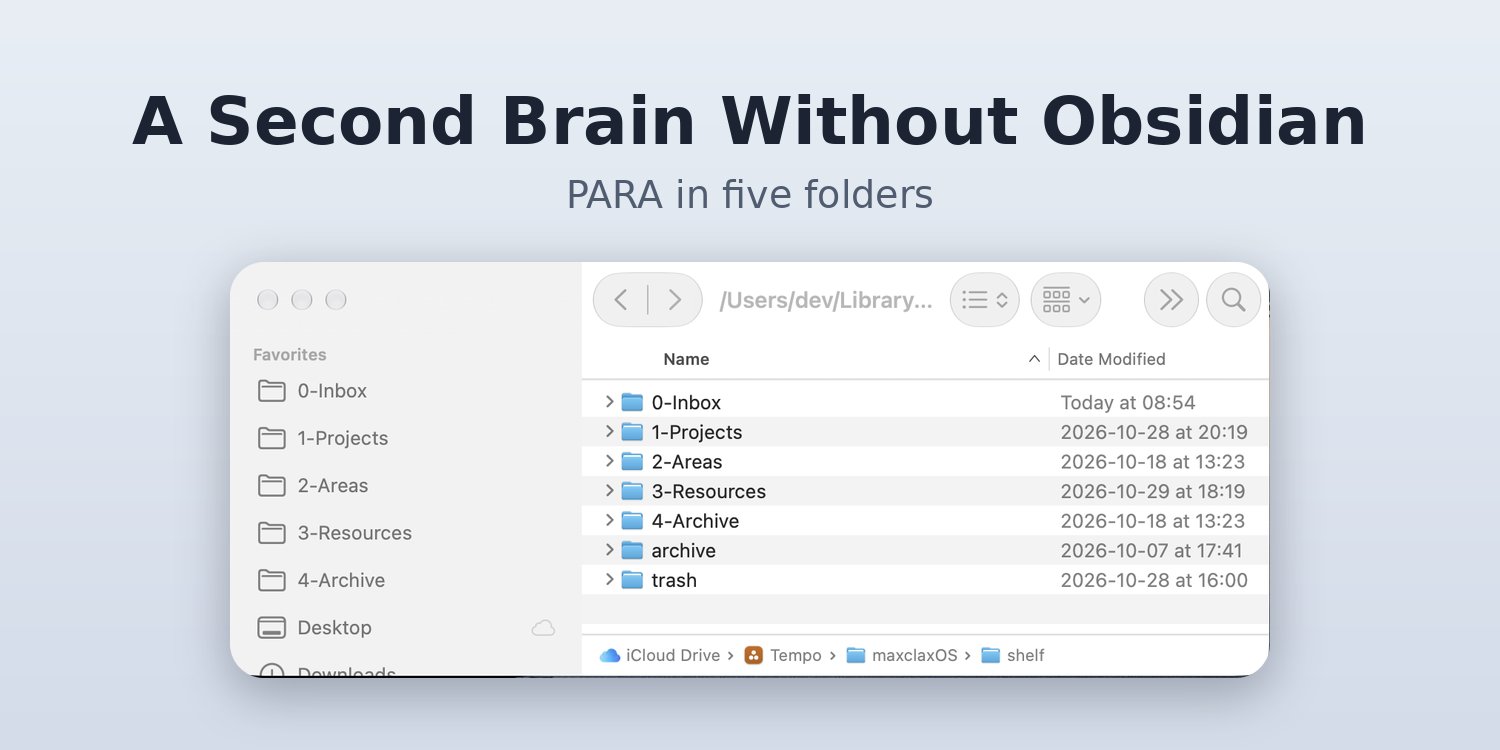
PARA was never a plugin. It is five folders and one habit: put it in the Inbox.
Every PARA tutorial I found started the same way. Install Obsidian. Install a template plugin. Install a folder plugin. Copy someone's vault. By the time it works, you have spent an evening configuring a method whose whole point is to be simple.
And then the phone. A PDF arrives in Mail, a screenshot lands in Photos, a voice memo sits in its own app. None of them know about your vault. They pile up wherever they were born.
PARA itself asks for very little:
- Projects — things with a finish line.
- Areas — things you keep up, with no end.
- Resources — things you might need later.
- Archive — things that are done.
Plus one place in front of all of them: an Inbox, where anything goes before you decide what it is.
That is folders. Your Mac and your iPhone already understand folders. So I stopped looking for a plugin and let the file system do the work.
One click to five folders
My outcomes app, the one I plan my days in, has a section called Shelf. Empty, with one button under it. PARA lives there because it is part of the same daily system as my outcomes.
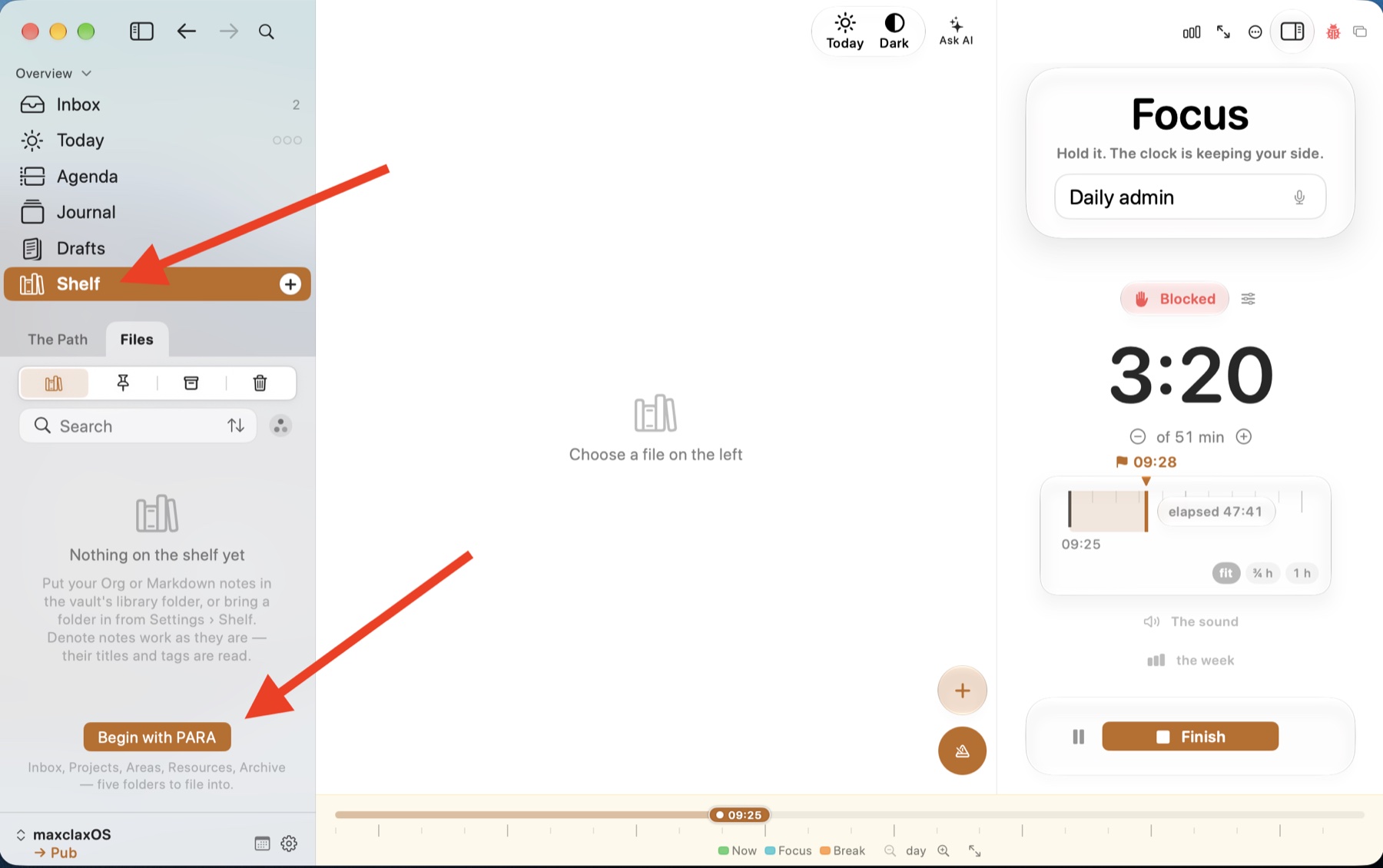
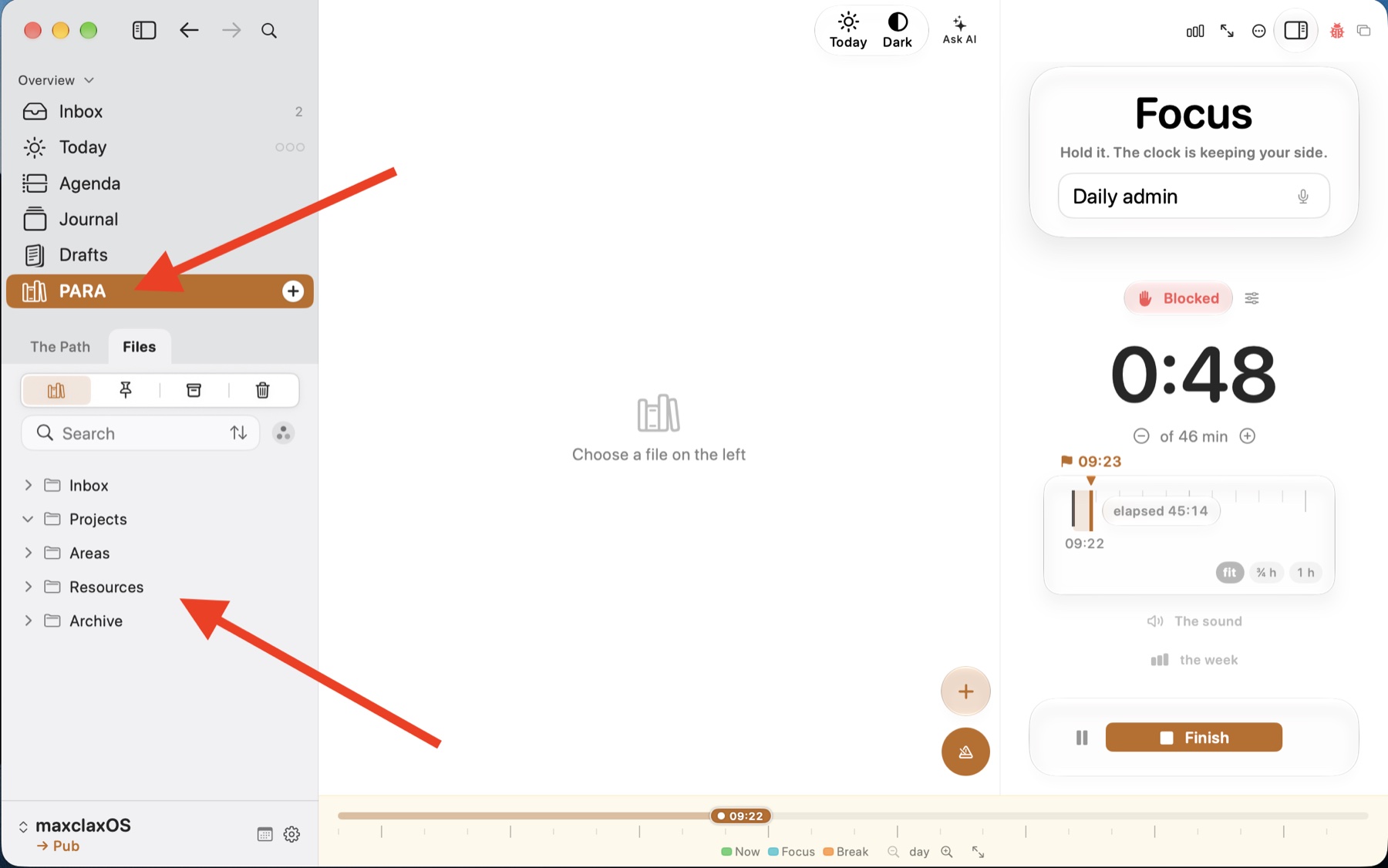
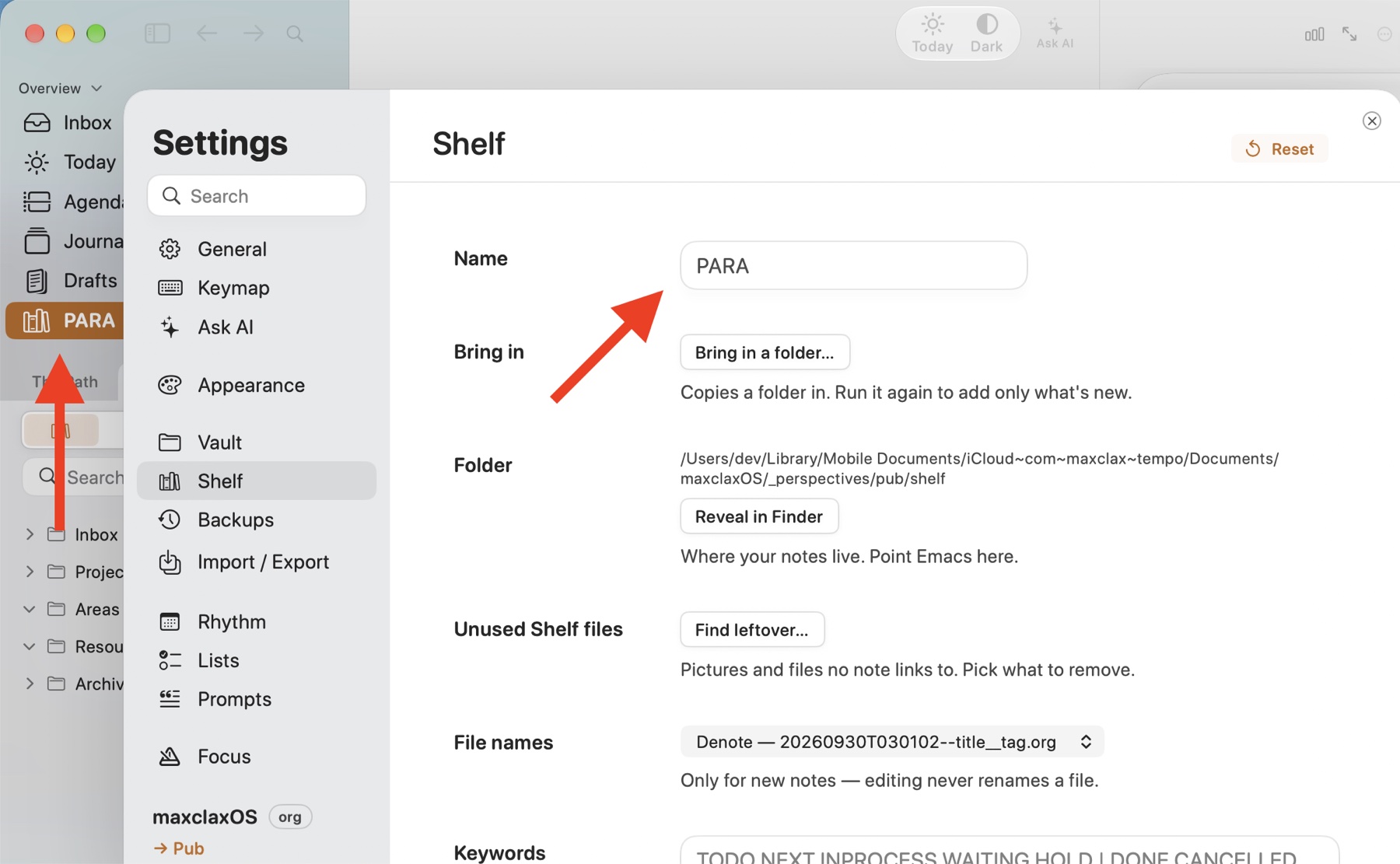
The name is a setting, not magic. Shelf became PARA in the sidebar, but the folder underneath is still called shelf, a plain path you can reveal in Finder or point Emacs at.
It is just Finder
Open that folder and there is nothing proprietary. Numbered folders in iCloud Drive, sorted the way PARA reads. Tempo hides the 0- to 4- prefixes in its sidebar but still uses them for sorting.
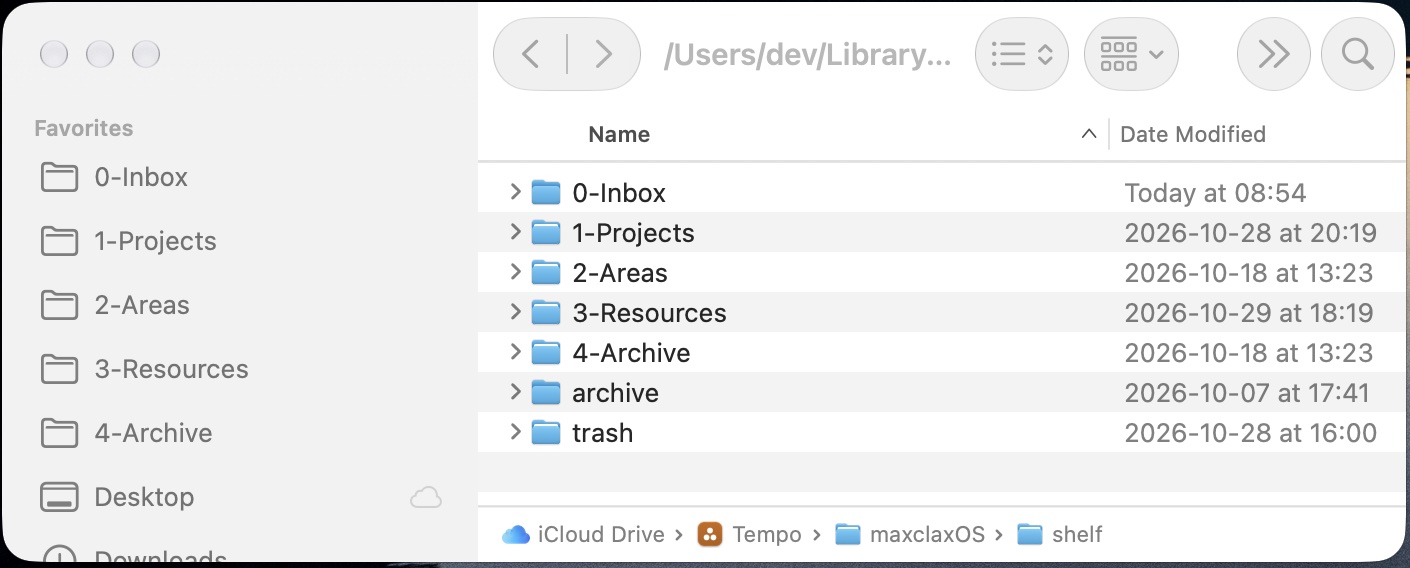
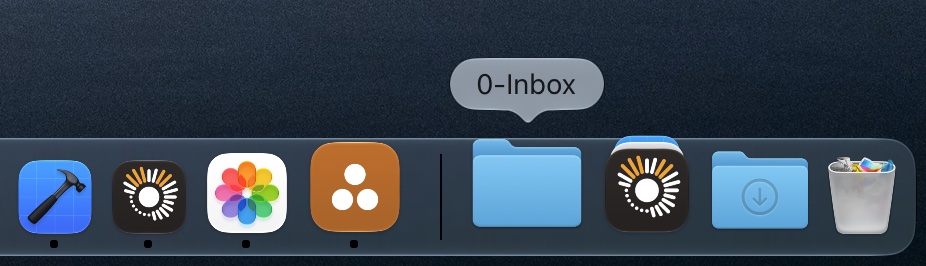
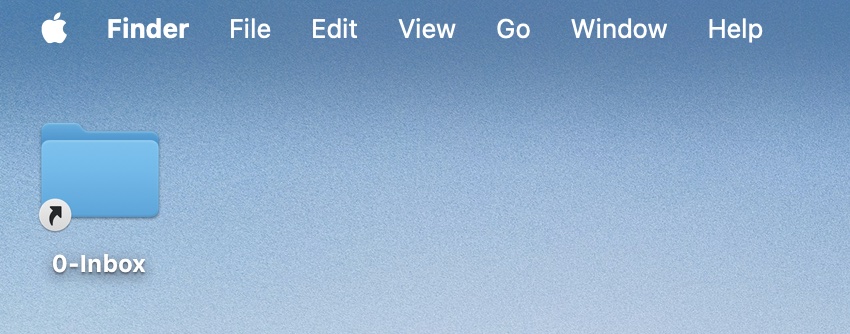
Because they are real folders, macOS treats them like any other. I dragged 0-Inbox to the Dock and made an alias on the Desktop. Now anything I download or screenshot has a one-drop home.
On iPhone: Share, then 0-Inbox
This is where plugins never helped me. On iOS, the folders show up in the Files app, and I pinned them to Favorites. Any app with a Share button can now file into PARA:
- Tap Share.
- Tap Save to Files.
- Tap 0-Inbox in Favorites, then Save.
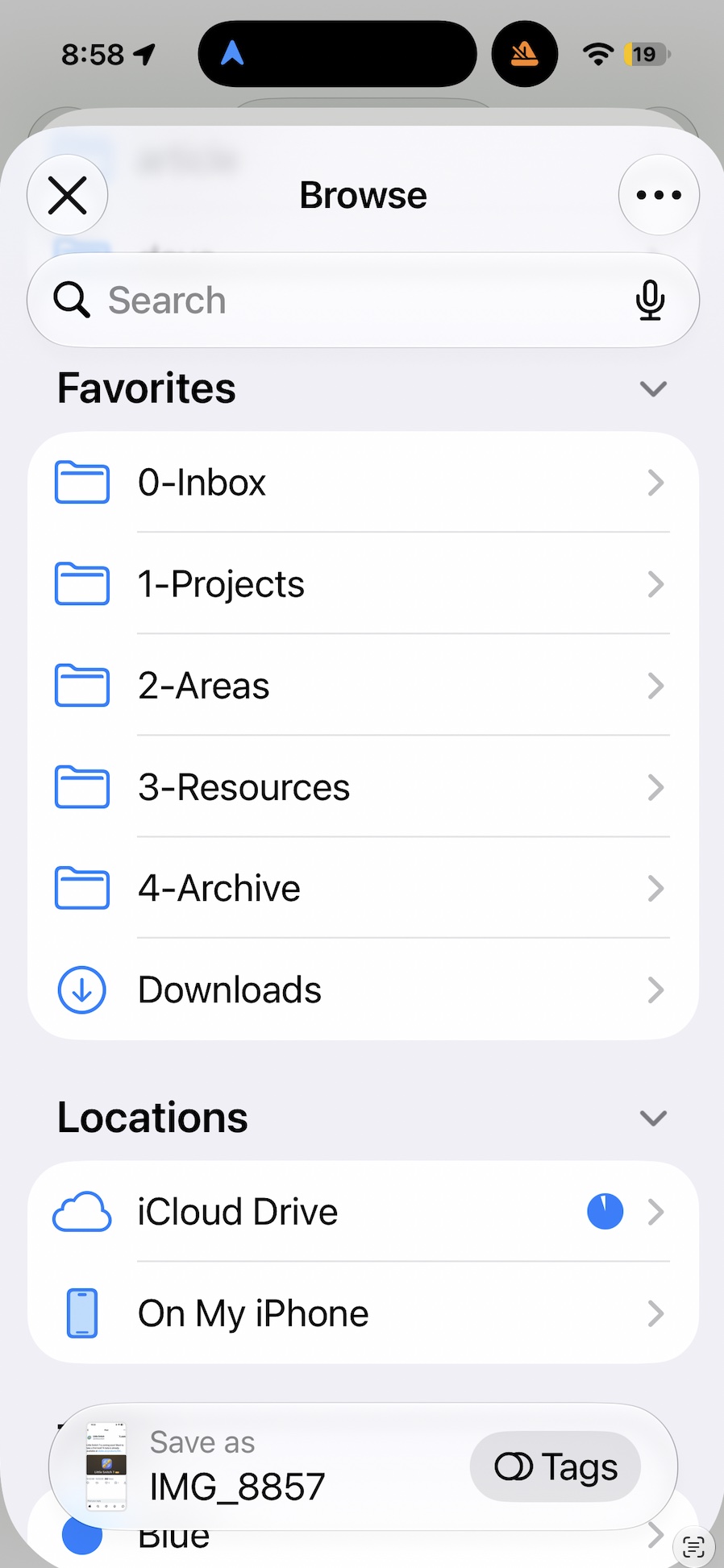
A photo, a PDF, a boarding pass. No decision at the moment of capture. That is the point.
On Mac: a separate Inbox for thoughts
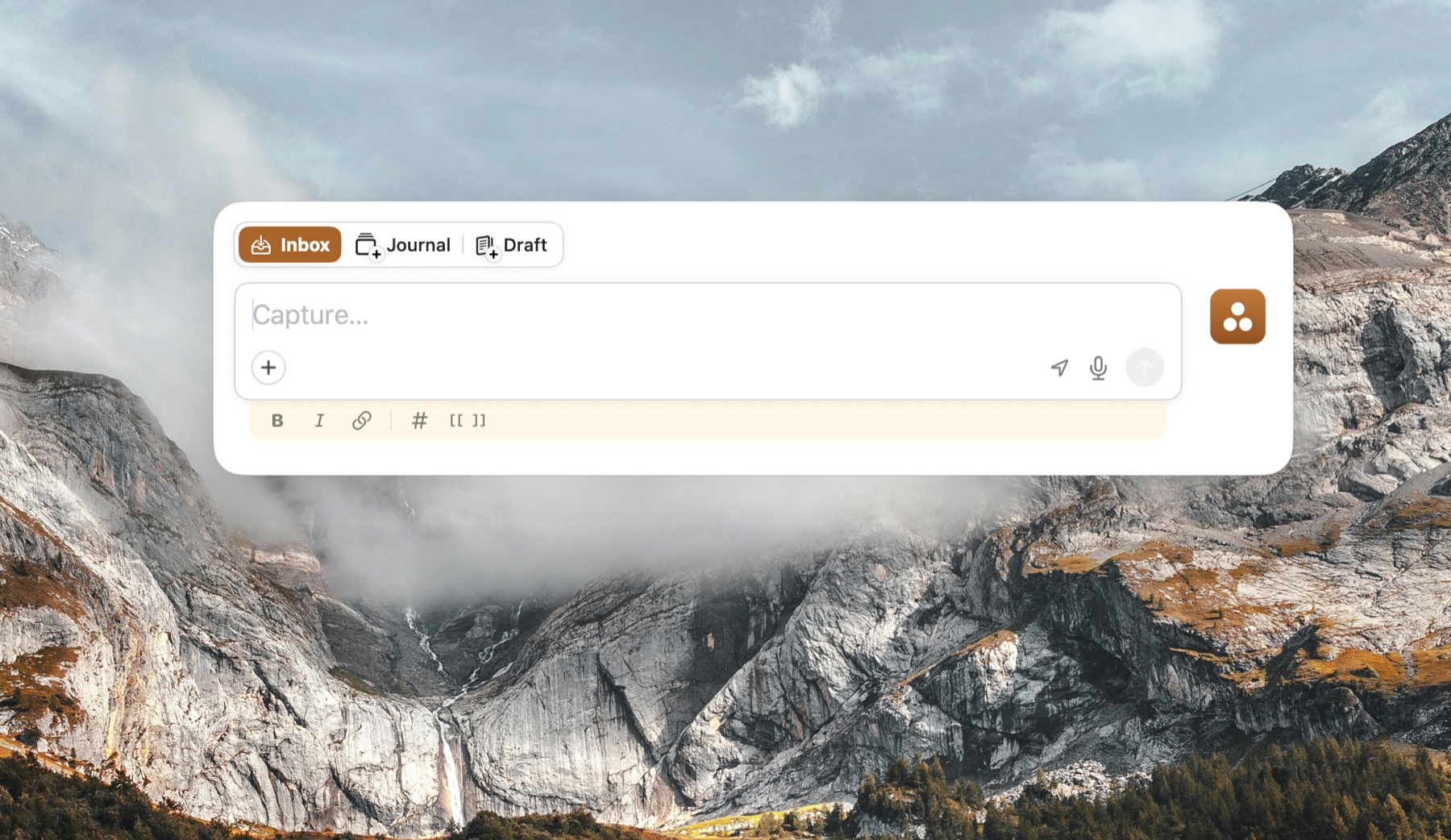
Files are half of it. The other half is thoughts. On the Mac I capture text directly in Tempo, without opening a note first. Capture works globally: Quick capture is Control+Shift+Space (⌃⇧Space), and it works from any app, so I never have to switch to Tempo first. The combo can be changed in Settings → Keymap, where you can also record shortcuts for Capture to Journal and Capture to a draft. That goes to Tempo's own Inbox, a separate buffer inside the app, not to the 0-Inbox folder, so PARA stays clean for files I drop in through Finder or the Share sheet.
How I work the Inbox
The Inbox only works if it empties. My rule on iPhone and Mac is the same:
- Capture without sorting. Files go to 0-Inbox via Finder or the Share sheet; quick thoughts go to Tempo's own Inbox.
- Empty it once a day. Each item gets one question: is it for a project, an area, a resource, or done?
- Move, don't copy. Drag it to 1-Projects, 2-Areas or 3-Resources in Files or Finder.
- Archive whole projects. When a project finishes, its folder goes to 4-Archive.
- Leave it if unsure. Resources is allowed to be messy. The Inbox is not.
Archive is not a trash can.
4-Archive is not a folder for things before you delete them. It is where you come back when something repeats: last year's trip, a past tax filing, a finished project you run again. So I archive finished things instead of deleting them. When it comes around again, I move that folder from 4-Archive back into 1-Projects and keep working from what I did before, not from zero.
No plugin needed for any of it. Files on iPhone and Finder on Mac already move folders.
The app
The app is Tempo, on iPhone and Mac. It plans my outcomes, and it keeps everything as plain Org or Markdown files in that folder, so anything that reads text files can read them too. PARA is one button, and the rest is the file system you already have.
Tempo: how it works on maxclax.com
Tempo: Three Outcomes on the App Store
Thanks for reading. Follow on X: https://x.com/maxclaxOS
Dotfiles: https://github.com/maxclax/dotfiles