TEMPO
TEMPO
 SUNCLAX
Capture Ideas From Anywhere in Plain Text — Turn Them Into Real Work Later, in Obsidian or Emacs
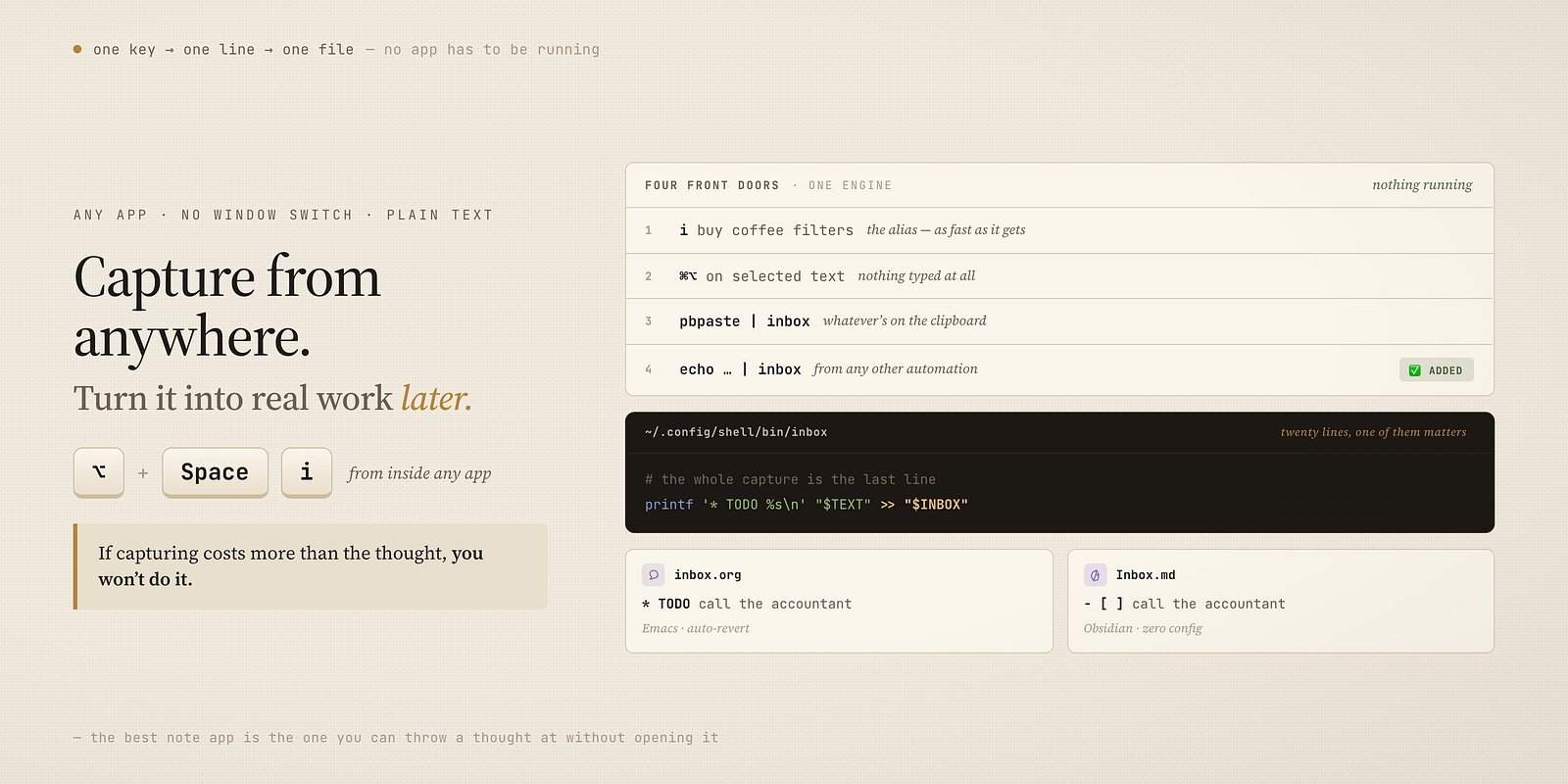
A global hotkey, twenty lines of shell, and any thought — in any app — lands in your notes as plain text. It works for org and Obsidian alike.
The thought always arrives at the wrong moment
You’re three replies deep in an email, or watching a video, or reading a page you’ll never find again, and a thought lands: call the accountant, that library does exactly what I need, buy filters. The good idea and the wrong moment always arrive together.
Here’s the quiet failure at the center of every note app I’ve used: to write that thought down, I have to leave what I’m doing. Switch to the app. Wait for it to focus. Find the right note, or make a new one. By the time the cursor is blinking, half the thought is gone and all of the momentum is.
I should say up front where I keep my notes, because I don’t want this to read as a bait-and-switch: mine are plain-text org files in Emacs. But this isn’t an Emacs post, and the fix below has almost nothing to do with Emacs. I keep pointing at Obsidian because it’s the app most people hit this wall with, and it hits the wall for the exact same reason mine does — the notes are just files, and files don’t come with a global hotkey.
Out of the box, Obsidian captures beautifully while Obsidian is the front window. The instant you’re somewhere else — which is exactly when thoughts happen — there’s no key you can press without a detour through the app first. Org has the identical gap. Two different homes for a note, the same missing piece: a way to throw one in from wherever you already are. Everything from here works the same whether that home is an Obsidian vault or an org file — and in one spot, as you’ll see, Obsidian actually has it easier.
So I stopped asking the app to do it and pushed the job down to the operating system, where it belongs.
What “global capture” actually has to mean
One rule, and everything follows from it:
If capturing costs more than the thought, you won’t do it — and the app that’s easiest to reach wins, every time.
That means the whole thing has to work from a single keypress, from inside any app, with no window switch and no decision about where it goes. Not “open the app, then capture.” Just: press key, thought is saved, keep working. The filing — deciding what it actually is and where it belongs — happens later, on my terms, not while I’m mid-sentence in something else.
Once you state it that plainly, the app is the wrong layer to solve it at. A hotkey that works everywhere is an OS feature. So the design is three small pieces that each do one thing:
- An OS-level hotkey and keyword (Alfred) that fire from anywhere.
- A tiny shell script that appends one line to one file.
- A plain-text inbox your notes app already watches.
No plugin. No sync service. No app that has to be running. Let me show all three, because the whole point is how little there is.
Piece one: the hotkey that works from any app
I use Alfred for this, but nothing here is Alfred-specific — Raycast, Hammerspoon, or macOS Shortcuts would do the same job. It’s a workflow with two ways in, because a thought arrives in two shapes.
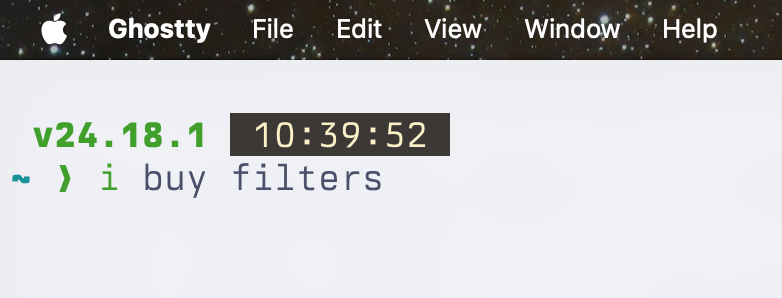
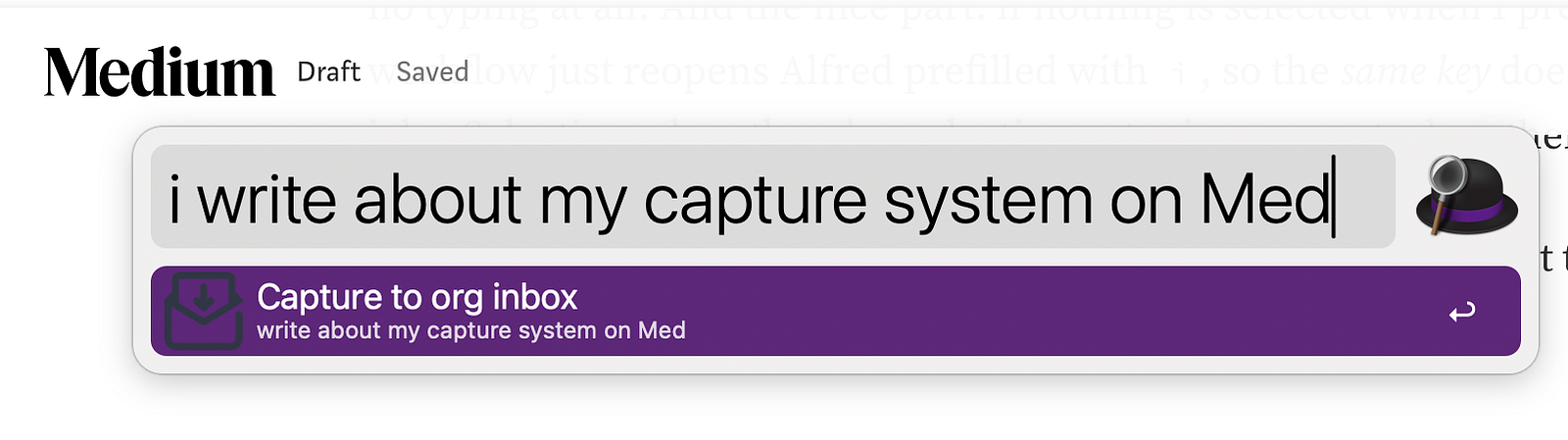
Typed. A keyword, i, with the text after it: I hit my Alfred key, type i buy filters, Enter. Gone into the inbox. This is for thoughts that are still in my head.
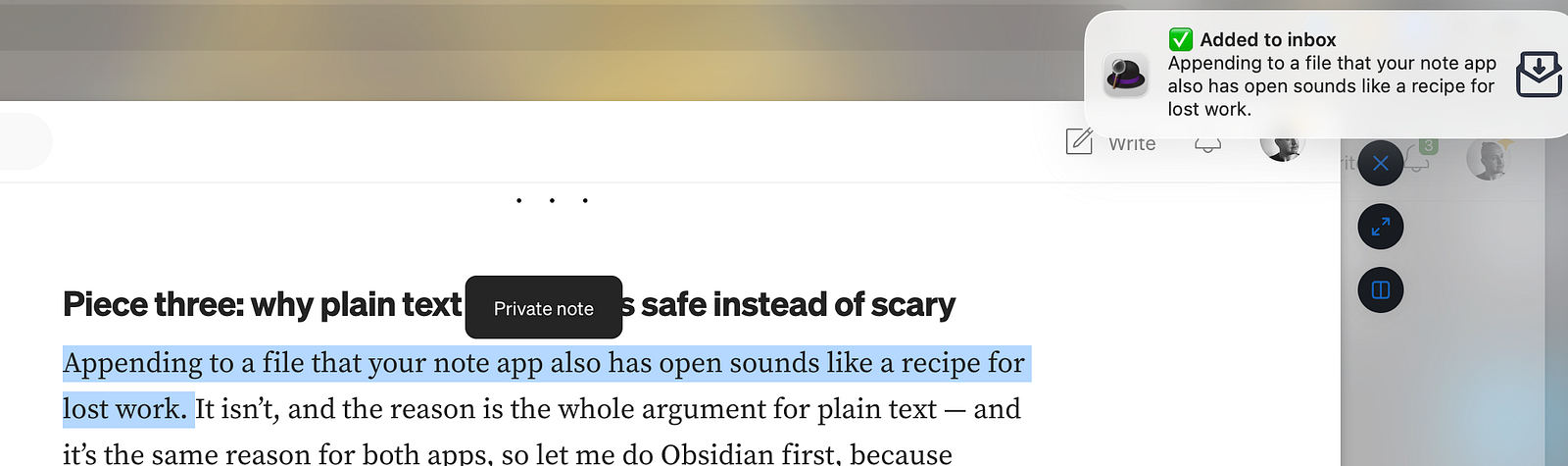
Selected. A global hotkey for text that’s already on screen — a sentence in an article, a line from a chat. I select it, press the hotkey, and it’s captured with no typing at all. And the nice part: if nothing is selected when I press it, the workflow just reopens Alfred prefilled with i, so the same key does both jobs. Selection when there’s a selection; a typing prompt when there isn’t.
Under the hood the workflow’s script object is only a few lines — it takes whatever Alfred hands it and calls one command:
# Keyword passes the typed text; the hotkey passes the selection.
INPUT="$1"
if [ -z "$INPUT" ]; then
  # Nothing selected: reopen Alfred prefilled, so one key does both.
  osascript -e 'tell application id "com.runningwithcrayons.Alfred" to search "i "'
  exit 0
fi
inbox "$INPUT"
Then it plays a small sound and flashes a ✅ Added to inbox notification, so I get a confirmation without ever looking away from what I was doing. That feedback matters more than it sounds — it’s what lets you trust the thing enough to fire it and immediately forget it.
Piece two: the twenty-line script that is the whole engine
All the workflow does is call inbox. That’s the actual product, and it’s short enough to read in one breath:
#!/usr/bin/env sh
# Capture text to the org inbox from anywhere — Alfred, Shortcuts, a terminal.
set -eu

INBOX="$HOME/org/inbox.org"   # point this wherever your notes live

# Take the argument, or read piped input if there's no argument.
if [ "$#" -gt 0 ]; then
  TEXT="$*"
else
  TEXT=$(cat)
fi
# An org (or Markdown) heading is one line - collapse any newlines.
TEXT=$(printf '%s' "$TEXT" | tr '\n' ' ' | sed 's/  */ /g; s/^ //; s/ $//')
[ -n "$TEXT" ] || { echo "inbox: nothing to capture" >&2; exit 1; }
# Keep exactly one blank line between entries, never stacked.
if [ -s "$INBOX" ]; then
  [ -n "$(tail -c1 "$INBOX")" ] && printf '\n' >> "$INBOX"
  [ -n "$(tail -n1 "$INBOX")" ] && printf '\n' >> "$INBOX"
fi
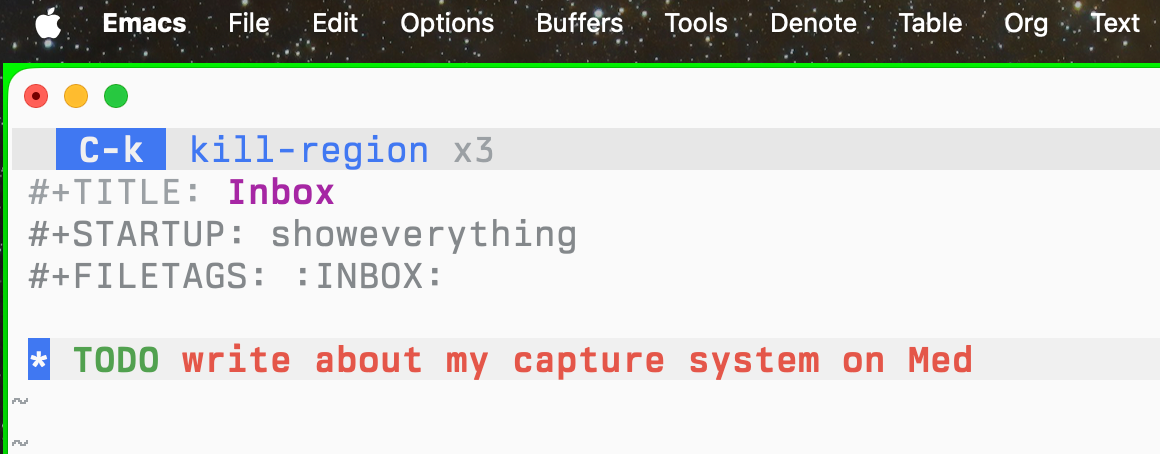
printf '* TODO %s\n' "$TEXT" >> "$INBOX"
That’s it. It appends * TODO your text to the end of one file. The fussy middle — the newline collapsing, the blank-line bookkeeping — exists only so the file stays tidy no matter how sloppily you feed it. The capture itself is the last line.
And this is the part worth being clear about: Alfred is optional. Alfred buys you exactly one thing — the global hotkey, the key that fires from inside any app. The capture engine itself is just this script, and it runs anywhere a shell does. If you live in the terminal, you already have global-enough capture with nothing installed but this one file. I keep a one-character alias for it so the tax is a single keystroke:
alias i='inbox' # in your shell config
After that, every one of these captures to the same inbox, no Alfred anywhere in sight:
i buy coffee filters              # the alias — as fast as it gets
inbox call the accountant         # the full command, same thing
pbpaste | inbox                   # whatever's on the clipboard
echo "idea from a script" | inbox # from any other automation
So there are really two tiers here. The floor is the shell: install nothing, drop in the script, alias it to i, and any terminal becomes a capture box. The ceiling is Alfred: wire that same command to a system-wide hotkey and now it works from your browser, your mail, a video — anywhere, app or no app. Same engine, two front doors. The back door is a plain Unix command, so anything that can run a command can capture.
Piece three: why plain text makes this safe instead of scary
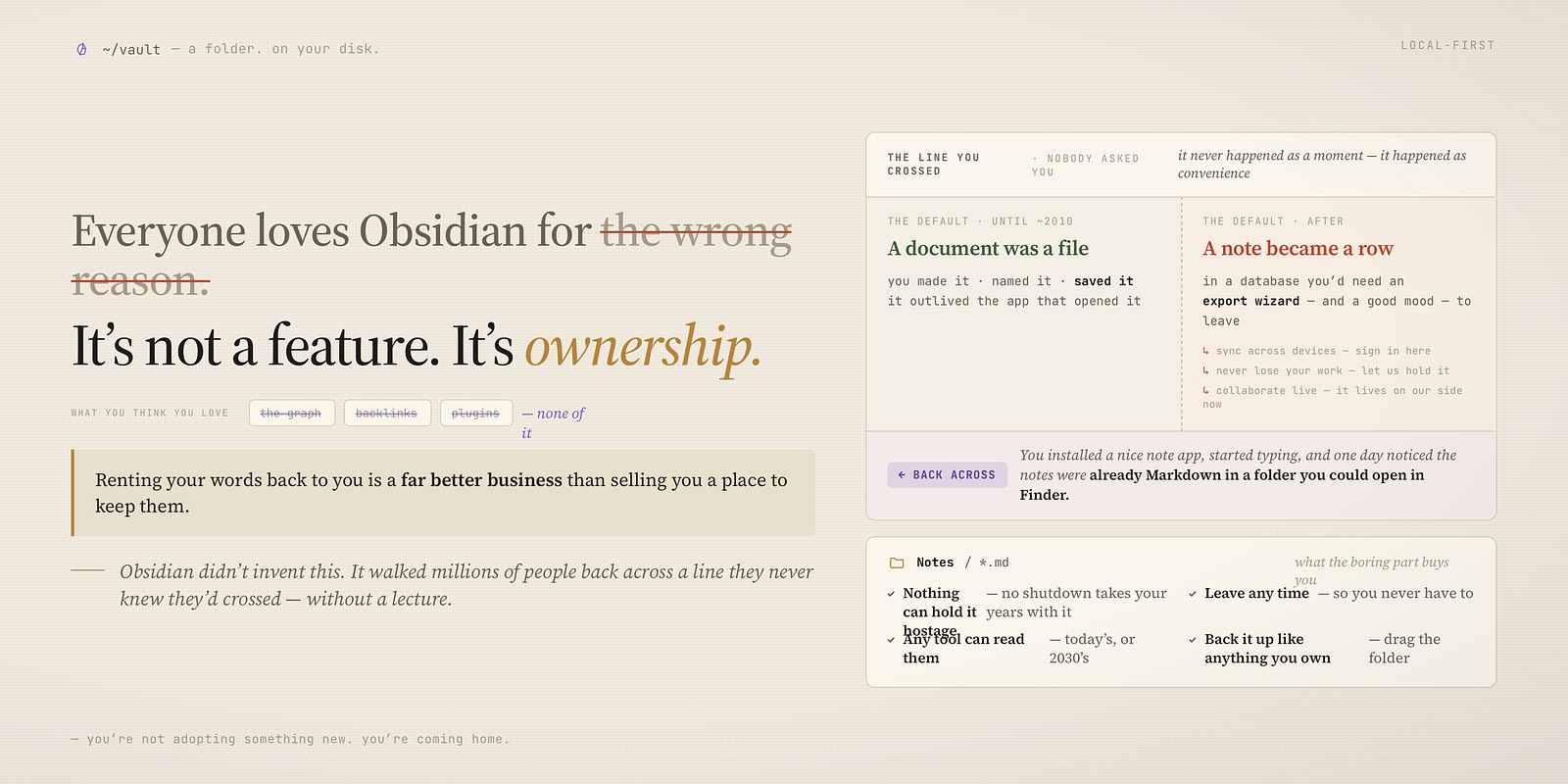
Appending to a file that your note app also has open sounds like a recipe for lost work. It isn’t, and the reason is the whole argument for plain text — and it’s the same reason for both apps, so let me do Obsidian first, because Obsidian has it easier.
The script only ever appends — it never rewrites the file, so there’s nothing to clobber. That’s the safety, and it’s tool-neutral. The only remaining question is whether your note app notices the change, and here Obsidian just wins: a vault re-reads a note the moment anything on disk touches it, with zero configuration. So the entire Obsidian path is one line in the script — point INBOX at a note in your vault, and since a Markdown task is - [ ] instead of org’s * TODO, change the last line to match:
INBOX="$HOME/ObsidianVault/Inbox.md"
# ...and the final line becomes:
printf -- '- [ ] %s\n' "$TEXT" >> "$INBOX"
That’s the whole port. The global hotkey now drops tasks straight into your Obsidian inbox note, from any app, whether or not Obsidian is even open — and when you next look at the vault, they’re waiting. No plugin, no Advanced URI, no app in focus, no extra config. The capture never needed the app; it only needed the file.
Emacs is the one that needs a nudge, and only because I asked for more. Org’s global-auto-revert-mode already refreshes an open inbox.org the instant the script writes to it, so I watch new TODOs appear in real time — that part’s free too. The extra I added is small: re-read the inbox right before the agenda builds, so a capture from thirty seconds ago is already in today’s view. If you’re on Obsidian you can skip this entirely; it’s here for the org readers:
;; The `inbox' script appends from outside Emacs. Refresh the buffer
;; before the agenda reads it — unsaved edits still win.
(defun my/org-inbox-revert (&rest _)
  (when-let* ((buf (find-buffer-visiting org-default-notes-file)))
    (with-current-buffer buf
      (unless (or (buffer-modified-p) (verify-visited-file-modtime buf))
        (revert-buffer :ignore-auto :noconfirm)))))
(advice-add 'org-agenda :before #'my/org-inbox-revert)
The best part: nothing has to be running
This is the thing I didn’t expect to love, and it’s the real reason this beats every in-app capture I tried. No app has to be open. Not Emacs, not Obsidian, not a menu-bar helper quietly eating memory in the background. The capture writes directly to the file on disk — inbox.org or Inbox.md — and a file doesn’t need anything to be running to receive a line.
Think about what every app-based capture secretly requires: the app, alive, in the background, holding your note database open and waiting. Quit it to free the RAM and you’ve quit your capture too. Here it’s inverted. The plain file is the database, and the shell can append to it whether Emacs launched this morning or not, whether Obsidian is open, closed, or never installed on this machine. You could reboot, capture ten thoughts from the terminal before you’ve opened a single window, and open your notes an hour later to find all ten waiting.
That’s the quiet luxury of writing to a plain file instead of talking to an app: the note app becomes something you open when you want to think, not something you’re forced to keep running just in case you have an idea.
Capture is one half. “It comes to me” is the other.
A thing worth saying, because a fast inbox with no exit is just a faster way to make a mess: capturing is deliberately dumb. Everything lands in one flat inbox.org as a raw TODO, unsorted, uncategorized. That’s the point — the moment of capture should ask nothing of me. No project picker, no tag, no folder. Just get it out of my head before it’s gone.
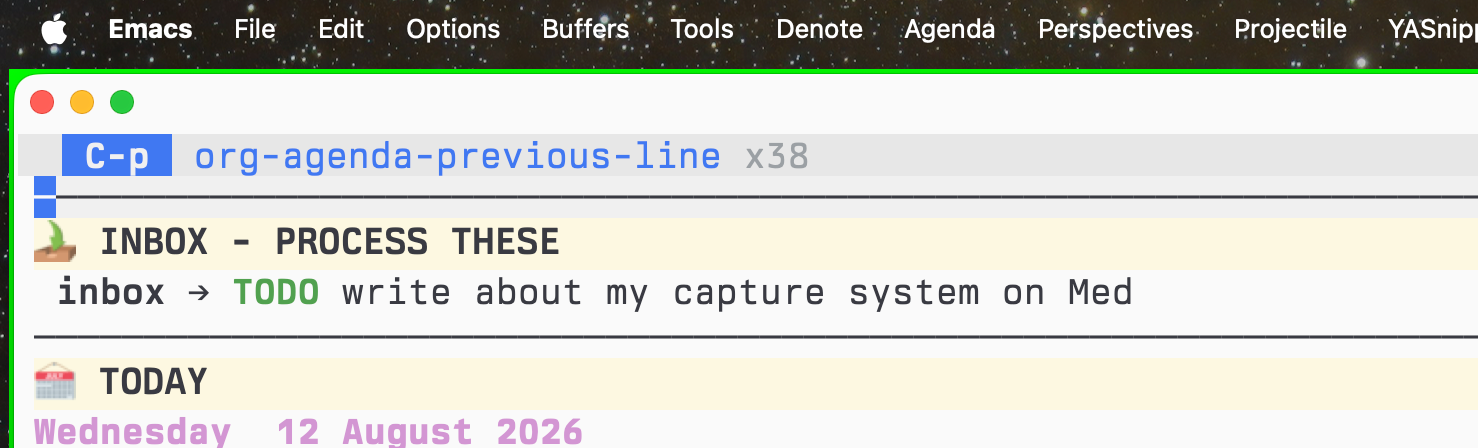
The sorting happens on a completely separate beat. Once a day the inbox isn’t an app I have to remember to open — it arrives. My agenda pulls every TODO from every project file into a single view, the fresh captures sitting right at the top, and I spend two minutes deciding what each one actually is: refile it to a project, schedule it, or delete it. The thought got saved in the half-second it existed; the thinking about it happens when I have the attention for it, not before.
That division is the real productivity trick, and it long predates any of this tooling: make capture frictionless and filing intentional, and never do them at the same time. The hotkey is just what finally made the capture half cost nothing.
It’s all in the dotfiles
Nothing here is a product or a plugin you install. It’s an Alfred workflow and one small script, both sitting in my dotfiles — take them, point them at your own inbox file, and change one line if that file is Markdown instead of org:
- The
inboxscript:private_dot_config/shell/bin/executable_inbox.tmpl— theexecutable_prefix and.tmplsuffix are just chezmoi (it marks the file runnable and fills in your notes directory); it lands on disk as~/.config/shell/bin/inbox - The Alfred workflow:
dot_local/extra-configs/Alfred/…/Org Inbox Capture
Dotfiles: https://github.com/maxclax/dotfiles
Assign your own hotkey in the workflow’s Hotkey object — the one that ships is a placeholder — point INBOX at your file, and you’ll have a single key that captures a thought from anywhere on the machine into plain text you own.
The one thing to take
Stop asking your note app to be reachable from everywhere. It can’t, and it shouldn’t have to. Push capture down to a global hotkey and a one-line append, keep the file plain so everything can read and write it, and let the app go back to what it’s genuinely good at: being the place your notes live once you’ve had a second to think.
The best note app isn’t the one with the best capture. It’s the one you can throw a thought at without opening it.
Thanks for reading. Follow on X: https://x.com/maxclaxOS
Dotfiles: https://github.com/maxclax/dotfiles
Related: