TEMPO
TEMPO
 SUNCLAX
Obsidian Publish Costs $8 a Month. My Blog Runs on Org Files and One Emacs Keystroke.
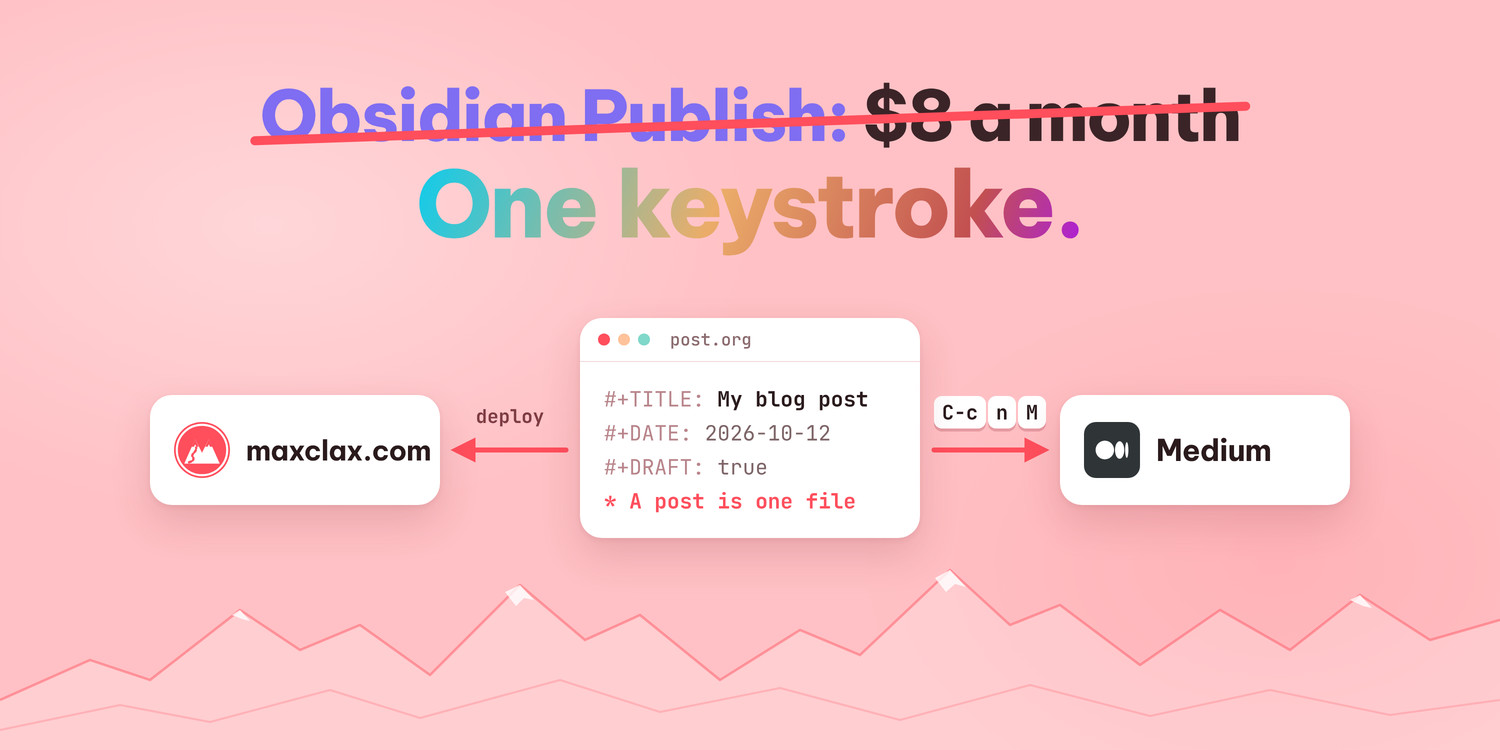
Obsidian Publish costs about $8 a month. A lot of people pay it, and I understand why. You write in your vault, press a button, and your notes are on the web. No server, no deploy, nothing to maintain.
I took a different road. I write in Emacs, in Org files. My blog at maxclax.com is built from those files, and the Medium copy of each post comes from the same file. One original, two places to read it, and no monthly bill for the publishing part.
Before you read on, you might be asking: why not just use Hugo? Point it at an Obsidian vault and you get a static site. That works, and Hugo is a fine way to replace WordPress. But I already have a site. Adding Hugo would mean keeping two sets of templates, one for the site and one for the blog, and making every design change twice. Reading a folder of Org files inside the site I already have turned out simpler and lighter.
This post shows how it works. It is not complicated, and most of the ideas work just as well with Markdown.
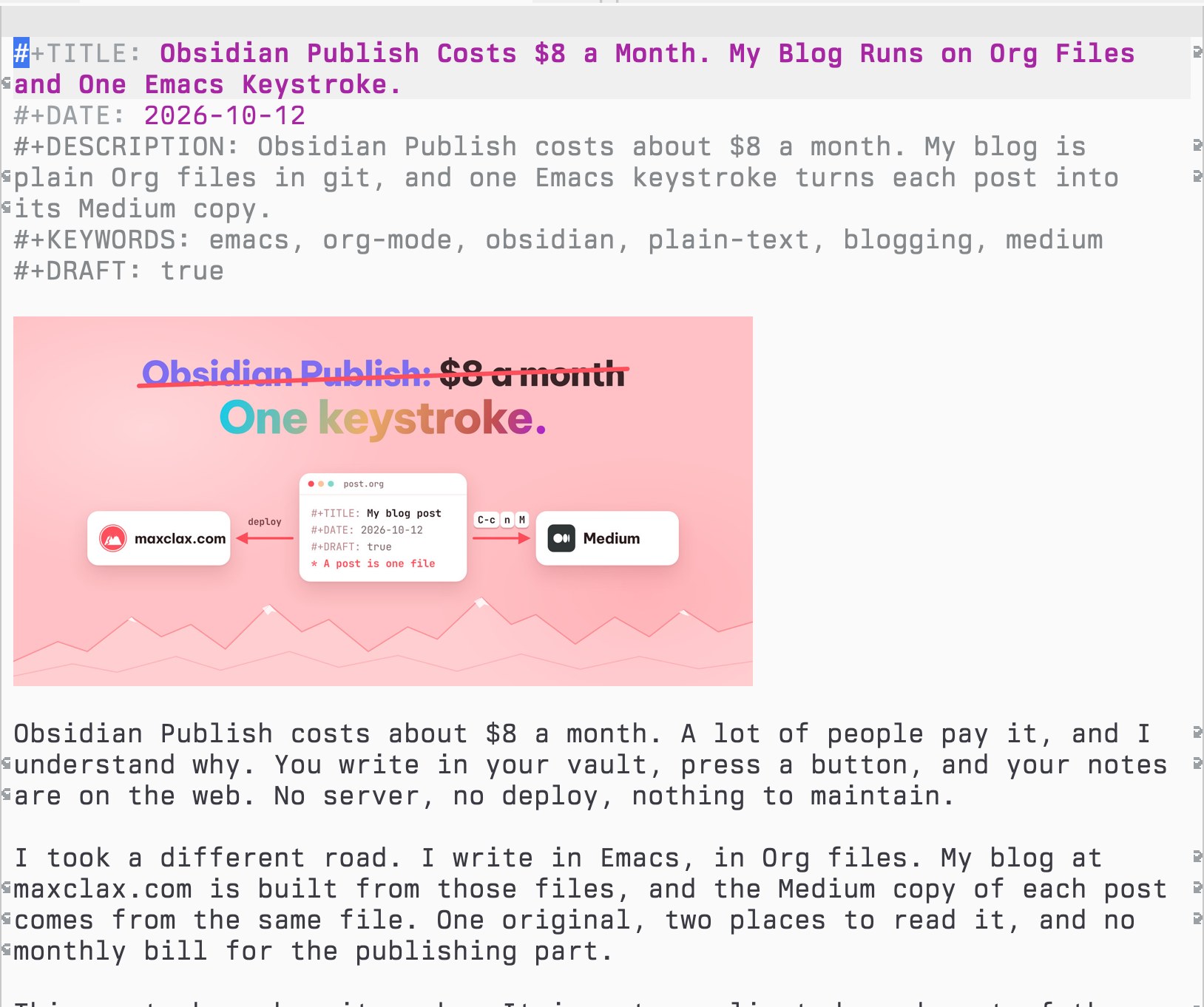
Here is this post, open in Emacs:
A post is one file
My site has no database for posts and no admin panel. A post is one .org file in one folder, content/blog/.
The file name is the address. If I create content/blog/my-new-idea.org, the post lives at https://maxclax.com/blog/my-new-idea/. That is the whole routing system.
One rule follows from this: I never rename a published file. A new name means a new address, and every link pointing to the old one breaks. So I think about the file name once, at the start, and then leave it alone.
I like this because nothing is hidden. ls shows all my posts. grep searches all of them. The history of every post is in git, with real diffs. If I ever want to move the blog somewhere else, I take a folder of text files with me. There is no export step and no lock-in.
I grew up with BASIC and assembler, where a program was a file you could read from top to bottom. A blog that works the same way just feels right to me.
What the file looks like
The top of every post is a few header lines. After that it is plain Org.
Here is a short example:
#+TITLE: My New Idea
#+DATE: 2026-10-20
#+DESCRIPTION: One sentence about the post, shown in the blog list, in Google and in link previews.
#+KEYWORDS: emacs, org-mode
#+MEDIUM: https://medium.com/@maxclax/obsidian-publish-costs-8-a-month-my-blog-runs-on-org-files-and-one-emacs-keystroke-05179ca5327b
#+DRAFT: true

I had an idea last week. This is a short note about it.

[[file:../../static/blog/my-new-idea/01.jpg]]

Some text with *bold*, /italic/ and =code=, and a [[https://orgmode.org][link]].

- first point
- second point
The header lines do the following:
#+TITLEis the title.#+DATEis the date shown on the post. The blog list is sorted by it.#+DESCRIPTIONis one sentence, about 155 characters. It shows up in the blog list, in Google results, in link previews and in the RSS feed. I write it last, when I know what the post actually says.#+DRAFT: truekeeps the post private. More on that below.
There are a few optional ones. #+KEYWORDS for keywords, #+PUBLISH to schedule a post, #+UPDATED when I change something important later, #+SERIES and #+SERIES_PART when posts belong together, and #+MEDIUM for the address of the Medium copy.
The body is normal Org. Headings with *, bold, italic, code, links, lists, quotes, source blocks and tables. Nothing in it is special to my site. If you opened the file in any Org setup, it would look like a normal document.
Pictures live next to the post's slug, in static/blog/<slug>/01.jpg, 02.jpg and so on. I link each one on its own line, like . Because it is a real file link, Emacs shows the picture inline while I write. A #+CAPTION line above it becomes the caption. The first picture in the post is the header image and also the image for link previews, so I choose it with some care.
The site adds a few things by itself, so I never write them: reading time, a "Read next" block, the RSS feed, the sitemap, a "Read on Medium" link when #+MEDIUM is set, and a small form for getting new posts by mail.
Translations are just another file next to the original. my-new-idea.uk.org, .de.org, .es.org or .ru.org. A reader browsing in that language gets that file. Same address, same idea, one more text file.
Draft, schedule, publish
A post with #+DRAFT: true can be deployed safely. When I am signed in, I see it on the real site with a small "draft" badge. Everyone else gets a 404. This means drafts can sit in the main branch with everything else, and I can check how a post looks on the actual site, on my phone, with the real pictures, before anyone else sees it.
Scheduling is one line: #+PUBLISH: 2026-10-20. Before that day the post stays hidden and is marked noindex. At midnight UTC on that day it goes live by itself. It appears in the blog list, the RSS feed, the sitemap and llms.txt, and I do not have to deploy anything. I can write three posts on a quiet Sunday and let them come out over the next weeks.
Publishing right away is also simple. I remove the draft line, commit the file to git, and run one make command to deploy. That is it.
Links between posts point to files
When I link to another one of my posts, I do not paste its web address.
I link to the file:
[[file:other-post.org][text of the link]]
This has two nice effects. In Emacs, following the link opens the other post, so my blog behaves like a small wiki while I write. On the site, the link turns into /blog/other-post/.
And if the other post is not live yet, still a draft or scheduled for later, the link shows up as plain words. Readers never land on a missing page. I can link to something I am still writing and forget about it. When that post goes live, the link starts working by itself.
For example, I wrote earlier about why I moved from Obsidian to Emacs. In my file, that is a link to another .org file in the same folder. Nothing more.
One keystroke to Medium
I also publish on Medium, because that is where a lot of readers are. But I do not want two originals that slowly drift apart. So the Medium copy comes from the same file.
With the post open in Emacs, I press C-c n M. It puts the whole post on the clipboard as HTML, ready to paste. On the way it does a few things:
- Pictures become public URLs on my site, so Medium can load them.
- Links to my other posts become their Medium addresses. If a linked post has no Medium copy yet, the link points to the site address instead, and Emacs lists those posts so I know.
- A note under the title says the post is free on my blog, with a link to
https://maxclax.com/blog/<slug>/.
Then I open a new Medium story and paste. I set the title, the subtitle and the tags. In Story settings, under Advanced, I set the canonical link to the site address, and then I publish.
The setting looks like this:
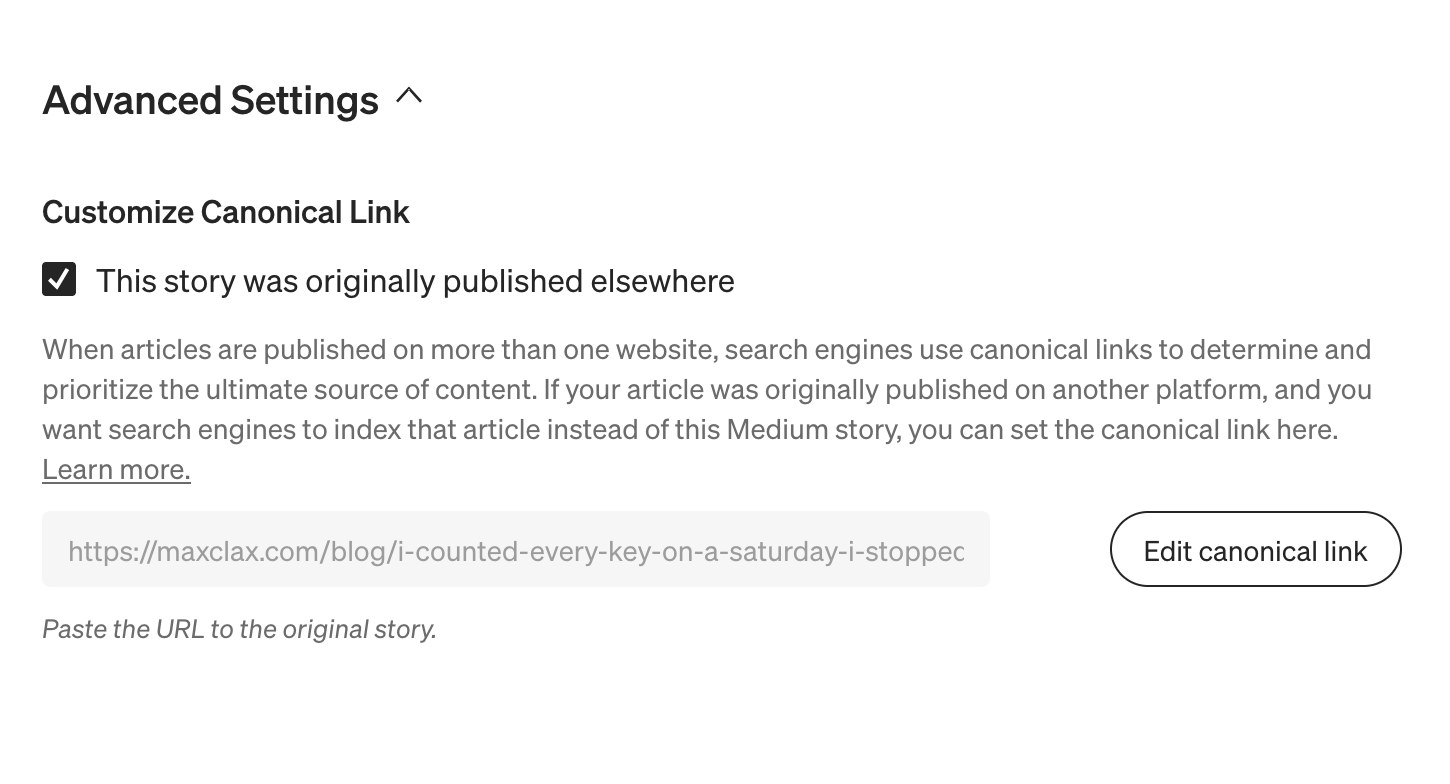
The canonical link matters. It tells Google that my site is the original and Medium is the mirror. Both copies can exist without competing with each other.
That note under the title matters to me. Some readers hit the Medium paywall, and I would rather they read the post than leave.
The last step closes the loop. I copy the Medium URL back into the file as #+MEDIUM: <url>, commit, and deploy again. Now the site shows a "Read on Medium" link, and the next time another post links to this one, C-c n M knows its Medium address.
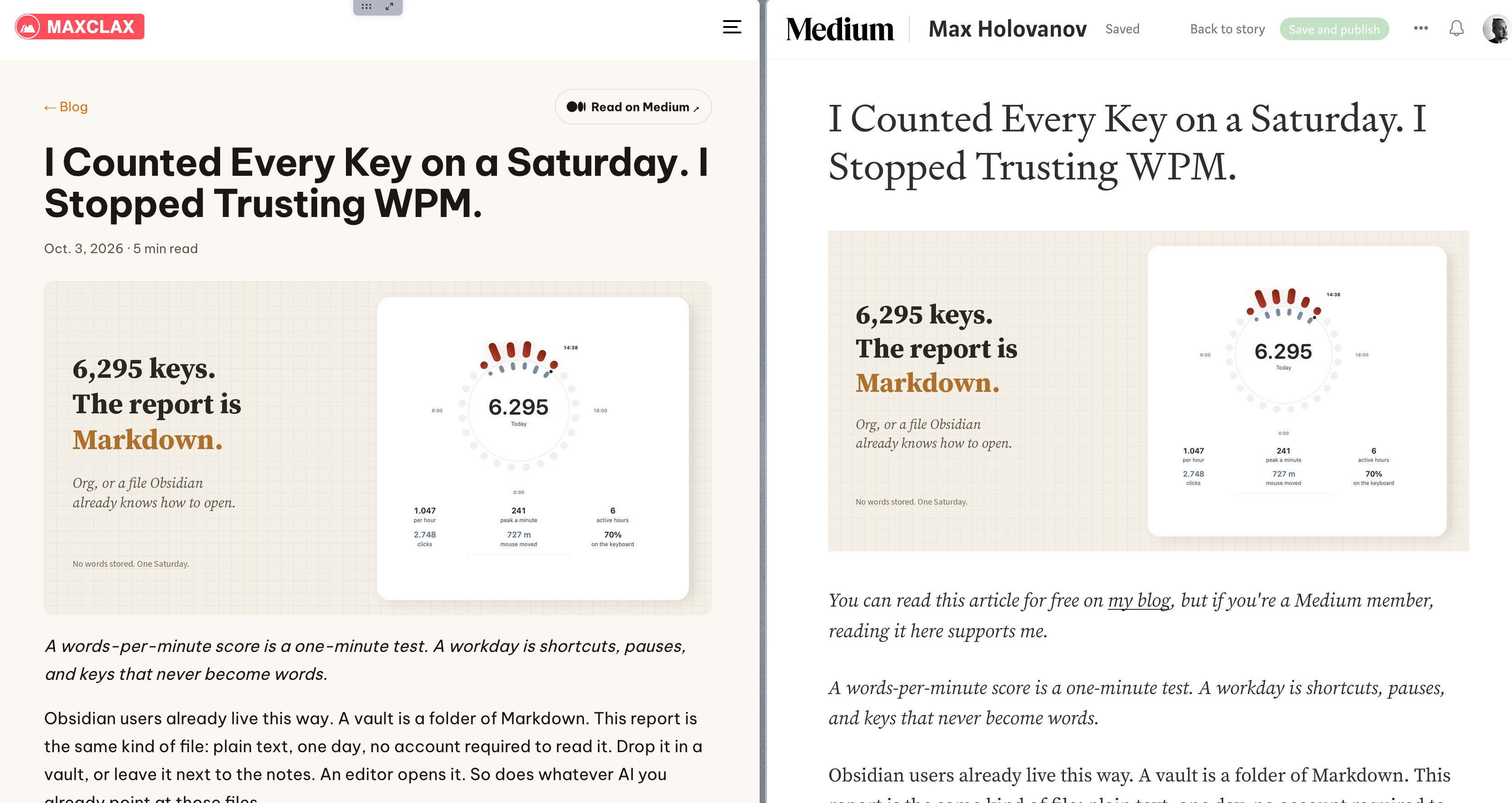
Here is the result, the same post in both places:
If you live in Obsidian
I used Obsidian for a long time, and I still think it is a great tool. Obsidian Publish is a fine product too. If you do not want to run a website, paying around $8 a month so that someone else handles hosting, design and updates is a reasonable deal.
But if you are fine owning a small site, the same idea works with Markdown files. You do not need Emacs or Org for it. Here is what I would take from my setup:
- One file per post. The file is the post. No database, no copy somewhere else.
- The file name is the address. Pick it once and never rename a published file.
- Put the metadata at the top. In Markdown that is front matter: title, date, description, draft.
- Use a static site generator or a tiny app. Hugo, Eleventy, Jekyll, or a small app of your own that reads a folder. It does not need to be big.
- Link to files, not URLs. Obsidian already does this with its links. Let the site turn them into addresses.
- Keep it all in git. You get history, diffs and backups for free.
- Set a canonical link when you cross-post. Your site is the original. Medium, or anywhere else, is the copy.
The tools are different, but the idea is the same: your writing is a folder of plain text files, and everything else is built from them.
What it gave me
Looking back, this setup gave me a few simple things.
There is one original for every post. I edit it in one place, and both the site and Medium come from it.
Everything is plain text in git. I can see what changed, when and why. Nothing is locked inside a service.
There is no subscription for publishing. The site is mine, and so are the files.
My site is the canonical home of my writing. Medium gives me reach, but it does not own the original.
And I do all of it from Emacs, where I already spend my day. Write the file, deploy, press C-c n M, paste. That is my whole publishing workflow.
The code is in my dotfiles, if you want to copy it: C-c n M is my/org-copy-rich-html-for-web in init-org.el, and the key bindings are in +keys.el.
Thanks for reading. Follow on X: https://x.com/maxclaxOS