TEMPO
TEMPO
 SUNCLAX
I Replaced CleanMyMac With a Free, Open-Source Tool. Then I Realized I Barely Needed It.
The app I paid to be nagged by
For years I paid a yearly fee to an app whose main job was to notice my Mac was messy and tell me about it. CleanMyMac. It sat in the menu bar, it pulsed at me when caches grew, and once in a while I let it sweep the disk and reclaim a few gigabytes with a satisfying animation.
It’s a well-made app. That’s not the problem. The problem is what I was actually renting: a subscription to a feeling. The feeling that something was being taken care of. And like every subscription, it works right up until you look closely at what you’re paying for — and realize the thing you’re paying for is a job you could own outright.
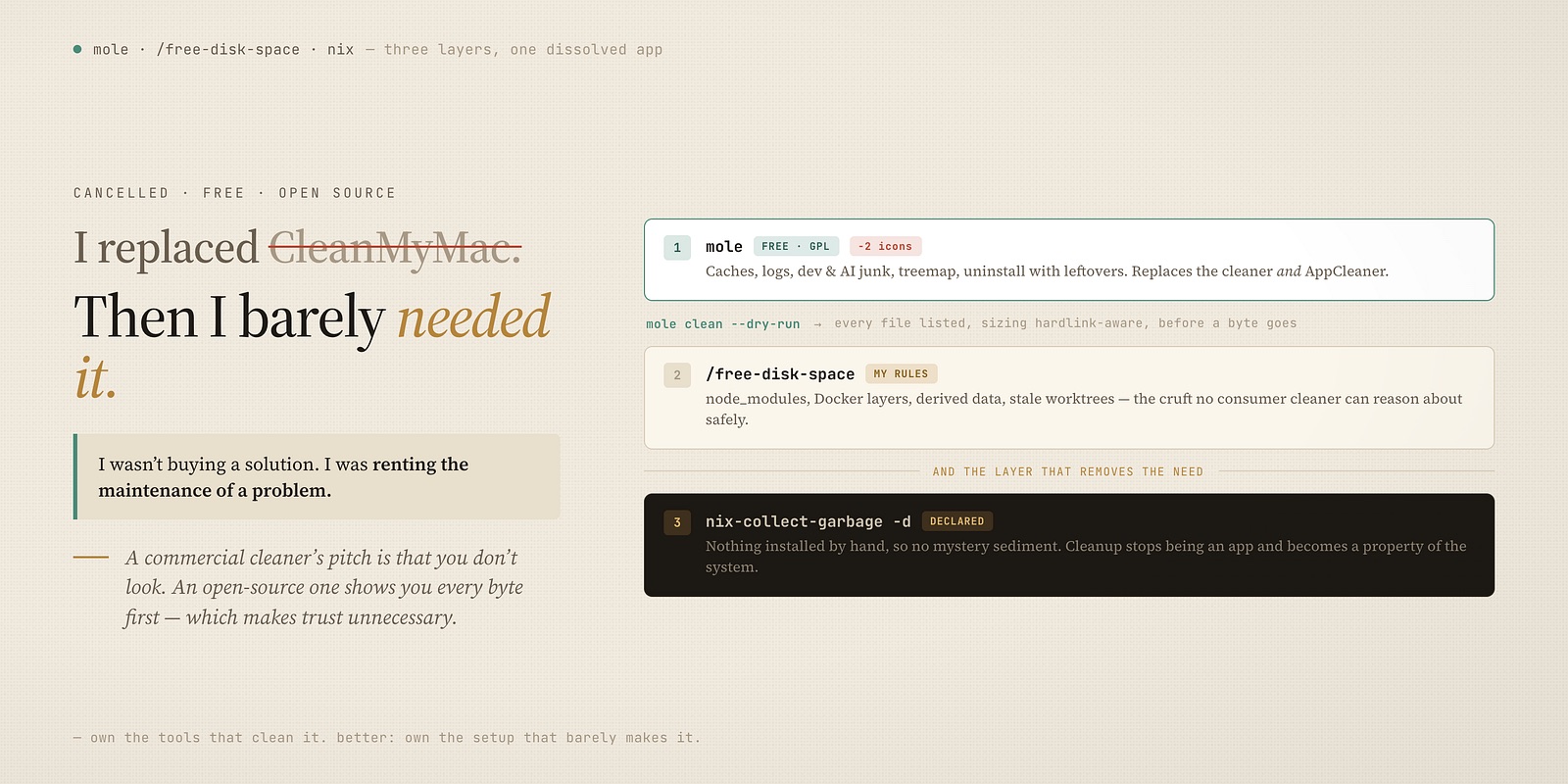
So I cancelled it. What replaced it turned out to be three things, not one, and only the first is a cleaner. The other two are the reason I stopped needing a cleaner at all.
Layer one: a free tool that does the visible job, and shows its work
The direct replacement is mole. Its command-line tool is free, open-source, GPL-licensed, and it installs from Homebrew — one line in my package list, no account, no menu-bar tenant.
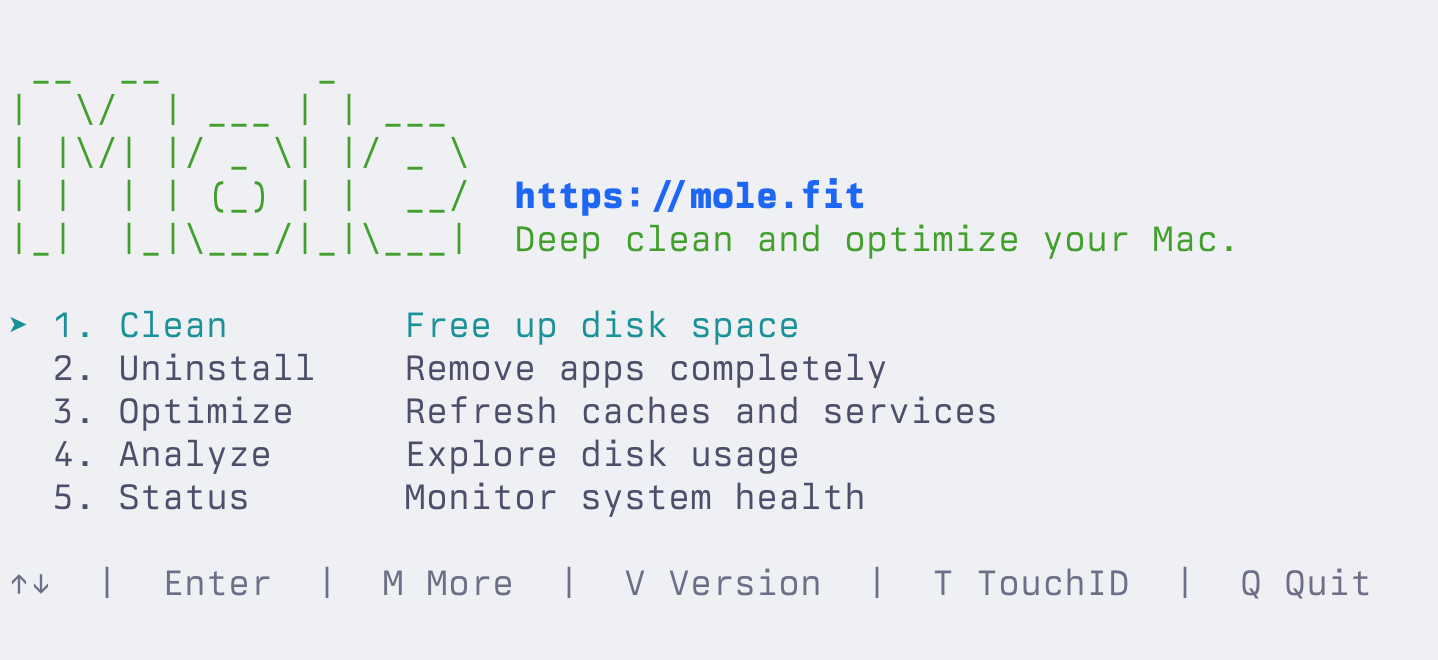
It does everything the subscription did on the surface. It clears the ten categories of junk that actually accumulate — app caches, system caches, logs, browser temp, and, the ones a general-purpose cleaner usually misses, developer-tool and AI-tool caches. It has a treemap that shows you what’s actually eating the disk, so you stop guessing. It even handles updates across Homebrew, the App Store, and the rest in one pass.
And it does the one thing I used to keep a second app around for. Dragging an app to the Trash leaves its leftovers behind — the support files, caches, and preferences scattered through ~/Library that quietly outlive the app itself. The tidy answer for that was always AppCleaner: the little free utility you drop an app onto to catch everything trailing behind it. mole folds that job in too — uninstall with leftover cleanup, and the same dry-run preview showing you every file before it goes. So that’s not one icon gone from my Mac, it’s two. One free, open tool now covers what a paid cleaner and a separate uninstaller used to split between them.
But here’s the line that made me trust it in a way I never trusted the paid app: every destructive command has a dry-run. Before it deletes a single byte, it shows me exactly what will go and how much that frees — and its sizing is hardlink-aware, so the number is honest rather than inflated for effect.
Sit with that contrast. A commercial cleaner’s whole pitch is that you don’t look — you press the glowing button and trust the animation. An open-source tool’s pitch is the opposite: here is precisely what I will remove, run it dry first, and read the source if you doubt me. One is asking for trust. The other is making trust unnecessary.
If you want a graphical version, mole sells one — but it’s a small one-time purchase, not a subscription, and the free CLI is the part I actually live in. Either way, nobody is metering my disk anymore.
Layer two: the mess a general cleaner was never going to fix
Here’s what I noticed once I opened that treemap: the biggest things on my disk were never the caches CleanMyMac obsessed over. They were developer cruft. Gigabytes of node_modules in projects I hadn’t touched in months. Docker layers. Build artifacts. Xcode’s derived data. And stale git worktrees — the throwaway checkouts I spin up per branch and forget to remove.
No consumer cleaner is built to reason about that safely, because it can’t tell a node_modules you need from one you don’t, or a worktree that’s active from one that’s abandoned. That’s not a gap in the app; it’s a gap in the category.
So I wrote a skill for it instead — /free-disk-space, in Claude Code. One command that cleans everything code-related: build caches, stale worktrees, package-manager caches, and the application caches on top. It knows my machine, because I told it how my machine is laid out. It’s not guessing at what’s safe to delete from the outside; it’s operating from the inside, on rules I own.
That’s the shape of the whole shift, actually. The paid cleaner was a stranger poking at my disk with a flashlight. The skill is something I wrote that already knows where everything is.
Layer three: the reason the disk barely gets dirty now
This is the part that took me longest to understand, and it’s the one that actually matters.
You need a cleaning app because of how you installed things. Drag an app from a DMG, run an installer, curl | bash a tool, let each one scatter caches and support files and login items wherever it likes — do that for a few years and of course you end up with a disk full of sediment nobody’s tracking. The cleaner exists to shovel out a mess that the install method guarantees. It treats the symptom, forever, for a fee.
The alternative isn’t a better cleaner. It’s a different way of putting things on the machine in the first place.
My Mac is declared in code — dotfiles managed with chezmoi, packages managed with Nix. Nothing is installed by hand. Every tool, every app, every setting is written down in a file, and applying that file is the install. Which means the machine has no mystery sediment: if something is on it, it’s in the declaration, and if it’s not in the declaration, it doesn’t belong there.
Cleanup stops being an app and becomes a property of the system. Removing a package isn’t hunting down its leftovers — it’s deleting a line and letting the garbage collector reclaim everything that line was holding:
nix-collect-garbage -d # drop every old generation, reclaim the store
That one command does what a cleaner promises but can’t deliver: a complete removal, because Nix knows exactly what every package pulled in and nothing was ever installed outside its accounting. There’s no orphaned support folder in ~/Library three levels deep, because nothing was ever placed there by hand.
And the ultimate version of this: the disk that gets truly clean is the one you wipe. Because my whole machine is reproducible from the declaration, a full erase-and-reinstall isn’t a disaster — it’s the most thorough cleanup there is, and one command brings everything back. When “start over from scratch” costs you nothing, you stop fearing a messy disk, because the mess was never load-bearing.
What each layer is really for
Put the three together and the old app just… dissolves.
- mole handles the everyday caches, for free, and shows me the diff before it acts.
- /free-disk-space handles the developer cruft a general cleaner can’t reason about, using rules I wrote.
- Nix and dotfiles mean the machine barely accumulates cruft to begin with, and a full reset is a one-command safety net instead of a weekend.
Notice that the first two are cheaper and better versions of what I was paying for — and the third makes most of the need go away. That’s the tell. When the honest, free tools don’t just match the subscription but shrink the problem it fed on, you weren’t buying a solution. You were renting the maintenance of a problem.
You don’t have to go all the way
I’m not going to pretend the answer for everyone is “learn Nix.” It took me a long time, and for most people the declarative rebuild is more than they need.
But the ladder is worth seeing even if you only climb the first rung. If all you do is swap a subscription cleaner for a free, open-source one that shows its work — you’ve already won: cheaper, more honest, more capable. If you also write yourself a small script for the dev junk your cleaner can’t touch, better still. And if one day you get tired of shoveling sediment forever and decide to stop installing by hand, the shovel disappears.
CleanMyMac wanted a yearly fee to manage a mess. I’d rather own the tools that clean it, and better still, own the setup that barely makes it.
Thanks for reading. Follow on X: https://x.com/maxclaxOS
Dotfiles: https://github.com/maxclax/dotfiles
Related: