TEMPO
TEMPO
 SUNCLAX
Every Subscription Tracker Wants a Subscription. Mine’s a Text File.
A few years ago I added up my subscriptions for the first time and felt a little sick. Not because any single one was expensive — because I’d lost count. There were charges I didn’t recognize, free trials that had quietly become paid, and at least one thing I’d been paying for monthly and hadn’t opened in a year.
The apps that promise to fix this want, of course, another subscription. A subscription to track your subscriptions. I went the other way: every recurring payment I have now lives as a few lines in one plain text file, and my agenda tells me — before the card gets charged — what’s about to bill, how much, and whether it’s still worth it.
No app, no account, no bank connection. Just a dated text file that counts down to every charge.
The problem with how we “manage” subscriptions
Subscriptions are designed to be forgotten. That’s the business model. The charge is small, it’s automatic, and the company is counting on you never doing the math. Most “subscription managers” either want read access to your bank account, or they’re one more silo you’ll stop checking in a month.
What I actually wanted was dumb and durable: a list I control, that surfaces itself at the right moment, and that makes me rate each thing so I can’t coast on autopilot. Plain text and my Org agenda turned out to be exactly that.
One entry per subscription
Each subscription is a single TODO with a deadline — the next billing date — and a few properties. Here’s one, verbatim:
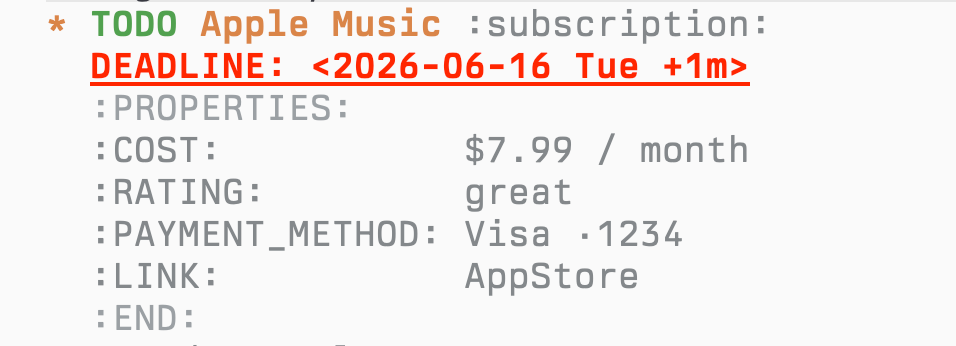
That’s the whole record. The DEADLINE is the next charge; the +1m repeater means when it bills, I mark it done and Org rolls the date forward a month on its own — so the countdown is always live without me re-typing dates. COST, PAYMENT_METHOD, and a LINK straight to the cancel/manage page round it out.
The one field that changed my spending: a rating
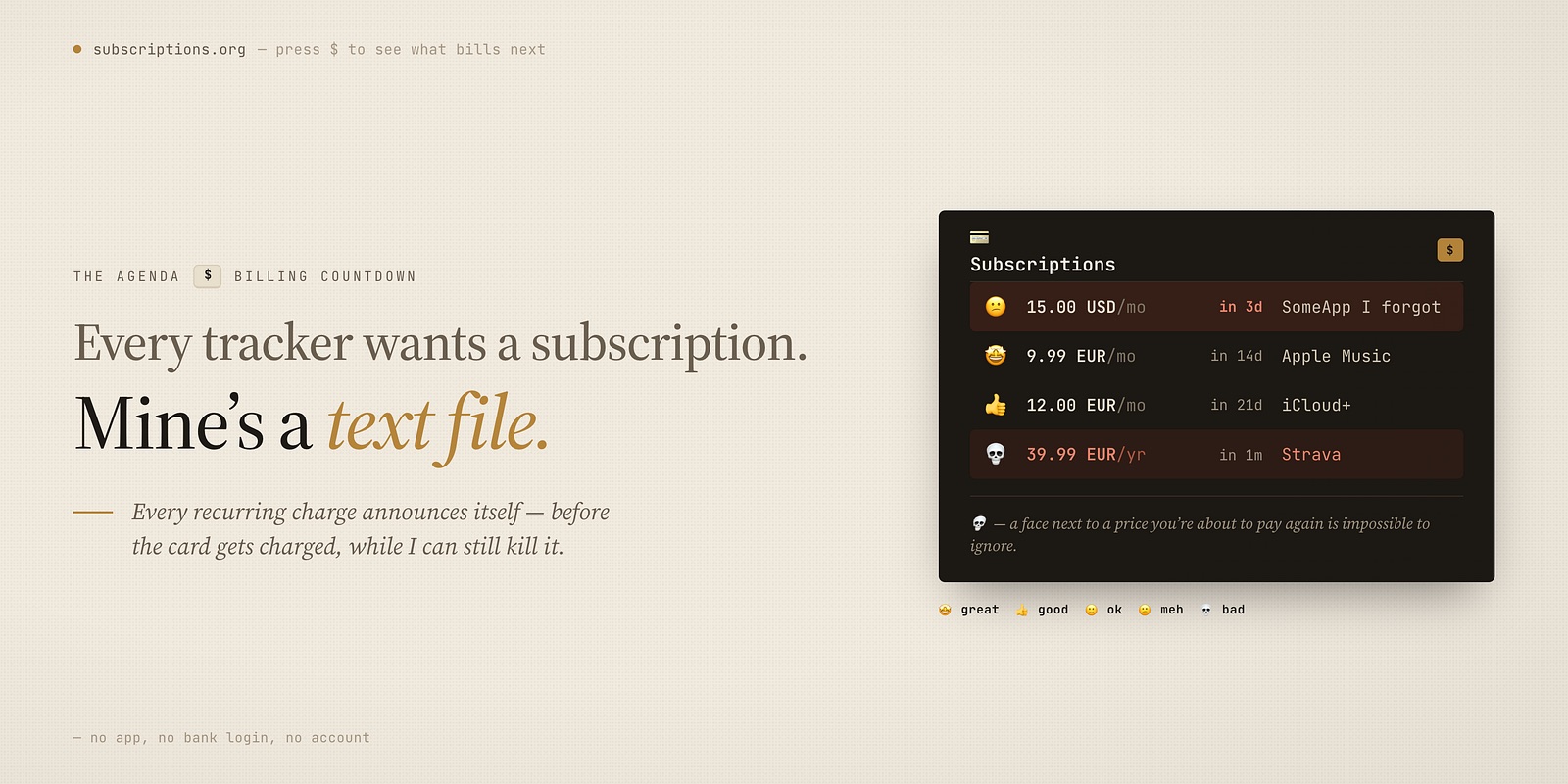
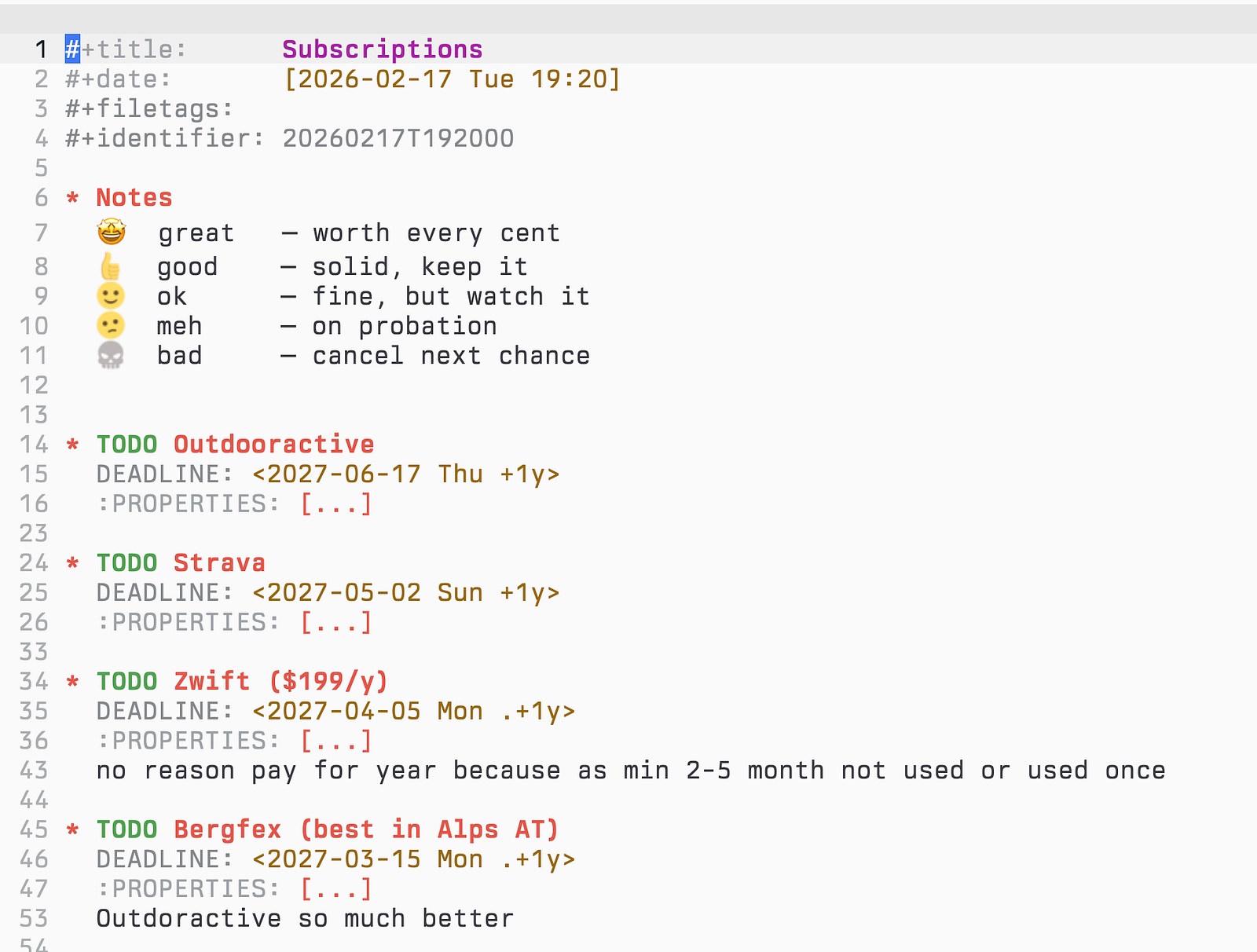
The field I didn’t expect to matter most is RATING. Every subscription gets one — great, good, ok, meh, or bad — and my agenda renders it as a face:
🤩  great   — worth every cent
👍  good    — solid, keep it
🙂  ok      — fine, but watch it
😕  meh     — on probation
💀  bad     — cancel next chance
It sounds trivial. It isn’t. Putting a number — a feeling — next to a recurring charge is what breaks the autopilot. A 💀 sitting next to a price I’m about to pay again is impossible to ignore. Half the things I’ve cancelled, I cancelled because the emoji embarrassed me, not because of the money.
The payoff: the agenda tells me before the bank does
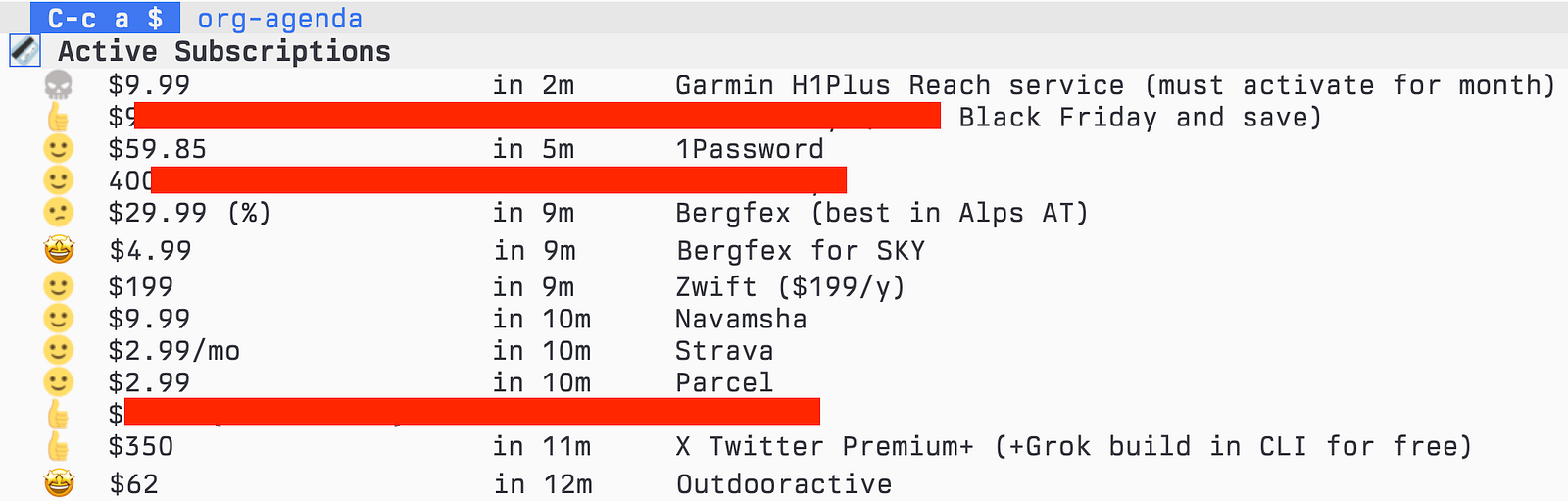
This is where it stops being a list and becomes a system. My Org agenda has a Subscriptions view — press $ and I get every active one, sorted by what bills next:
💳 Subscriptions
  🤩  7.99 EUR / month     in 14d   Apple Music
  👍  39.99 EUR / year     in 21d   Strava
  😕  15.00 USD / month    in 3d    SomeApp I forgot
  💀  49.00 EUR / year     in 1m    The one to kill
Rating, cost, and days-until-charge, in one glance, newest charge first. The thing billing in three days is right at the top — before the money leaves, while I can still do something about it. The same block also rides along on my main dashboard, so even when I’m not looking for it, an upcoming charge quietly raises its hand.
Why plain text, again
I know how this sounds — a spreadsheet would do most of it. But the same reasons I keep my journal and my milestones in plain text apply here, maybe more so:
- It’s private. No app gets read access to my bank. The list of what I pay for is nobody’s business but mine, and it never leaves files I control.
- It’s honest. Because I type each entry and rate it myself, I actually know what’s on the list. There’s no dashboard pretending to know my life for me.
- It comes to me. A spreadsheet you have to remember to open. The agenda surfaces the next charge on its own, at the right moment — that’s the whole difference between data and a system.
- It outlives the tool. These are just dated lines in a text file. They’ll open in thirty years, long after today’s finance apps are gone.
I didn’t build a budgeting system. I just made every recurring charge announce itself before it happens, and forced myself to put a face next to the price. That alone has saved me more than any app I could have subscribed to — which would have been, fittingly, one more line in the file.
Thanks for reading. Follow on X: https://x.com/maxclaxOS
Dotfiles: https://github.com/maxclax/dotfiles
Run your outcomes on a Kindle instead? My planner: https://maxclax.com/triada
Related: