TEMPO
TEMPO
 SUNCLAX
20 Things Obsidian Needs Plugins For That Org Has Built In
Markdown is everywhere. It renders on GitHub, powers Obsidian vaults, README files, docs sites and countless blogs. It is simple, readable and easy to learn, and that is a big part of why it won. This post is not an argument against it.
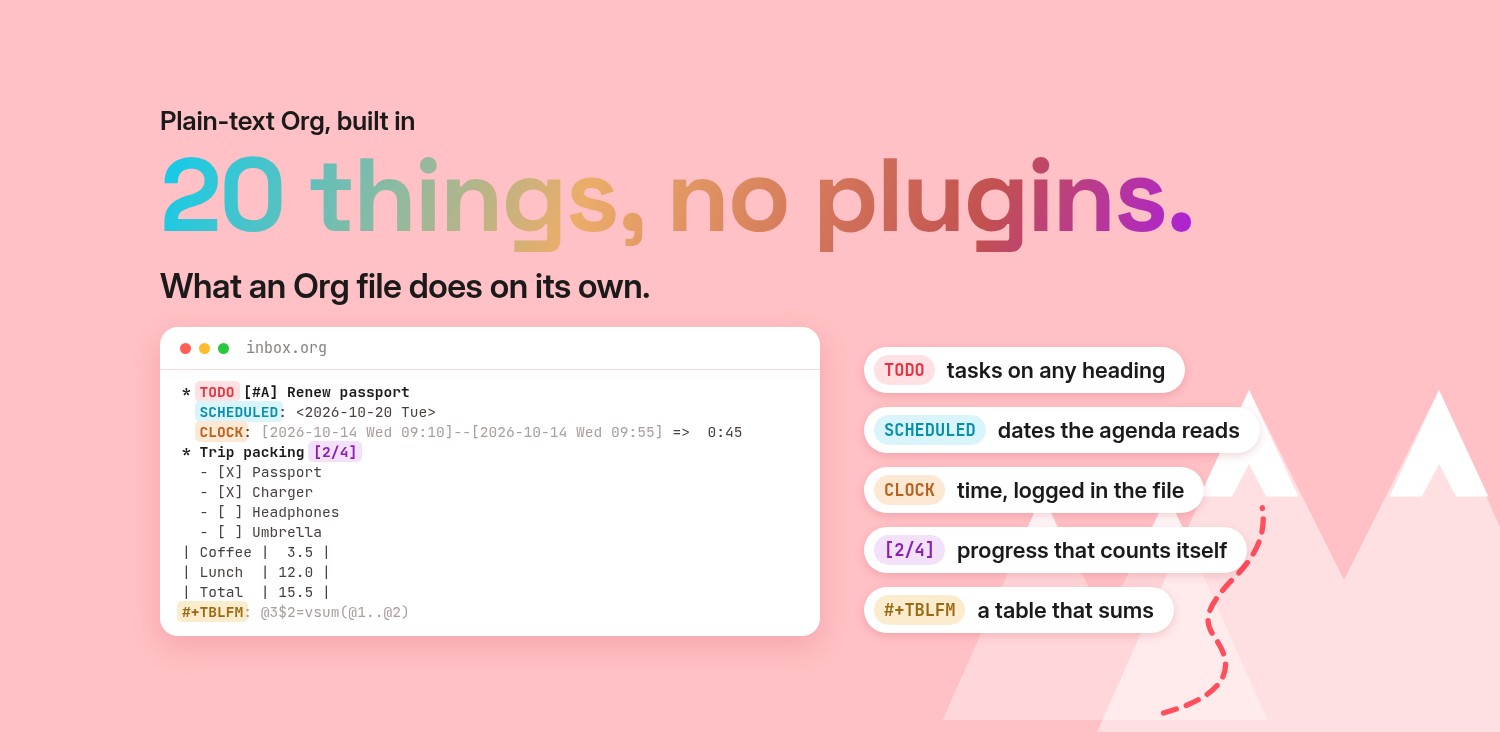
Org is a different kind of plain text. Besides headings, lists and links, the format itself defines tasks, dates, priorities, properties, time logs, tables with formulas and runnable code. In the Markdown world, many of these exist too, but usually as features of a specific app or plugin (Obsidian Tasks, Dataview, Calendar, and friends) rather than as part of the format.
I first found Org mode around 2016 and have worked in plain-text Org files ever since. The screenshots below show each feature in Tempo, an Org app for Mac, iPhone and iPad. Everything in them is plain Org, so the same files work in Emacs or any other Org tool.
Markdown is great for writing something down quickly, a draft or a note on a sheet of paper. But once a file has to run a project, be maintained for years or be read by scripts, Org's built-in structure starts to pay off. For developers this is the real draw: tasks, dates, time tracking and table math are plain text from day one, so for most of it there is nothing extra to install. Below are twenty things Org has out of the box, each next to the way Obsidian adds it.
1. Headings as tasks
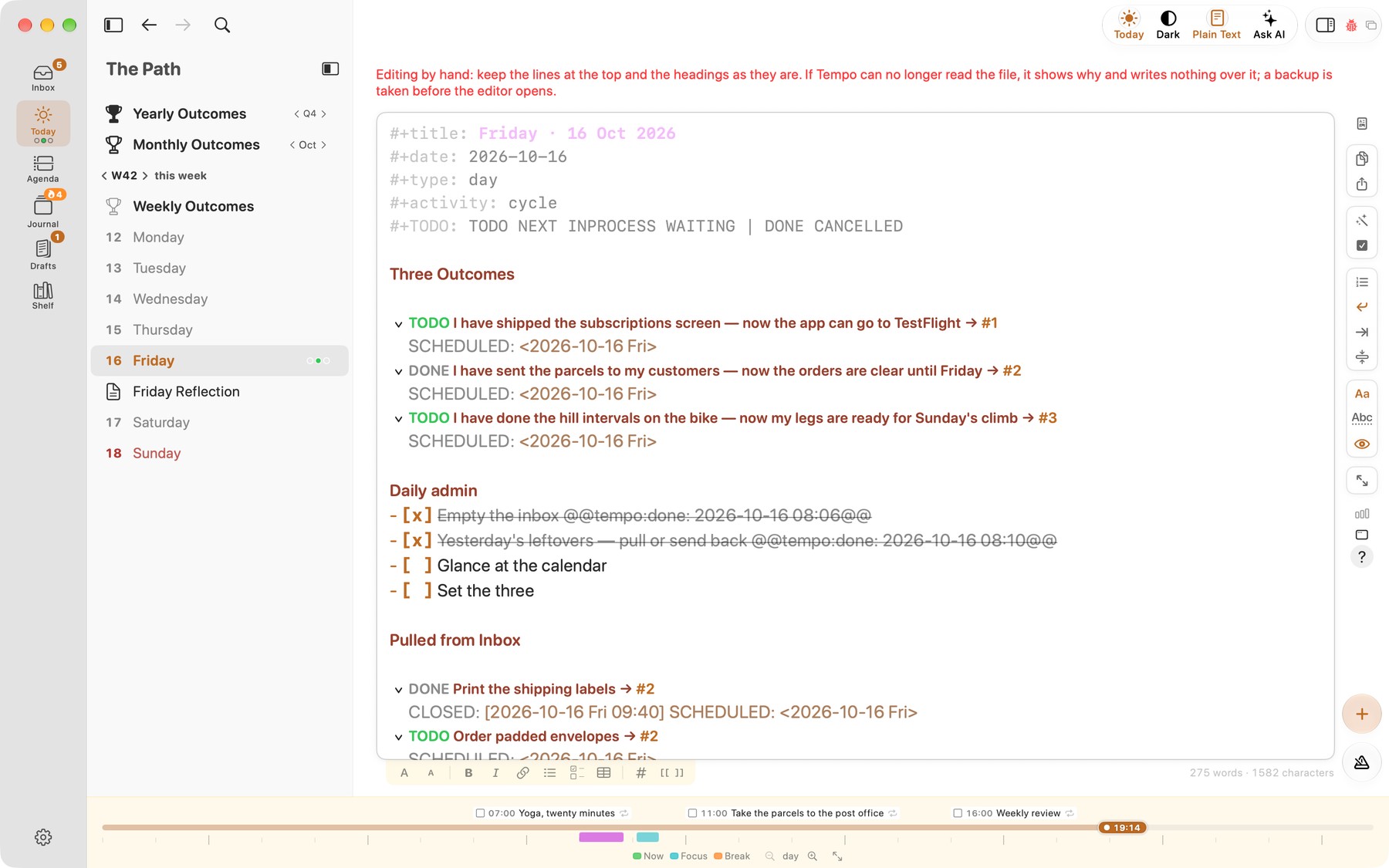
Any Org heading becomes a task by adding a keyword such as TODO or DONE, and you can define your own sequences like TODO NEXT WAITING | DONE CANCELLED. In Markdown, tasks are usually list checkboxes; richer task handling comes from apps such as Obsidian with the Tasks plugin.
Here is a task in Org:
* TODO Write blog post about Org vs Markdown
The same task in Markdown:
- [ ] Write blog post about Org vs Markdown
A day file in Tempo's plain-text view, with TODO and DONE headings:
2. Priorities
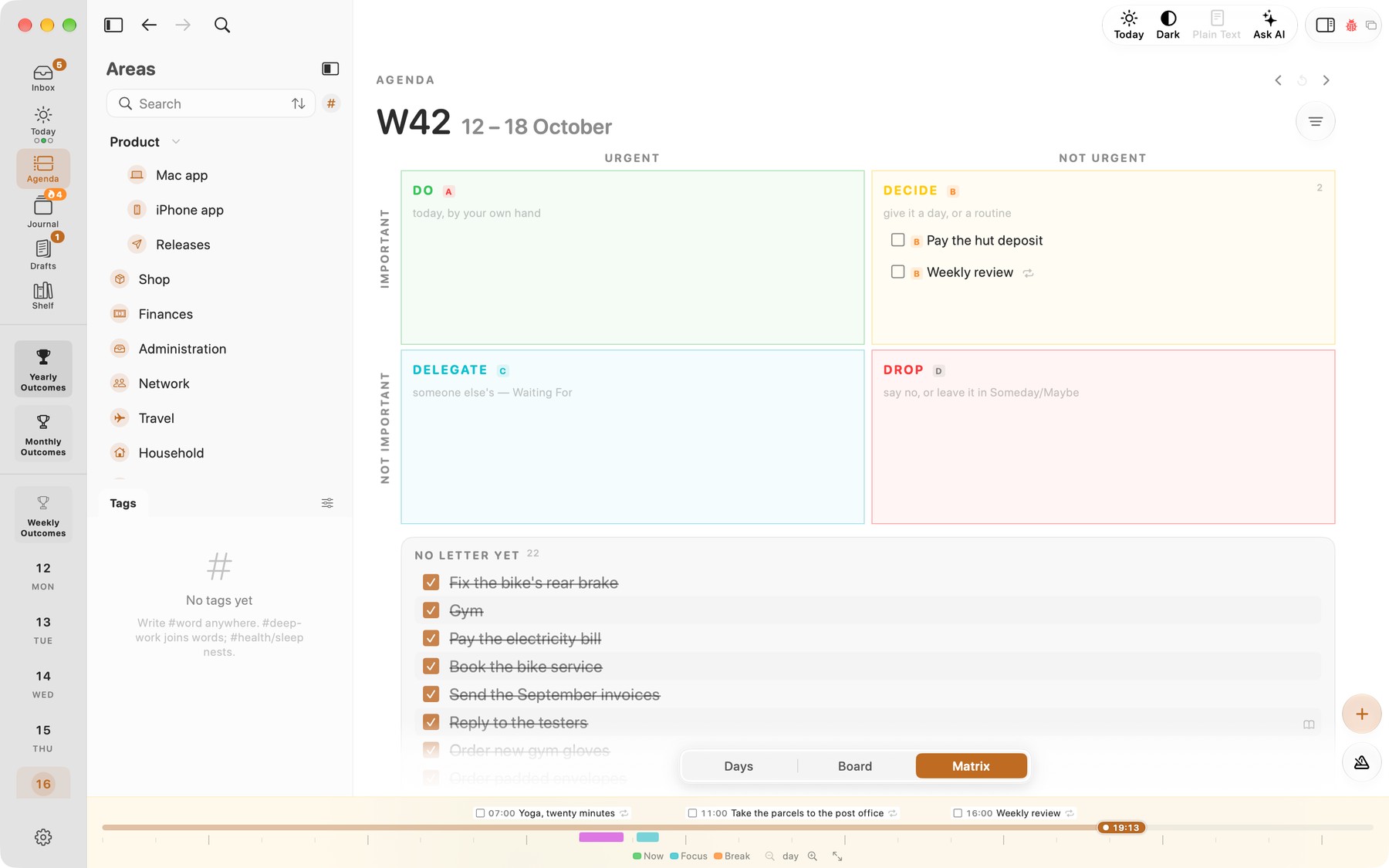
Org has priority cookies on headings: [#A], [#B], [#C] by default, and the agenda can sort by them. Markdown has no priority syntax; the Obsidian Tasks plugin uses emoji markers such as ⏫ or 🔼. Org's letters are configurable: I use A to D, one for each Eisenhower box, and Tempo reads the same four.
Here is a high-priority task in Org:
* TODO [#A] Renew passport
The same in Markdown with Obsidian Tasks:
- [ ] Renew passport ⏫
Tempo's agenda matrix sorts the week's tasks into boxes by priority letter, A to D:
3. Tags on headings
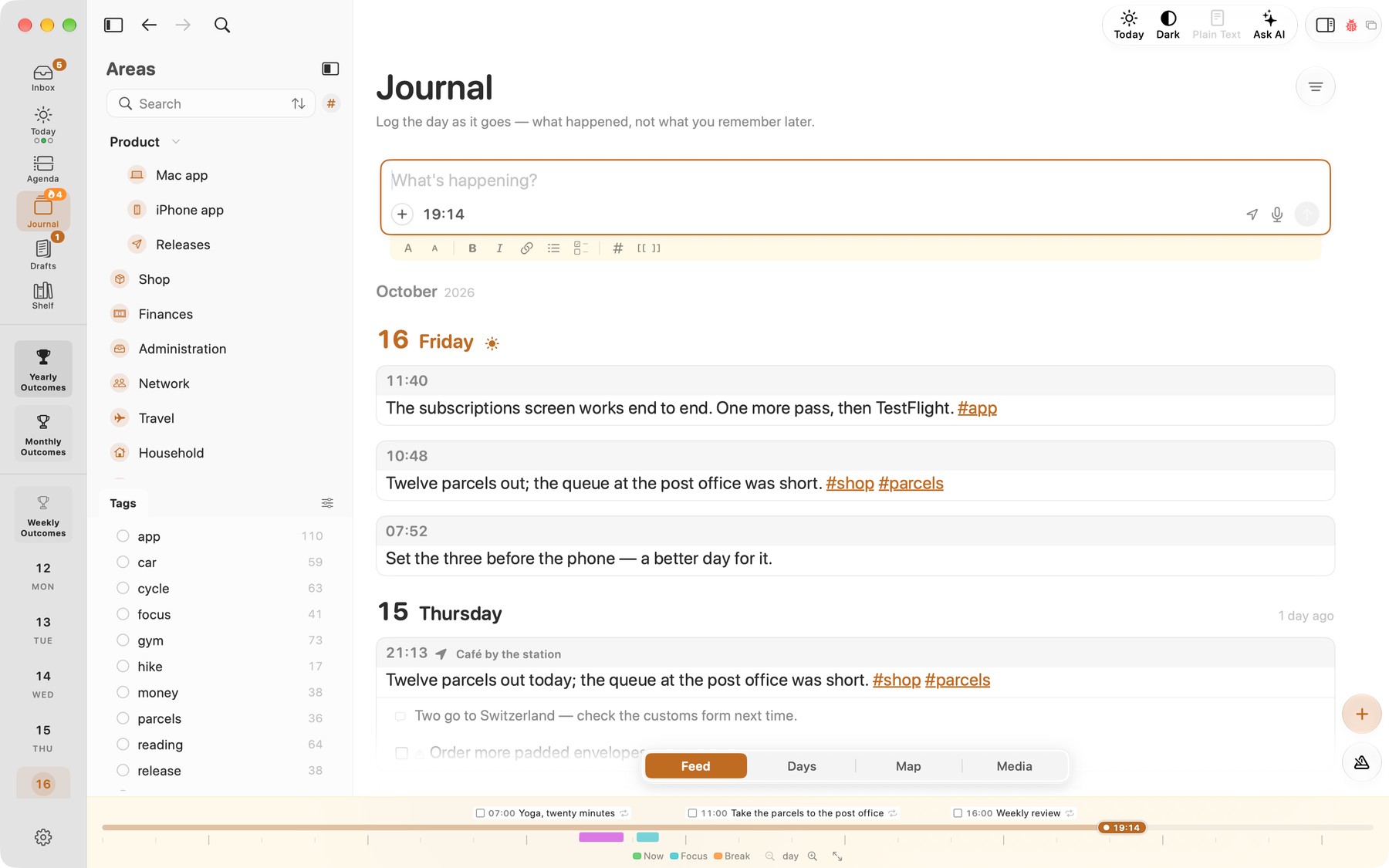
Org tags sit at the end of a heading (:work:urgent:) and are inherited by child headings, so you can filter whole subtrees. Markdown has no tag syntax in the spec; apps like Obsidian treat #tag in text and tags: in front matter as tags, mostly at the file or line level.
Here is a tagged item in Org:
* TODO Prepare slides :work:talk:
The same in Markdown:
- [ ] Prepare slides #work #talk
Tags in Tempo's journal, with a count for each tag in the sidebar:
4. SCHEDULED and DEADLINE
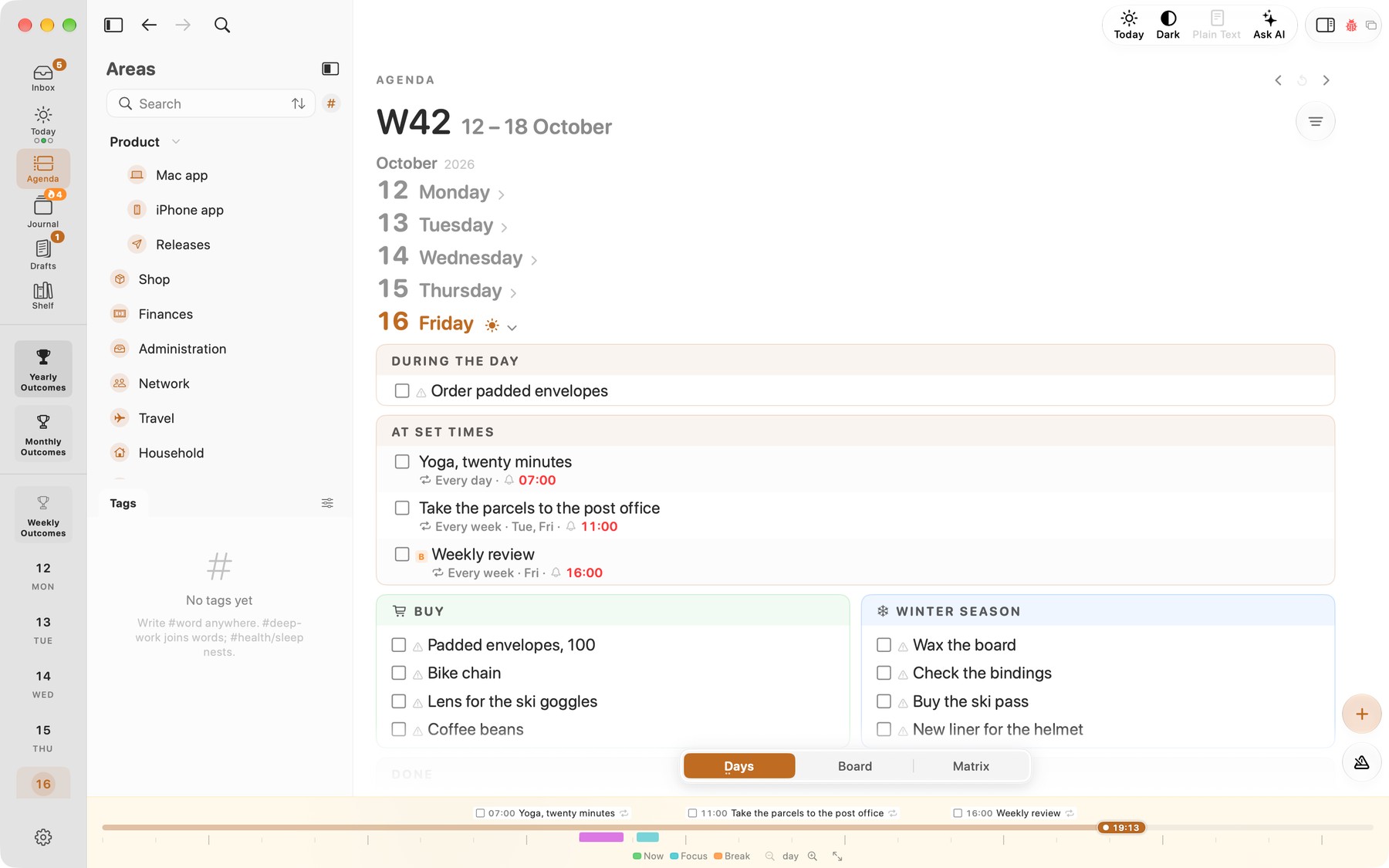
Org distinguishes when you plan to start something (SCHEDULED) from when it is due (DEADLINE), with real timestamps that include weekday and optional time. The agenda warns you before deadlines. In Markdown, dates on tasks are plugin conventions, e.g. Obsidian Tasks uses ⏳ for scheduled and 📅 for due.
Here is a task with both dates in Org:
* TODO Submit tax return
  SCHEDULED: <2026-10-20 Tue> DEADLINE: <2026-10-31 Sat>
The same in Markdown with Obsidian Tasks:
- [ ] Submit tax return ⏳ 2026-10-20 📅 2026-10-31
Scheduled tasks on their day and time in Tempo's agenda:
5. Agenda across files
The Org agenda collects scheduled items, deadlines and TODOs from all your agenda files into one daily or weekly view, with custom searches by tag, priority or property. In Obsidian, the same idea is built from Tasks queries, Dataview and the Calendar plugin; the queries live in your notes, but the results only exist inside the app.
Here is a query-based view in Obsidian, with the Tasks plugin:
```tasks
not done
due before in 7 days
```
And Org's built-in equivalent:
# In Emacs: M-x org-agenda, then "a" for the week view
# Custom views live in your config (org-agenda-custom-commands)
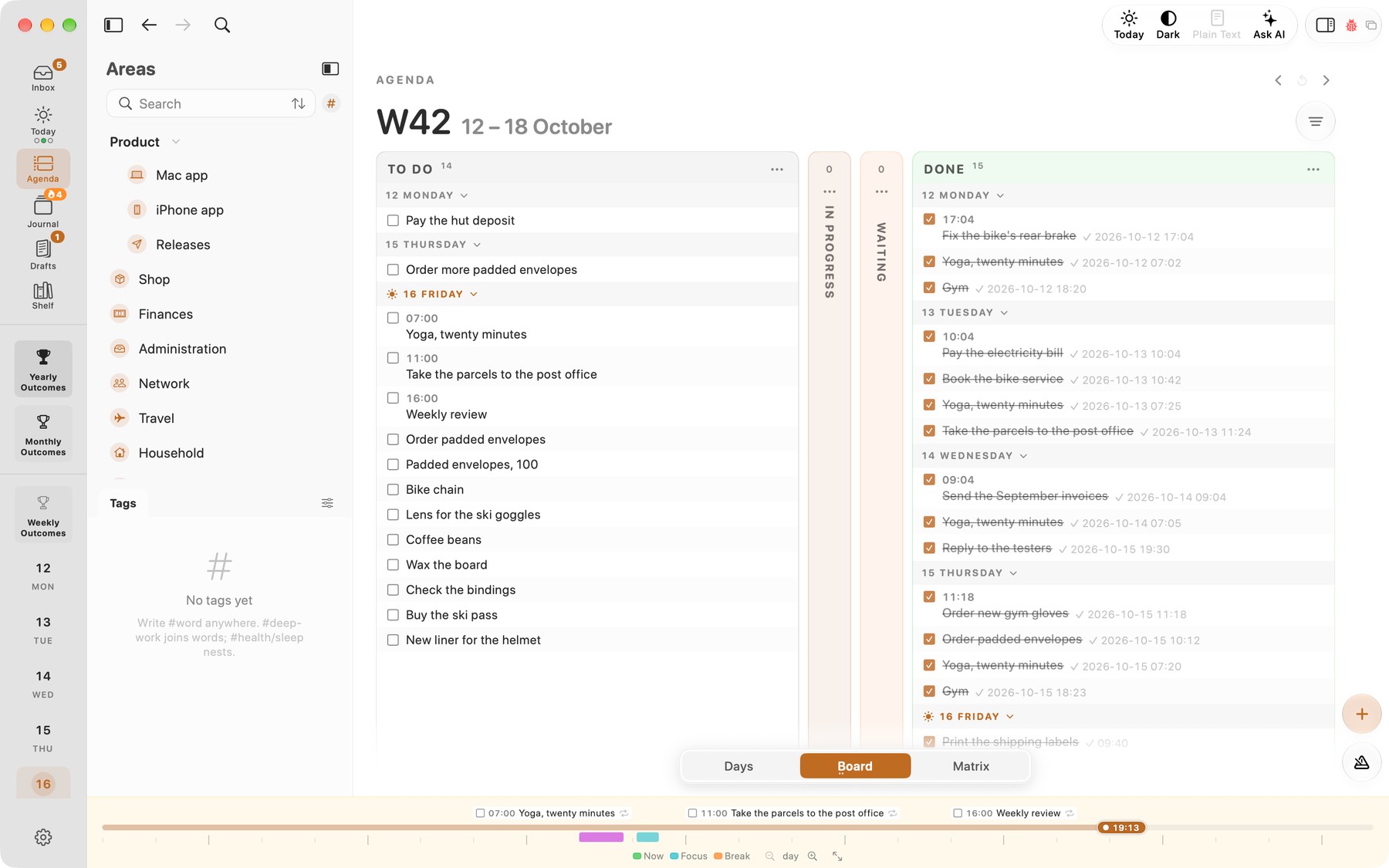
The whole week's tasks on one board in Tempo's agenda, split into To Do, In Progress, Waiting and Done:
6. Properties drawers
Every Org heading can carry key–value properties in a :PROPERTIES: drawer, which can be searched, inherited and shown in column view. Markdown's closest equivalent is YAML front matter, which applies to the whole file; per-item fields come from conventions such as Dataview's key:: value.
Here is per-item metadata in Org:
* Book: The Pragmatic Programmer
  :PROPERTIES:
  :AUTHOR:   Hunt & Thomas
  :RATING:   5
  :END:
The same in Markdown, with Dataview fields:
## Book: The Pragmatic Programmer
author:: Hunt & Thomas
rating:: 5
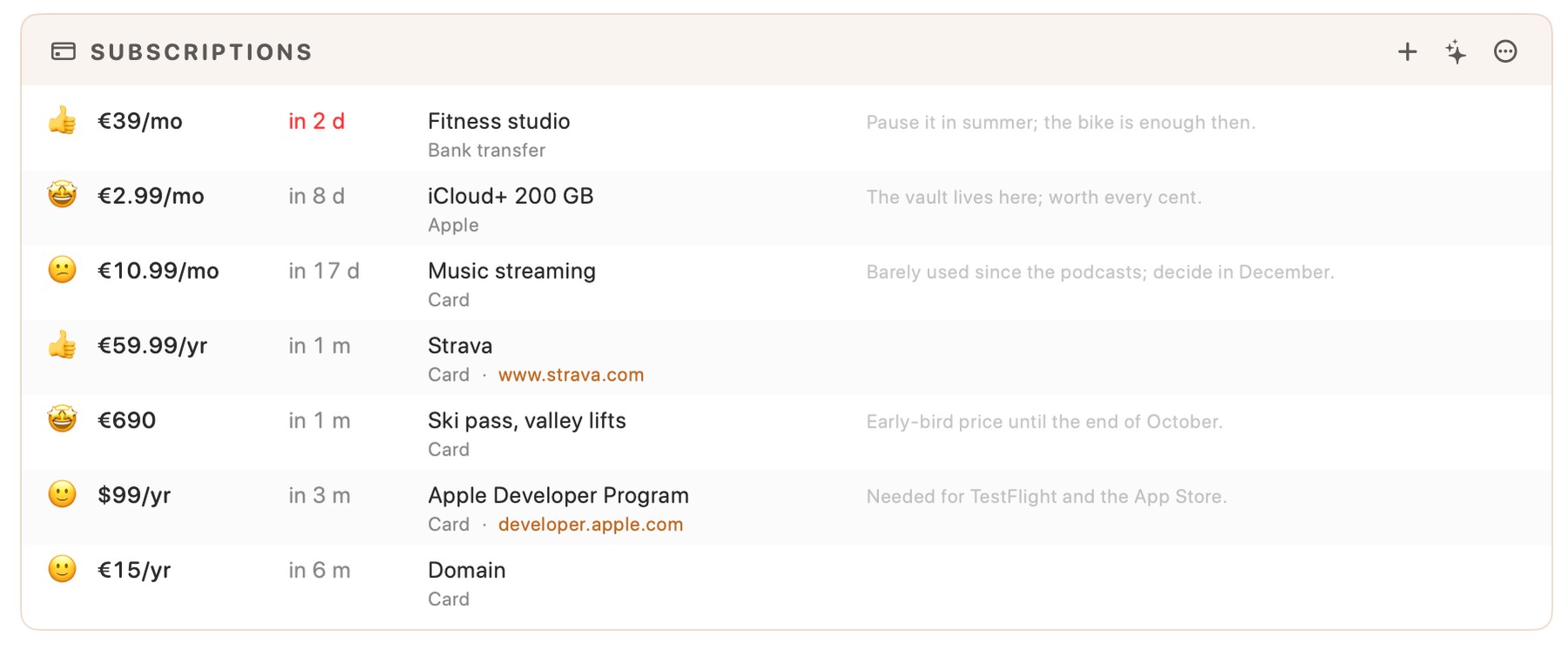
Tempo reads each subscription's heading, deadline and properties (cost, payment method, rating, link) and shows them as a list:
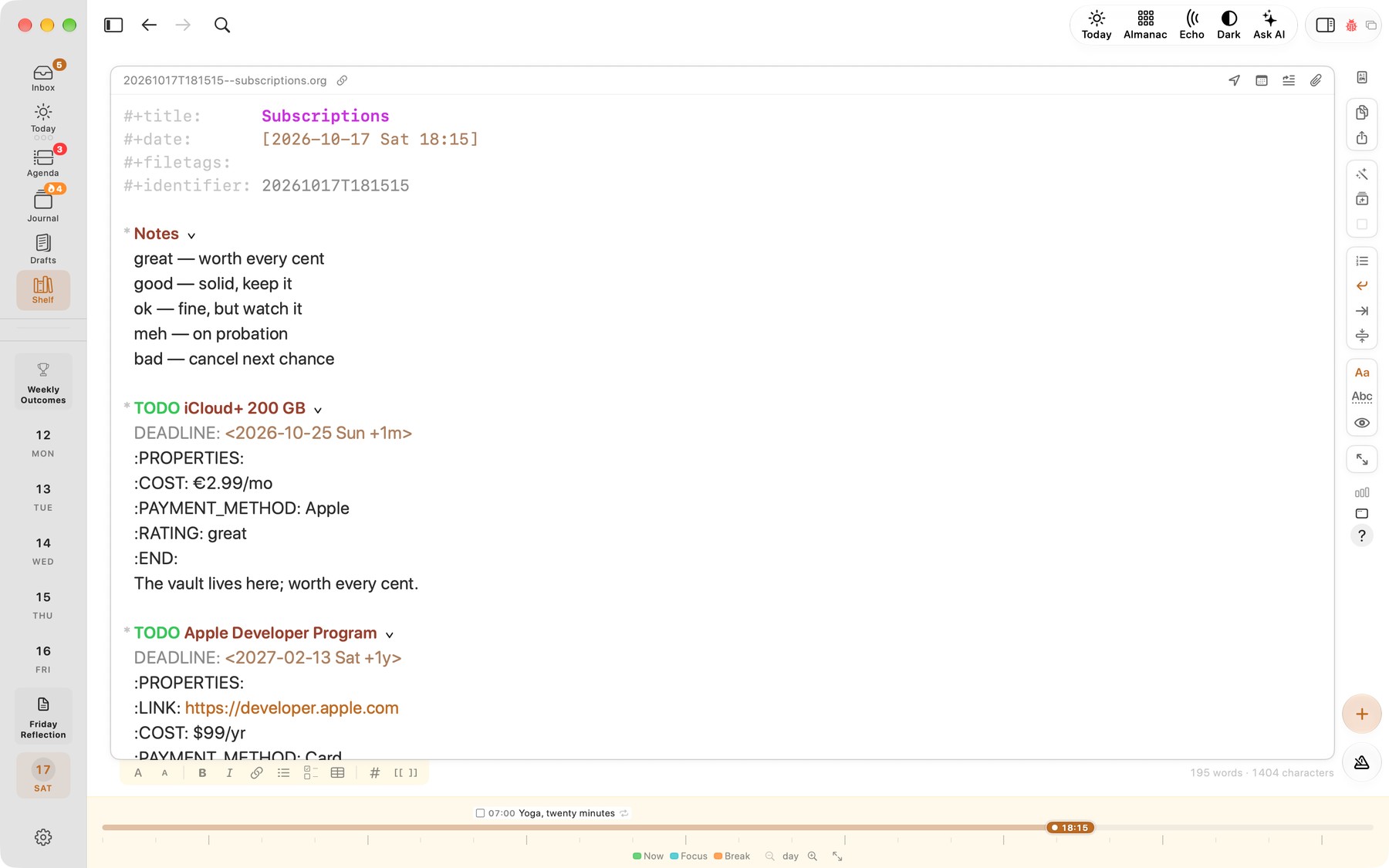
The same file in plain text, with the iCloud+ drawer opened (the eye button on the right shows drawers): COST, PAYMENT_METHOD and RATING are ordinary lines:
7. Clocking time
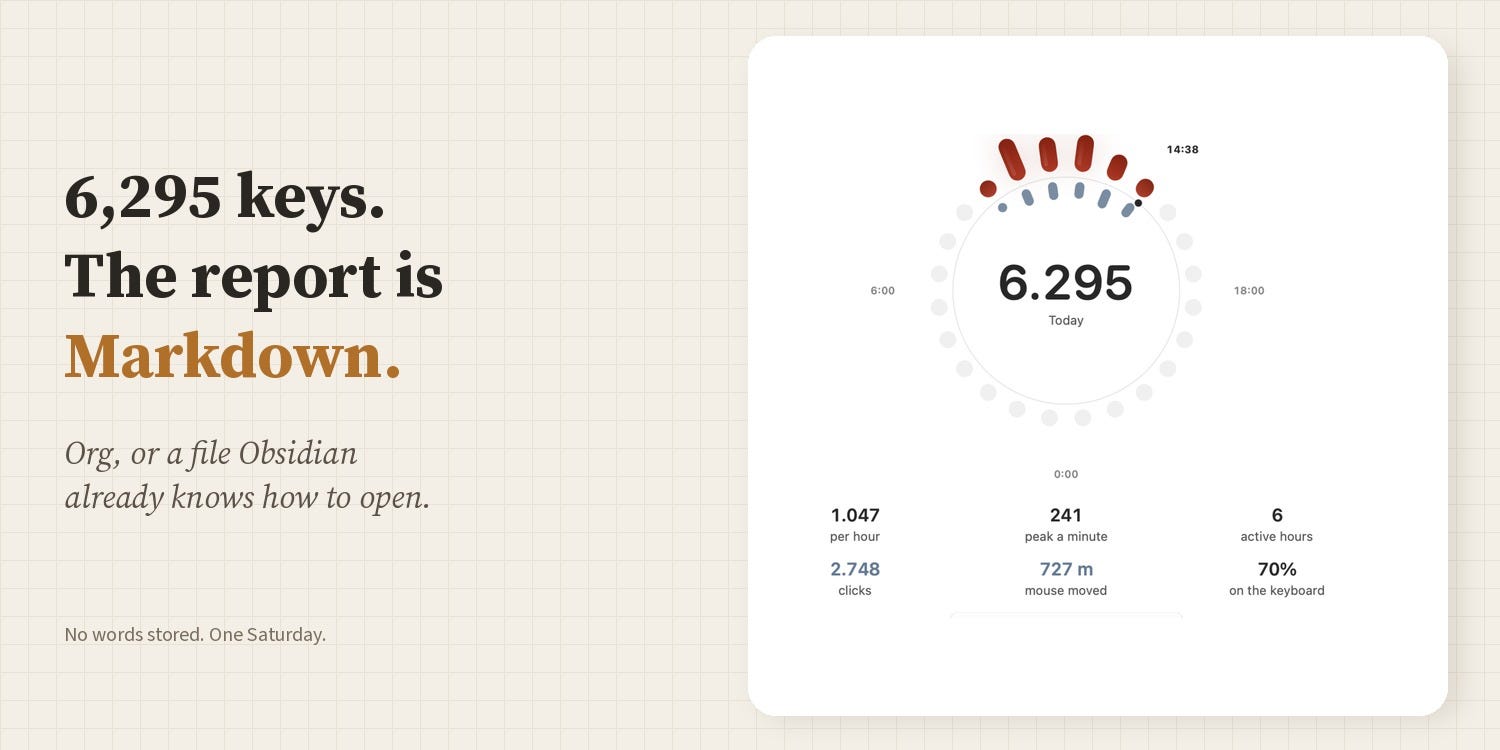
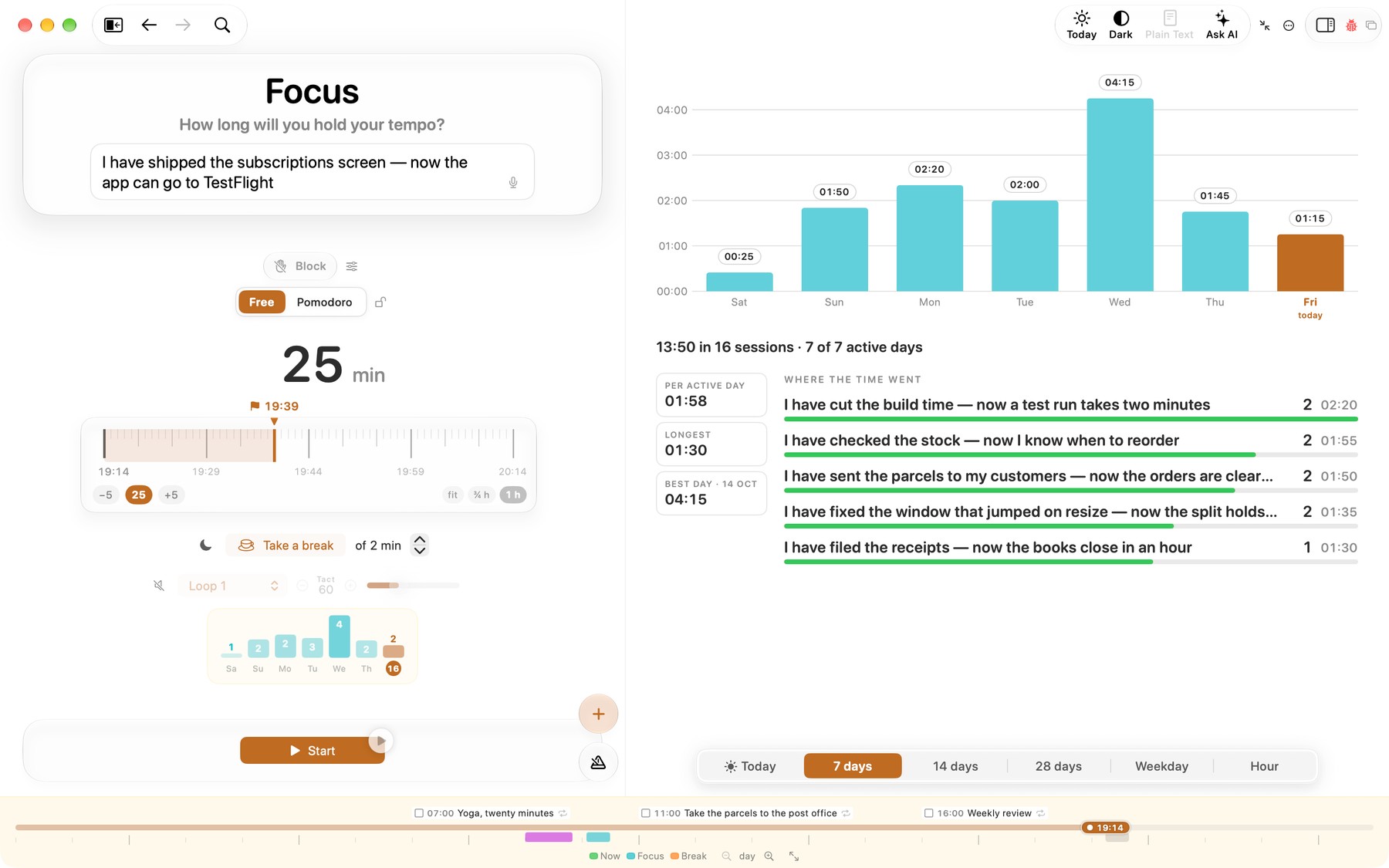
Org can clock in and out of a heading and stores the result as plain-text CLOCK: lines, which clock reports can sum by day, project or tag. Markdown has nothing like this in the format; time tracking comes from plugins or separate apps. In an Org vault, Tempo's focus timer writes each session as one of these CLOCK: lines under the task it was spent on.
Here is a clocked task in Org:
* DONE Review pull request
  :LOGBOOK:
  CLOCK: [2026-10-14 Wed 09:10]--[2026-10-14 Wed 09:55] =>  0:45
  :END:
Tempo's focus stats: time per day for the last week, and where the time went:
8. LOGBOOK and state changes
Org can log when a task changed state (for example, when it became DONE, optionally with a note) into a :LOGBOOK: drawer, giving each task its own history. In Markdown, the Tasks plugin can append a done date (✅ 2026-10-14), but a full history is usually manual.
Here is a logged state change in Org:
* DONE Call the bank
  CLOSED: [2026-10-14 Wed 10:02]
  :LOGBOOK:
  - State "DONE"       from "TODO"       [2026-10-14 Wed 10:02]
  :END:
And a done date in Markdown with Obsidian Tasks:
- [x] Call the bank ✅ 2026-10-14
9. Repeating tasks
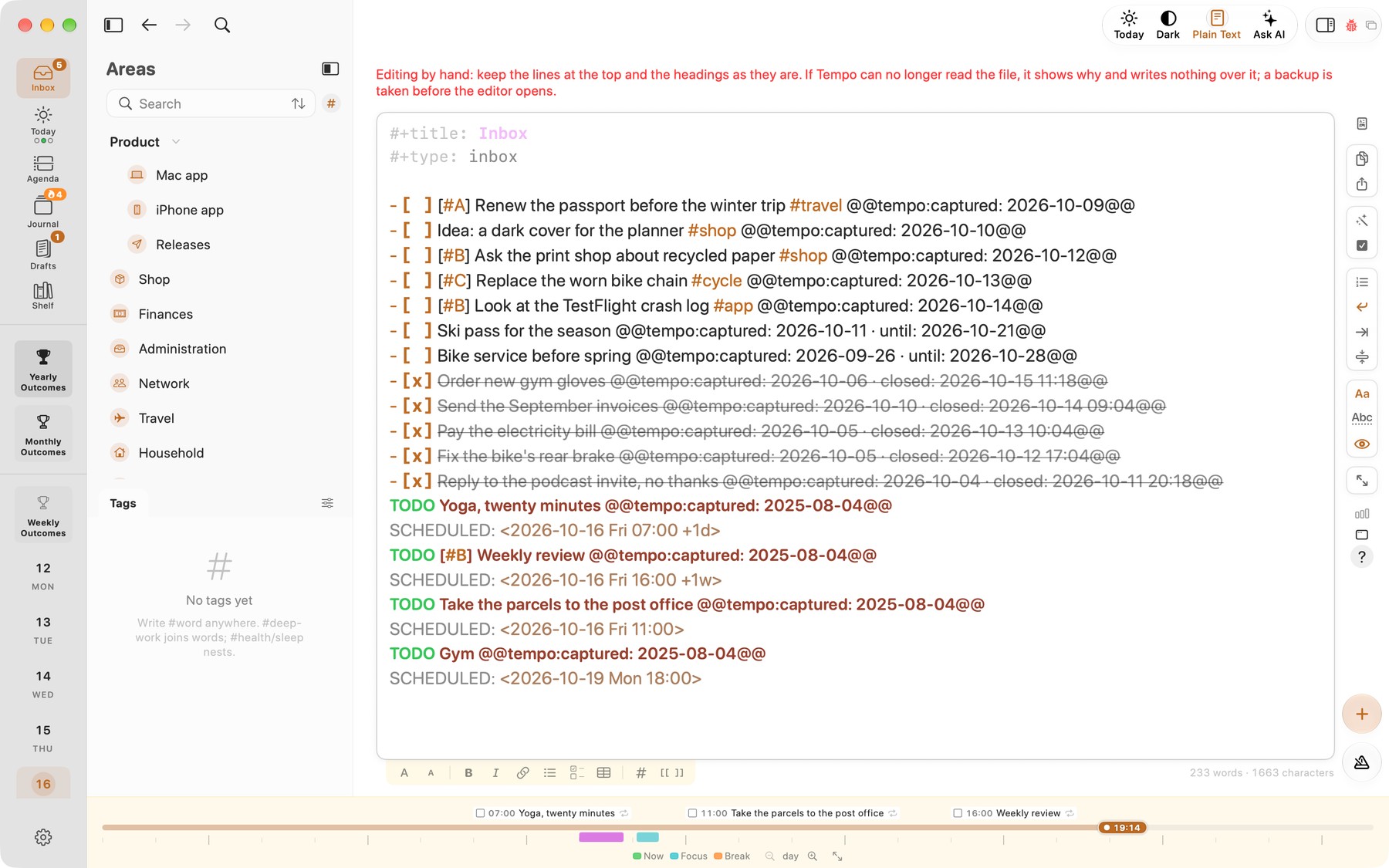
Org timestamps can repeat: +1w (every week from the original date), ++1w (next future occurrence) and .+1w (one week after you completed it). Marking a repeating task DONE moves the date forward. In Obsidian, the Tasks plugin offers recurrence with 🔁 every week, creating a new task line on completion.
Here is a weekly task in Org:
* TODO Water the plants
  SCHEDULED: <2026-10-17 Sat .+1w>
The same in Markdown with Obsidian Tasks:
- [ ] Water the plants 🔁 every week ⏳ 2026-10-17
The inbox in plain text, with repeating tasks at the bottom (+1d, +1w):
10. Checkboxes with progress cookies
Both formats have checkboxes. Org adds statistics cookies: put [/] or [%] on the parent and it shows [2/5] or [40%] as you tick items, also for child TODO headings. In Markdown, progress display depends on the renderer or a plugin.
Here is a checklist with progress in Org:
* Trip packing [2/4]
  - [X] Passport
  - [X] Charger
  - [ ] Headphones
  - [ ] Umbrella
The same list in Markdown, with no count:
## Trip packing
- [x] Passport
- [x] Charger
- [ ] Headphones
- [ ] Umbrella
11. Tables with formulas
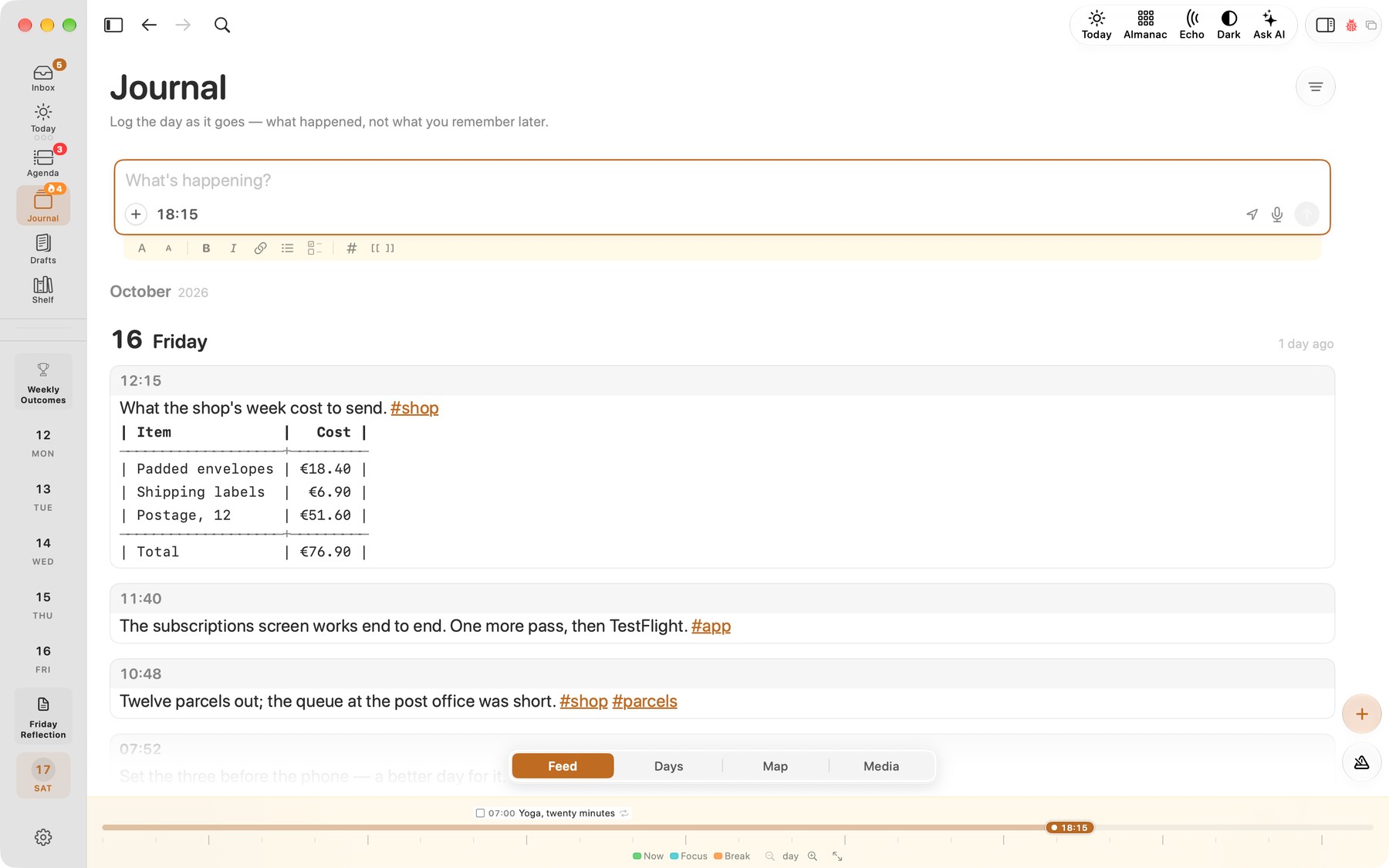
Org tables are easy to edit (columns realign as you type) and can act as small spreadsheets via #+TBLFM: formulas. Markdown tables (a GitHub Flavored Markdown extension) are static; calculations need a plugin or a separate spreadsheet.
Here is a table that sums itself in Org:
| Item   | Cost |
|--------+------|
| Coffee |  3.5 |
| Lunch  | 12.0 |
|--------+------|
| Total  | 15.5 |
#+TBLFM: @>$2=vsum(@2..@-1)
The same table in Markdown, totalled by hand:
| Item   | Cost |
|--------|------|
| Coffee | 3.5  |
| Lunch  | 12.0 |
| Total  | 15.5 |
A plain Org table inside a journal entry in Tempo, with the total typed by hand:
12. Folding and outlining
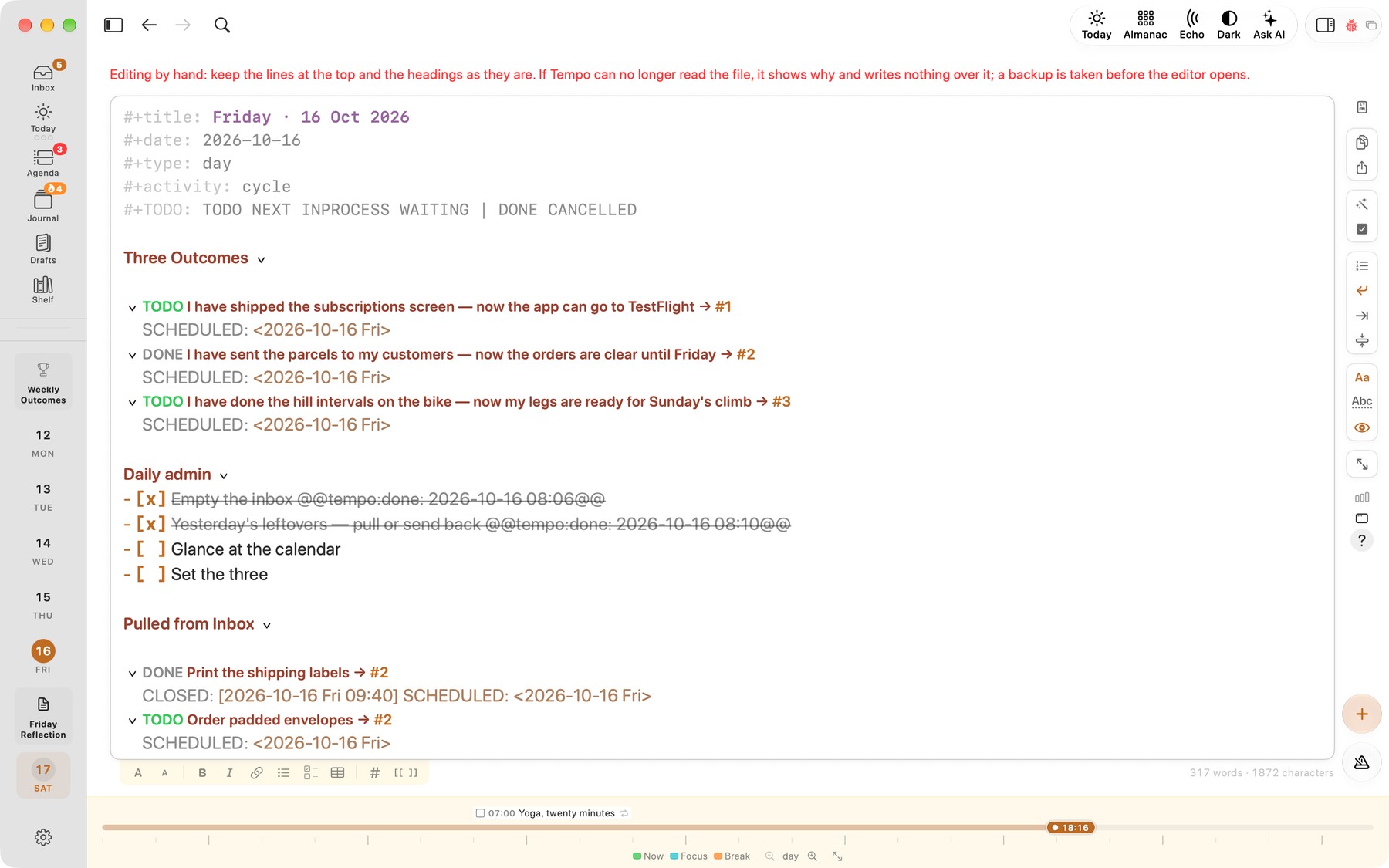
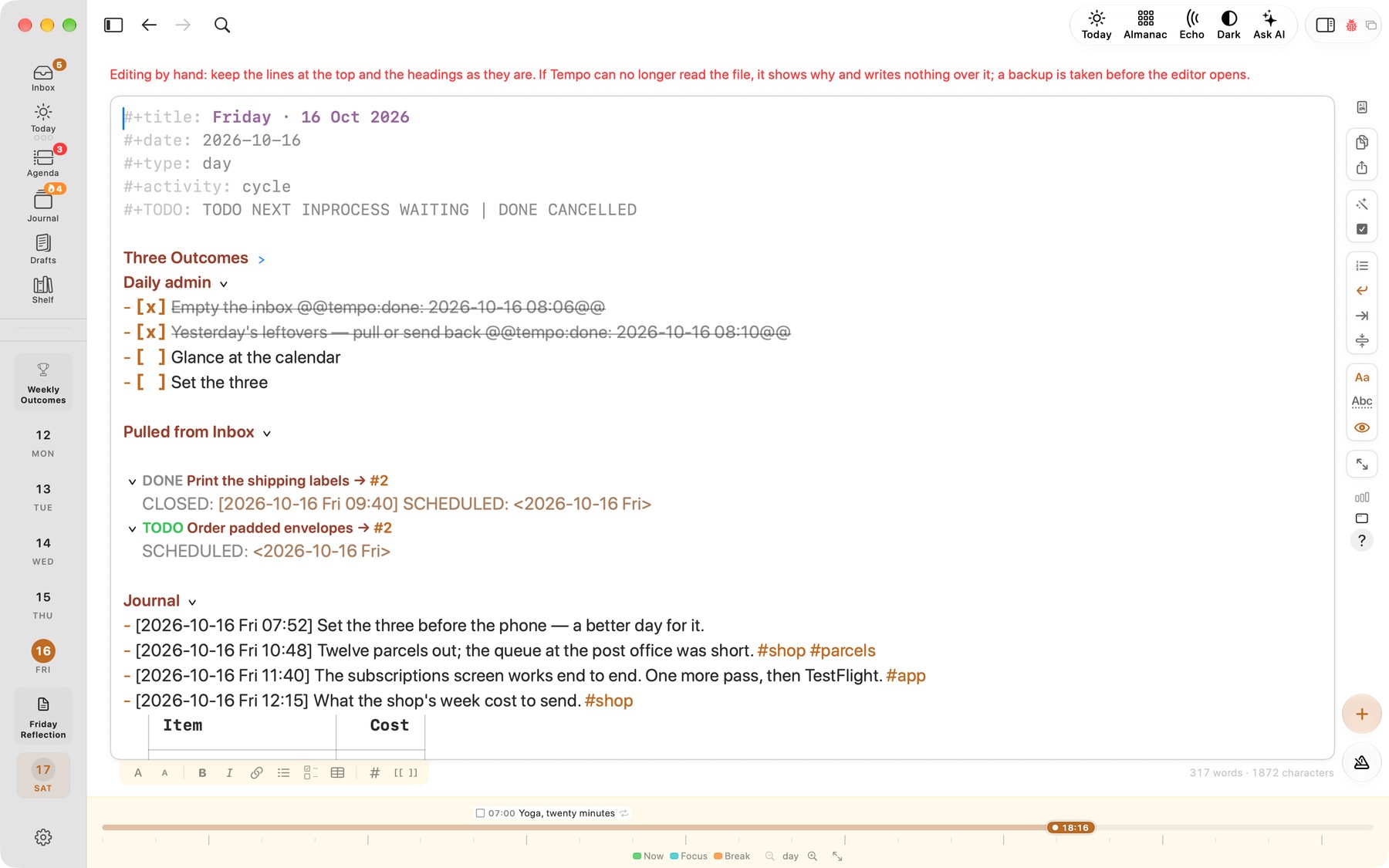
An Org file is an outline: headings nest with stars, and Org mode lets you fold, move, promote and demote whole subtrees. Markdown headings can nest too, and many editors (Obsidian included) can fold them, but outline operations are editor features rather than part of the format's culture.
A day in Tempo's plain-text view, with "Three Outcomes" open:
The same day with "Three Outcomes" folded (Tab on the heading, as in Emacs), an arrow after it marking what is hidden:
13. Refile and archive
Org mode can move a heading with its whole subtree to another heading or file (refile), and send finished items to an archive file while recording where they came from. In Markdown, you cut and paste, or use plugins that move blocks between notes.
Here is a finished task after org-archive-subtree, in inbox.org_archive:
* DONE Call the bank
  CLOSED: [2026-10-14 Wed 10:02]
  :PROPERTIES:
  :ARCHIVE_TIME: 2026-10-17 Sat 18:30
  :ARCHIVE_FILE: ~/org/inbox.org
  :ARCHIVE_OLPATH: Errands
  :ARCHIVE_CATEGORY: inbox
  :ARCHIVE_TODO: DONE
  :END:
14. Links
Org links cover URLs, files, headings and stable IDs ([id:...](id:...)), so a link survives renaming the heading; custom link types are possible too. Markdown has standard URL and relative links; [wikilinks](wikilinks) are an app convention (Obsidian, Logseq and others), not CommonMark.
Here is a link to another note in Org:
See [[id:6f1c2b9e-...][Project kickoff notes]] and [[file:ideas.org::*Blog][blog ideas]].
The same links in Markdown, with an Obsidian wikilink:
See [[Project kickoff notes]] and [blog ideas](ideas.md#blog).
15. Footnotes
Org has footnotes built in ([fn:1], also inline and named ones). Markdown footnotes are an extension: supported by GitHub, Pandoc, Obsidian and many others, but not part of the original syntax or CommonMark.
Here is a footnote in Org:
Plain text lasts.[fn:1]

[fn:1] Decades, in practice.
The same in Markdown:
Plain text lasts.[^1]

[^1]: Decades, in practice.
16. Source blocks and execution
Both formats can hold code. Org Babel can also run source blocks in many languages, insert results back into the document, and pass data between blocks, which turns a note into a notebook. Markdown uses fenced code blocks; running them needs external tools (Jupyter-style notebooks, Quarto, or editor plugins).
Here is a runnable block in Org, with its result:
#+begin_src python :results output
print(2 + 2)
#+end_src

#+RESULTS:
: 4
And a fenced block in Markdown:
```python
print(2 + 2)
```
17. Export
Org mode ships with exporters for HTML, LaTeX/PDF, ODT, plain text and more, controlled by keywords in the file. Markdown export is usually done with Pandoc or a static site generator (Hugo, Jekyll, Astro, …), which is a huge, mature ecosystem. Both are excellent; Org's is just in the box.
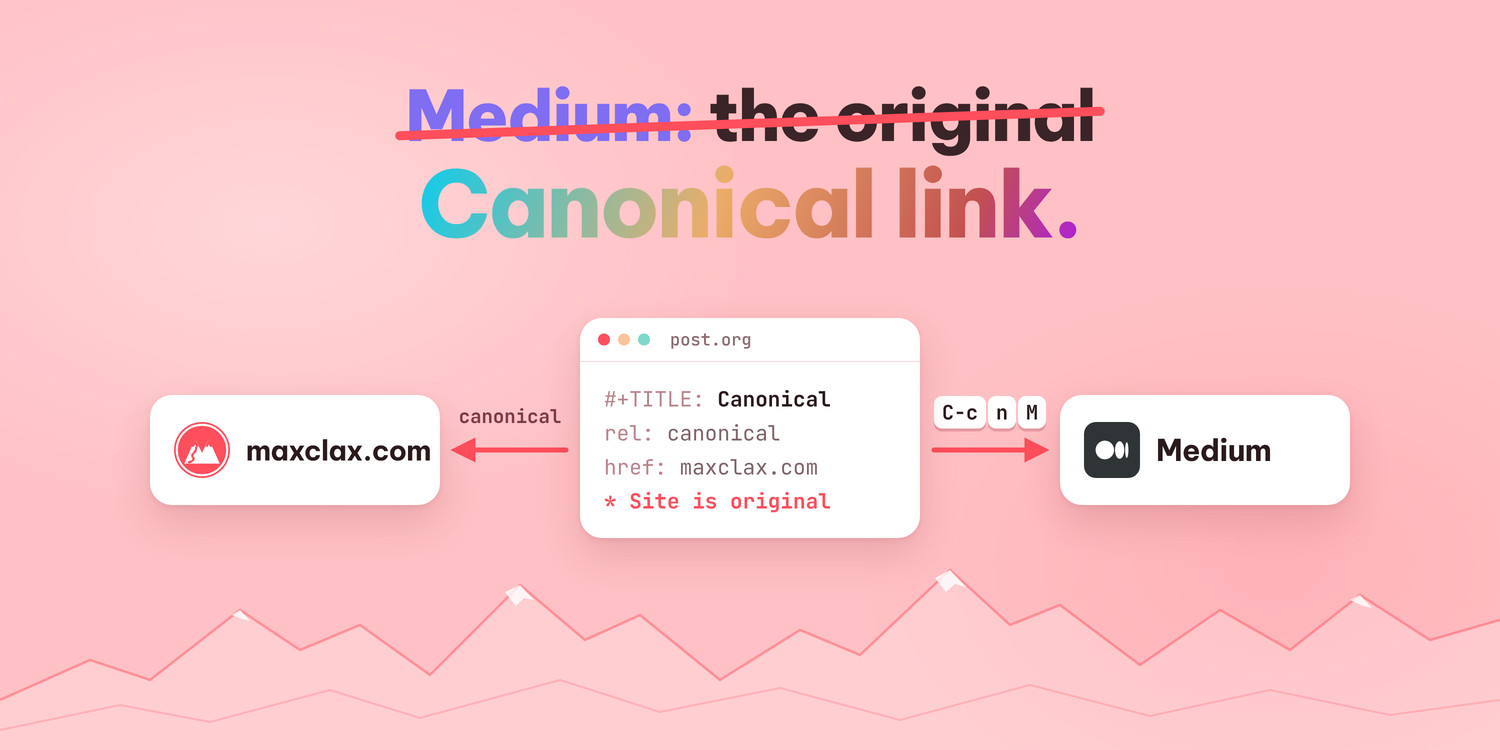
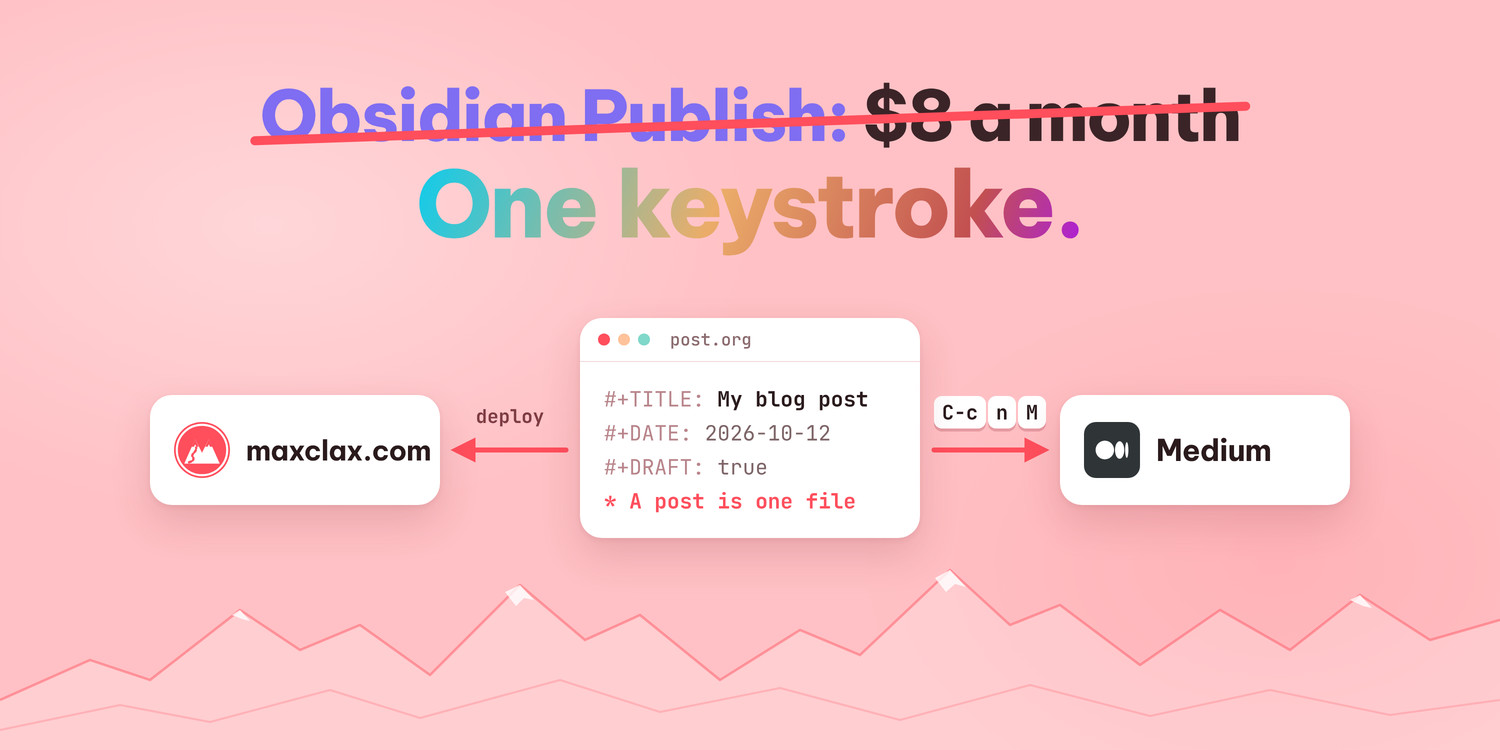
This blog works the same way. Each post is one Org file, the site turns it into a page itself, and for Medium Emacs exports the same file to HTML so I can paste it (C-c n M in my config). I wrote up how in a post about my blog.
18. Capture templates
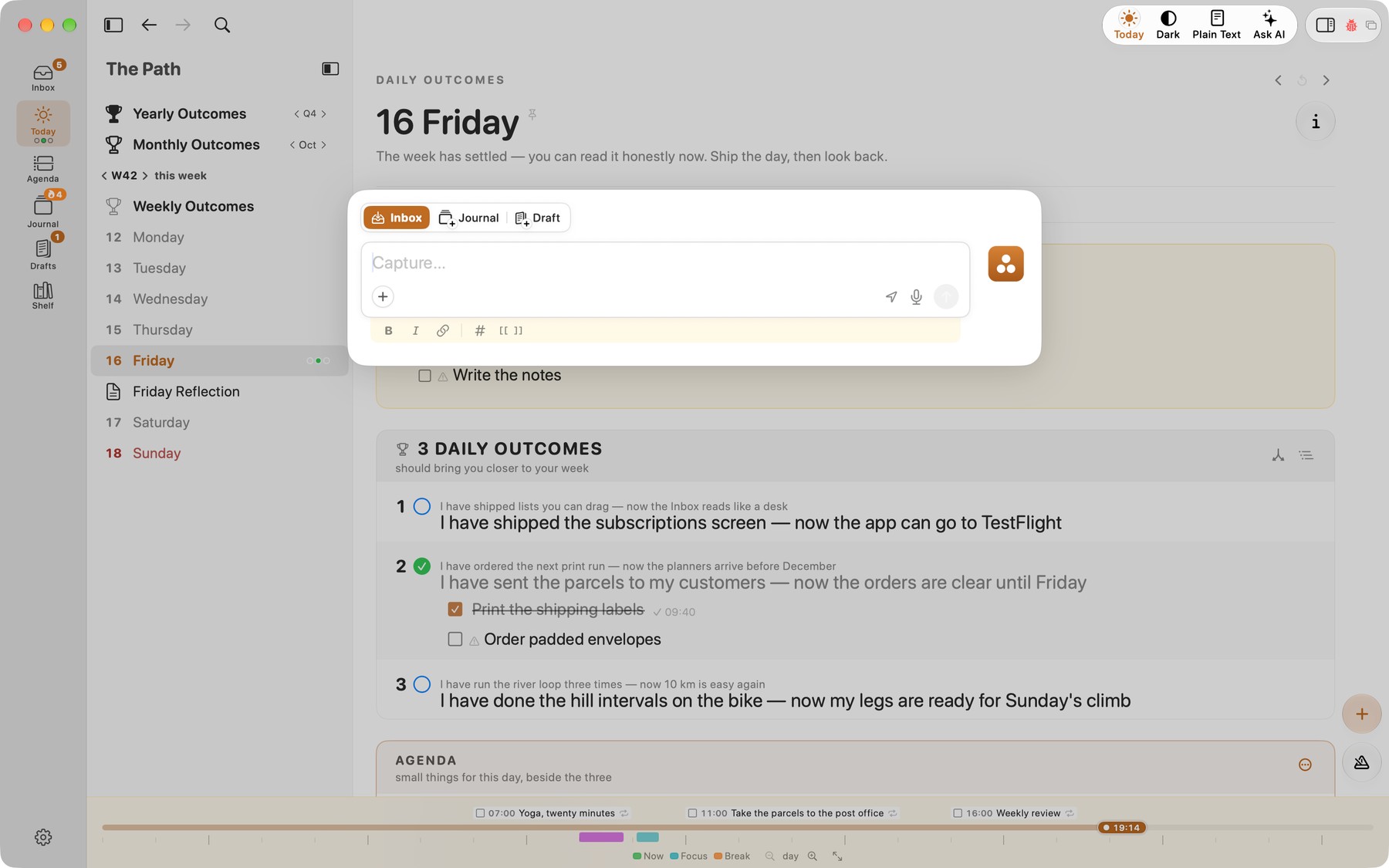
org-capture lets you press a key, type a quick note or task, and have it filed in the right place with a template (date, link to where you were, etc.). In Obsidian, similar flows come from Templater, QuickAdd or the daily notes core plugin.
Here is a simple capture template from an Emacs config:
(setq org-capture-templates
      '(("t" "Task" entry (file "~/org/inbox.org")
         "* TODO %?\n  %U")))
Quick capture in Tempo: one box, filed to Inbox, Journal or Draft:
19. File metadata
Org uses in-buffer keywords like #+TITLE:, #+DATE: and #+FILETAGS:. Markdown uses YAML front matter, which is not part of the core spec but is understood by almost every static site generator and note app.
Here is a file header in Org:
#+TITLE: Weekly review
#+DATE: 2026-10-14
#+FILETAGS: :review:
The same header as YAML front matter:
---
title: Weekly review
date: 2026-10-14
tags: [review]
---
20. Attachments
Org mode's attachment system (org-attach) gives each heading its own folder, managed by Org: it copies the file there (by default under data/, in a folder named after the heading's ID), tags the heading ATTACH, and you link to it as attachment:photo.jpg instead of a path. Markdown just embeds or links files by relative path; Obsidian can put new attachments in a folder you pick in its settings, but the note still links the file by its name or path.
Here is a heading with an attachment in Org:
* Passport renewal                                    :ATTACH:
  :PROPERTIES:
  :ID:       3f2a9c1e-7b4d-4e8a-9c61-2d5f0b8a1e47
  :END:
  Photo for the form: [[attachment:photo.jpg]]
And in Markdown, a plain relative link:
Photo for the form: 
Where Markdown wins
Being fair matters here, because Markdown's strengths are real:
- Tool support: GitHub, GitLab, Obsidian, VS Code, Notion imports, chat apps, forums, documentation tools — Markdown renders nearly everywhere. Org renders on GitHub and works in a growing set of apps, but its home is Emacs.
- Learning curve: you can learn useful Markdown in ten minutes. Org's basics are just as easy, but the power features (agenda, Babel, capture) take time and usually Emacs configuration.
- Mobile: there are many polished Markdown apps on iOS and Android. Org has some good mobile options (e.g. Beorg, Orgzly Revived, Plain Org), but fewer.
- Ecosystem: static site generators, linters, formatters, and a massive plugin culture around Obsidian.
- Standardisation: CommonMark gives Markdown a precise spec; Org's syntax is effectively defined by Org mode itself (there is a written syntax document, but one main implementation).
Conclusion
Pick by need. If you want simple notes that render everywhere and an app that adds tasks and queries on top, Markdown plus Obsidian is a great setup. If you want tasks, dates, time logs and structure to live inside the text itself, independent of any one app's plugins, Org is worth a look.
So reach for Markdown when you want a thought down fast. When the file is a project you keep coming back to, or something your scripts depend on, Org's structure is what keeps it easy to work with.
Either way, you are writing plain text, and plain text survives apps, companies and decades.
Tempo, the app in the screenshots, is at maxclax.com/tempo.
My Emacs config, including the Org setup, is in my dotfiles: init-org.el, with the key bindings in +keys.el.
Thanks for reading. Follow on X: https://x.com/maxclaxOS